NavigationEntertainment Driving tips
149
Reference At a glanceControlsCommunicationsMobility
Radio
Your radio provides reception of the FM and AM
wavebands.
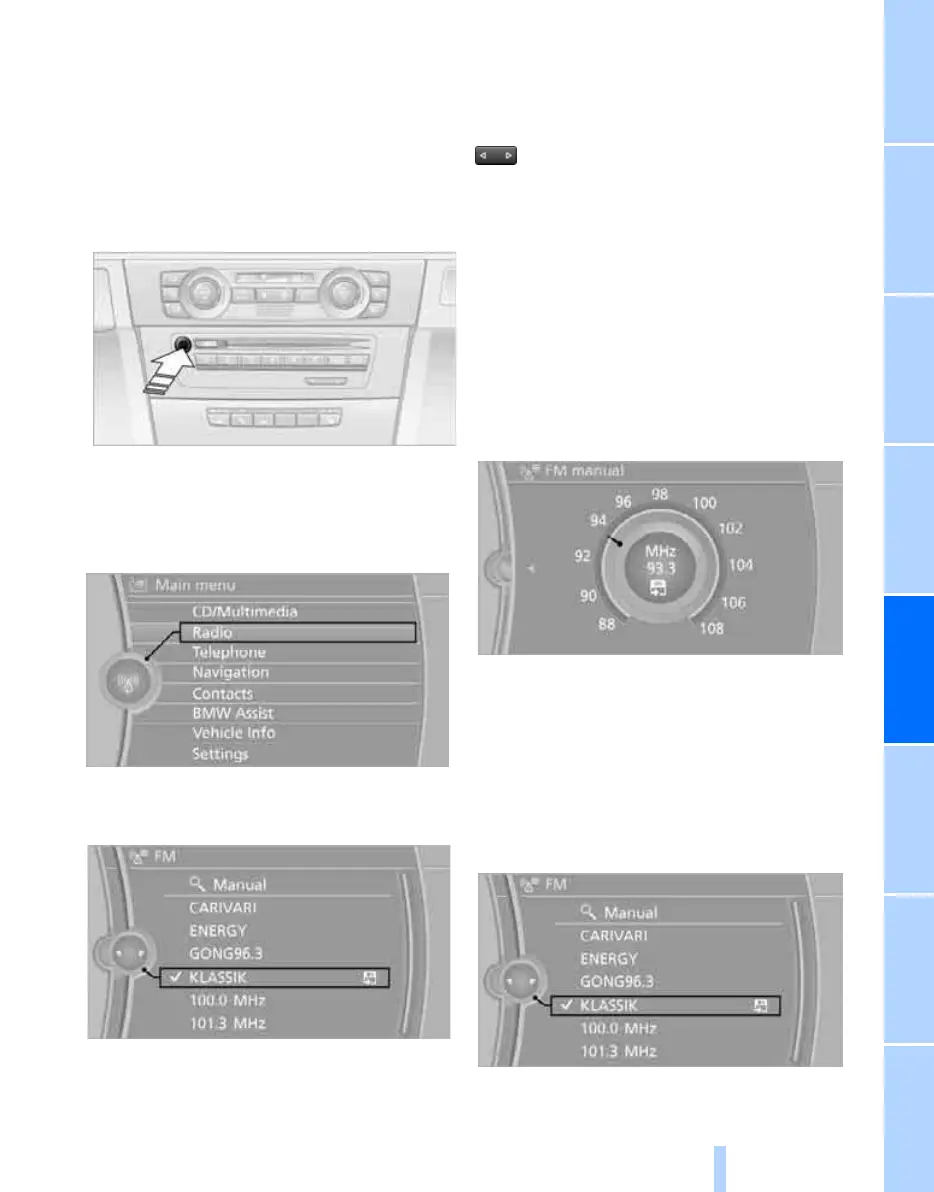
Selecting a station
Press the button if the sound output is switched
off.
iDrive, for operating principle refer to page 16.
1. "Radio"
2. "FM" or "AM"
3. Call up the desired station.
Changing stations
Turn the controller.
or
Press the button for the corresponding
direction.
or
Buttons on the steering wheel, refer to page 10.
Frequency, selecting manually
In "Manual", you can set stations that can be
received in addition to those already being dis-
played.
1. "FM" or "AM"
2. "Manual"
3. Call up the frequency.
To store the station: press the controller.
Storing stations
Via iDrive
1. "FM" or "AM"
2. Select the desired station.
3. Press the controller again.
ba8_E9293M3_cic.book Seite 149 Dienstag, 19. August 2008 12:01 12
Online Edition for Part no. 01 41 2 600 999 - © 08/08 BMW AG



 To Next Page