iDrive
16
iDrive
iDrive integrates the functions of a large num-
ber of switches. This allows these functions to
be operated from a single central position. The
following section provides an introduction to
basic menu navigation. The control of the indi-
vidual functions is described in connection with
the relevant equipment.
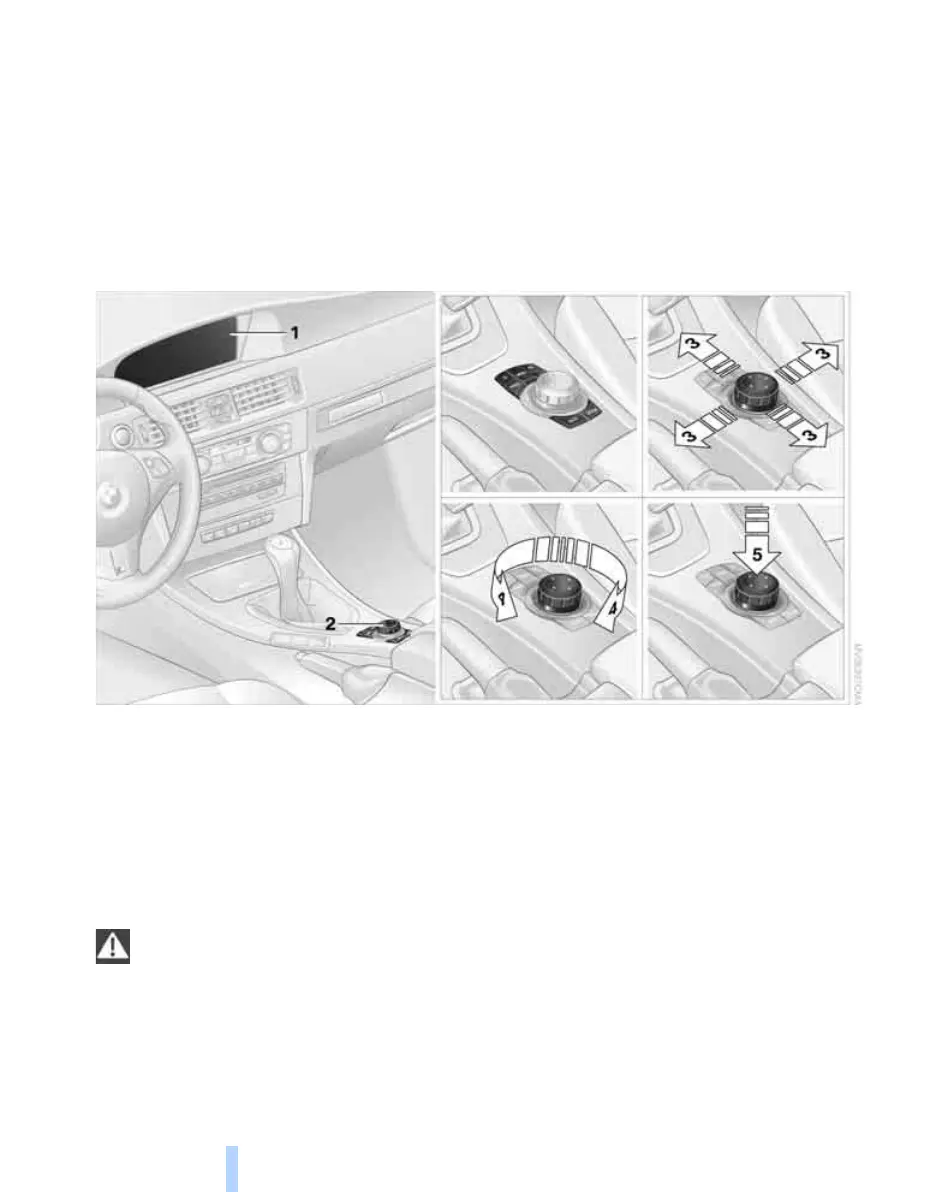
Controls
1 Control Display
2 Controller with buttons
You can use the buttons to open the menus
directly. The controller can be used to
select the menu items and create settings.
> Move in four directions, arrow 3
> Turn, arrow 4
> Push, arrow 5
Operate the controller only when traffic
and road conditions allow this, to avoid
endangering the car's occupants and other
road users by being distracted.<
ba8_E9293M3_cic.book Seite 16 Dienstag, 19. August 2008 12:01 12
Online Edition for Part no. 01 41 2 600 999 - © 08/08 BMW AG



 To Next Page