4. "Safety and warnings"
5. "Give way warning"
6. Select the desired setting:
▷ "Early"
▷ "Medium"
▷ "Late": only acute warnings are displayed.
▷ "Off": no warnings are displayed.
The selected setting is saved for the current
driver profile.
Warning function
General
The system warns in two stages:
▷ Advance warning: visually by means of a
warning symbol in the instrument cluster.
▷ Acute warning: visually by means of a warning
symbol in the instrument cluster and with an
additional acoustic signal.
The timing of the warnings may vary depending
on the current driving situation and the set warn‐
ing time.
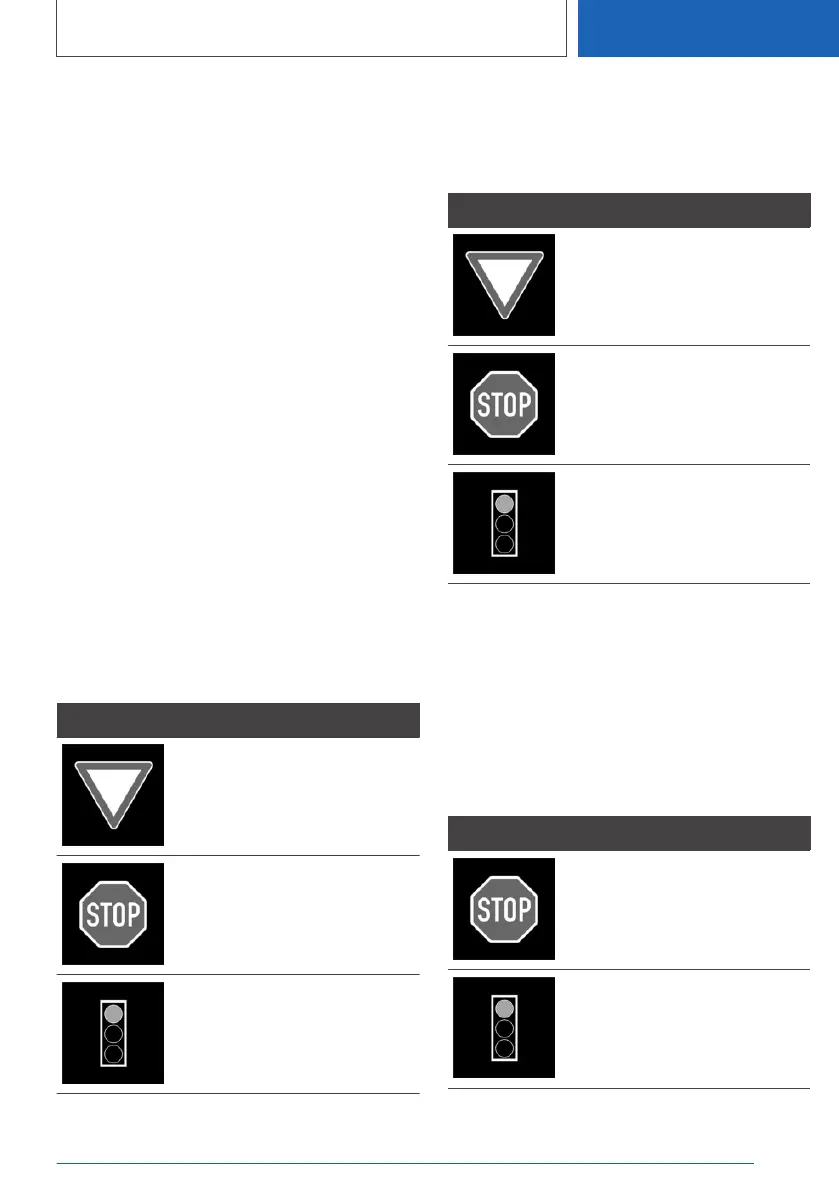
The following road signs are taken into account
for the road priority warning:
Signs Meaning
Give way signs:
These signs trigger an ad‐
vance warning.
Stop signs.
These signs trigger an ad‐
vance warning and an acute
warning.
An advance warning and an
acute warning are triggered
by red traffic lights.
Advance warning
If there is a risk that road priority is about to be
ignored, one of the following symbols appears in
the instrument cluster:
Symbol Meaning
Give way.
Stop.
Red traffic light.
When a prior warning is issued, intervene as ap‐
propriate for the situation; for example, by brak‐
ing.
Acute warning
If there is a serious risk that road priority is about
to be ignored, a signal sounds and one of the
following symbols appears in the instrument
cluster:
Symbol Meaning
Stop.
Red traffic light.
Seite 237
Safety
CONTROLS
237
Online Edition for Part no. 01405A1EA53 - X/20



 To Next Page