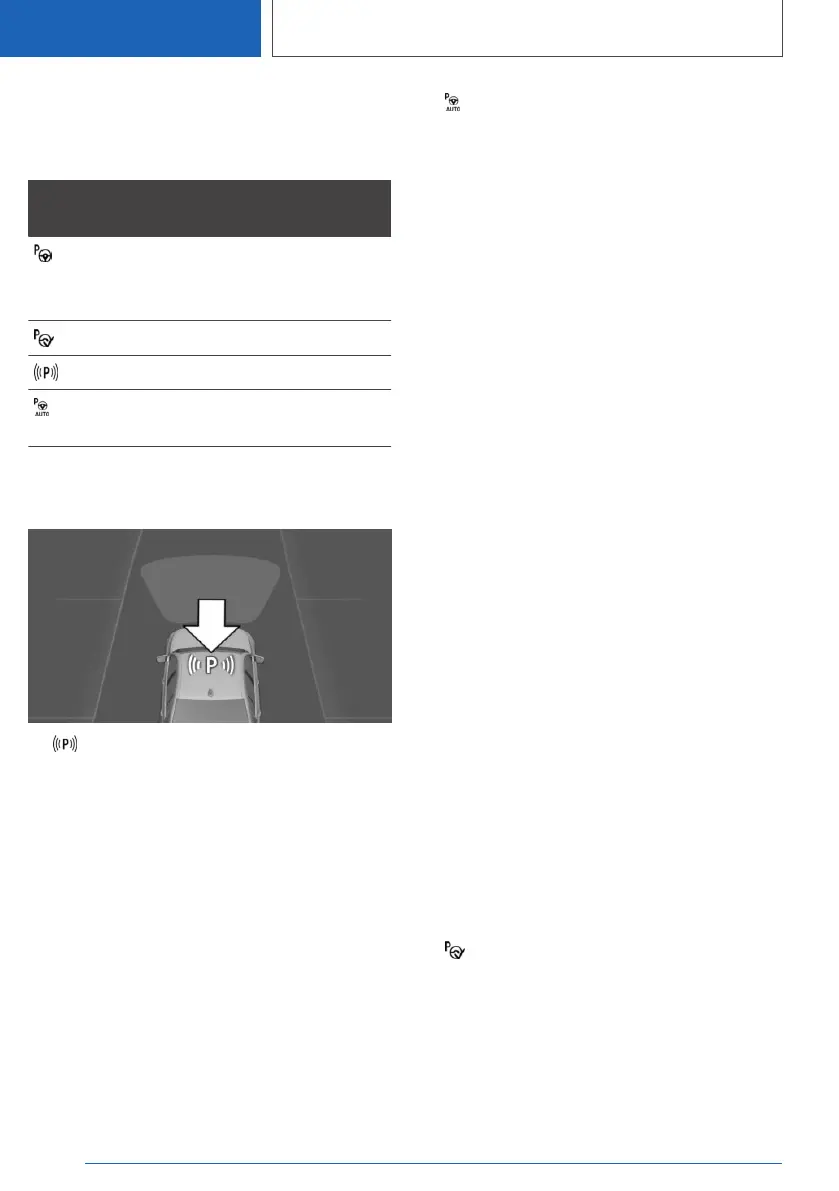
Display on the control display
System is activated/deactivated
Sym‐
bol
Meaning
Grey: system is not available.
White: system is available but not ac‐
tivated.
System is activated.
Parking space search is active.
Parking operation is active. The sys‐
tem takes over the steering.
Parking space search and system
status
▷ The Park Assistant is activated and park‐
ing space search is active.
▷ Suitable parking spaces are shown on the
control display along the edge of the road
next to the vehicle symbol. When Park Assist
is active, suitable parking spaces are highligh‐
ted and an acoustic signal sounds.
▷ When perpendicular or parallel parking
spaces are clearly detected, the system auto‐
matically selects the appropriate parking
method. A selection menu is displayed for
parking spaces that are large enough for both
parallel and perpendicular parking. In this
case, select the desired parking method
manually.
▷ Parking operation active. The system
takes over the steering.
▷ The parking space search is active whenever
the vehicle is driving forwards at low speed,
even if the system is deactivated. If the sys‐
tem is deactivated, the displays on the Con‐
trol Display may be shown in grey.
Switching the acoustic signal for
suitable parking spaces on/off
1. "CAR"
2. "Settings"
3. "Driver assistance"
4. "Parking and manoeuvring"
5. "Park Assist"
6. "Alert if parking space detected"
The setting is saved for the current driver profile.
Park Distance Control PDC
acoustic signals
During an automatic parking manoeuvre, Park
Distance Control PDC does not emit an intermit‐
tent tone.
A continuous tone sounds if the distance to a
detected object is less than approximately
20 cm, 8 in.
Parking with Park Assistant
Driving into a parking space
1.
Switch on and activate Park Assistant.
For this, engage reverse gear or press the
Park Assist button and activate the system on
the control display if necessary.
Park Assist is activated.
2. Drive forwards past the line of parked vehi‐
cles at a speed up to approximately 35 km/h,
22 mph and at a distance of maximum 1.5 m,
5 ft.
Seite 288
CONTROLS
Driver Assistance Systems
288
Online Edition for Part no. 01405A1EA53 - X/20



 To Next Page