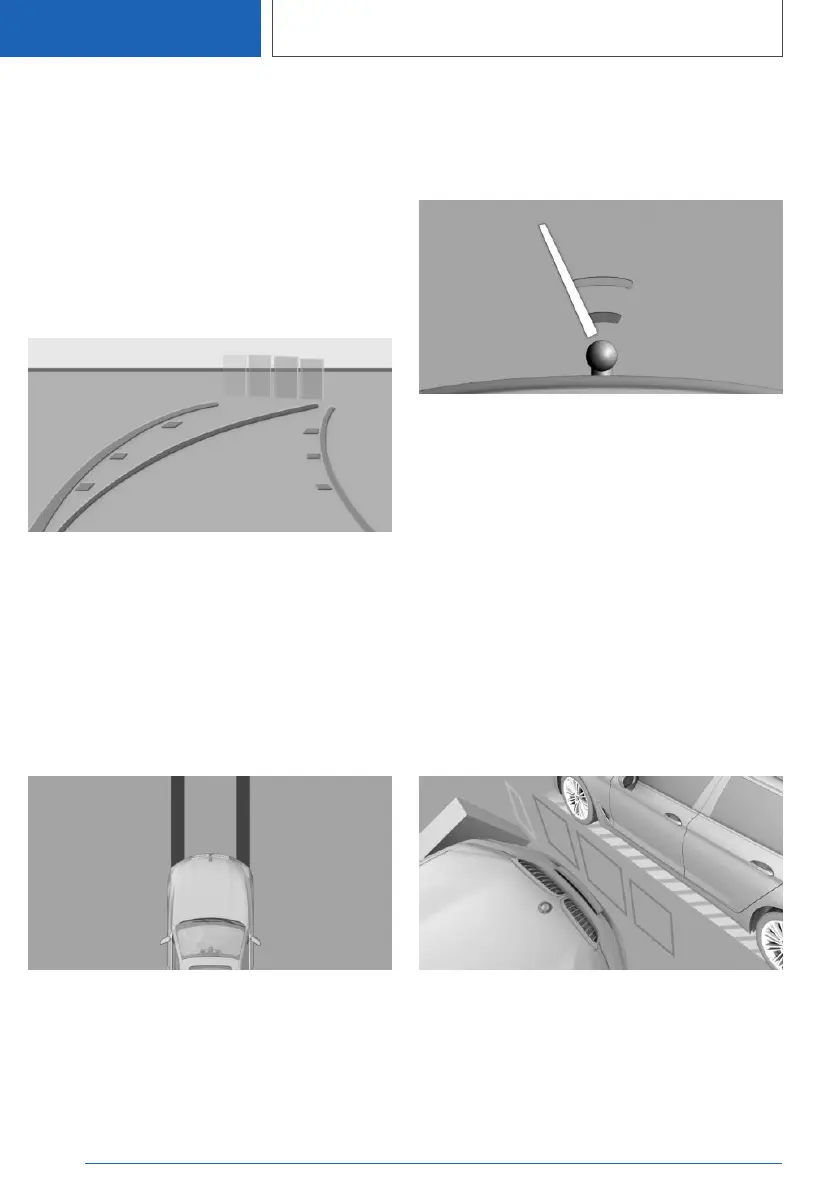
Parking with the help of driving path and
turning circle lines
1. Position the vehicle so that the red turning
circle line is within the boundaries of the park‐
ing space.
2. Turn the steering wheel so that the green
driving path line covers the corresponding
turning circle line.
Obstacle marker
Obstacles behind the vehicle are detected by the
Park Distance Control PDC sensors.
Obstacle markings can be shown in the camera
image.
The colour grading of the obstacle markings is
the same as the Park Distance Control PDC
markings.
Washing bay view
The washing bay view provides assistance when
driving into washing bays by displaying the vehi‐
cle's own tyre tracks.
Zoom to trailer tow hitch
To assist with connecting up a trailer, it is possi‐
ble to zoom in on the area around the trailer tow
hitch.
Two static circle segments show the distance
between the trailer and the trailer tow hitch.
A docking line dependent on the steering angle
assists you in lining up the trailer tow hitch with
the trailer.
When zooming in, remember that the view might
no longer show certain obstacles.
Lateral parking aid
Principle
The system warns about obstacles at the side of
the vehicle.
Display
Obstacle markings are displayed at the sides of
the vehicle to protect the vehicle's flanks.
▷ No markings: no obstacles have been detec‐
ted.
Seite 296
CONTROLS
Driver Assistance Systems
296
Online Edition for Part no. 01405A1EA53 - X/20



 To Next Page