By turning the Controller or using the touch func‐
tion, defined perspectives along the circular path
can be selected.
The current perspective is identified by a camera
symbol.
To exit the function, tilt the Controller to the side
and select a different camera function.
Toolbar, right
Assistance functions can be activated and set‐
tings made using iDrive and the function bar on
the right. To do this, tilt the Controller to the right
if necessary.
▷ "Park Assist".
▷ "Reversing Assistant".
▷ "Camera picture":
▷ "Brightness".
▷ "Contrast".
▷ "Parking guide lines".
▷ "Obstacle mark.".
▷ "Settings": to perform settings, for exam‐
ple to use the activation points with Panor‐
ama View.
Rear-view camera
This view shows the image from the rear-view
camera.
Selection window
In the selection window, the individual camera
perspectives can be selected using iDrive.
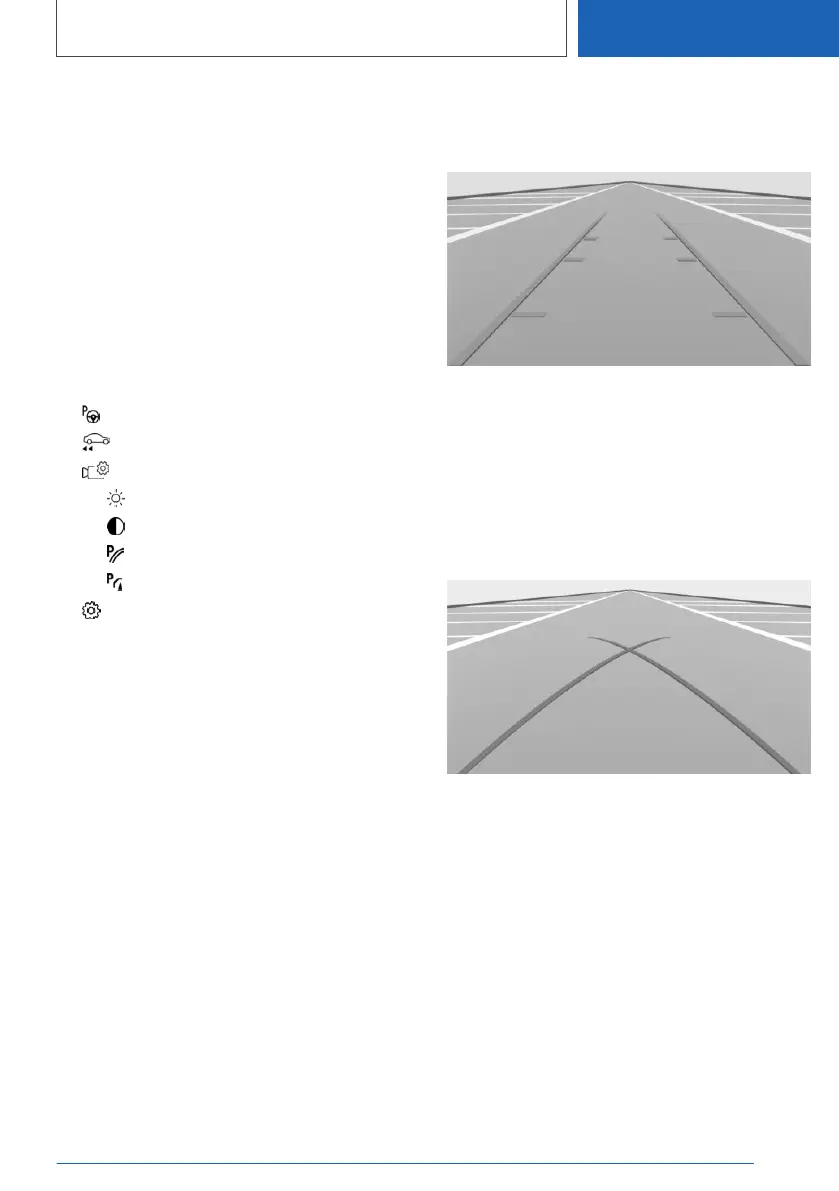
Parking guidance lines
Driving path lines
The driving path lines help you to estimate the
space required when parking and manoeuvring
on a level road surface.
The driving path lines are dependent on the
steering angle and continuously adapt to steer‐
ing wheel movements.
Turning circle lines
The turning circle lines can only be shown in the
camera image together with driving path lines.
The turning circle lines show the trajectory of the
smallest possible turning circle on a level road
surface.
Once the steering wheel has been turned be‐
yond a certain angle, only one turning circle line
is displayed.
Seite 295
Driver Assistance Systems
CONTROLS
295
Online Edition for Part no. 01405A1EA53 - X/20



 To Next Page