Switching on/off
Activating/deactivating the system
With the button
1.
Press the Park Assistant button.
2. Tilt the Controller to the right.
3. "Settings"
4. "Cross-traffic alert"
5. "Activate function"
Via iDrive
1.
"CAR"
2. "Settings"
3. "Driver assistance"
4. "Parking and manoeuvring"
5. "Cross-traffic alert"
6. "Activate function"
Automatic activation
If the system was activated on the Control Dis‐
play, it is switched on automatically as soon as
Park Distance Control PDC or Panorama View is
active and a gear is engaged.
The system is switched on at the rear when re‐
verse gear is engaged.
Depending on the equipment, the system is
switched on at the front when a forward gear is
engaged.
Switching off automatically
The system switches off automatically in the
following situations:
▷ If walking speed is exceeded.
▷ When a certain distance is exceeded.
▷ When Park Assistant is actively parking the
vehicle.
Warning
General
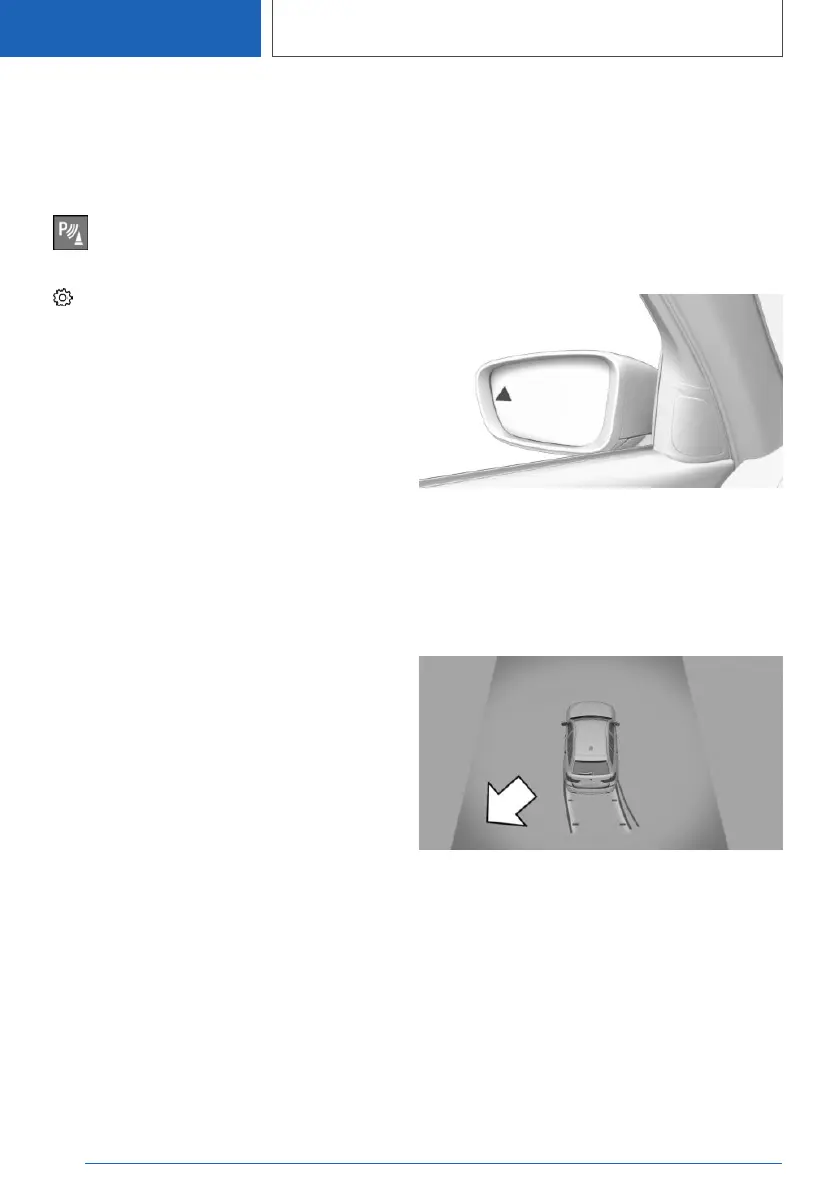
The Control Display shows the corresponding
image, an acoustic signal sounds, if necessary,
and the light in the exterior mirror flashes.
Light in the exterior mirror
The light in the exterior mirror flashes if other ve‐
hicles are detected by the rear sensors when the
vehicle is reversing.
Display in the Park Distance Control
PDC view
In the Park Distance Control PDC view, the rele‐
vant boundary area flashes red if the sensors de‐
tect vehicles.
Seite 302
CONTROLS
Driver Assistance Systems
302
Online Edition for Part no. 01405A1EA53 - X/20



 To Next Page