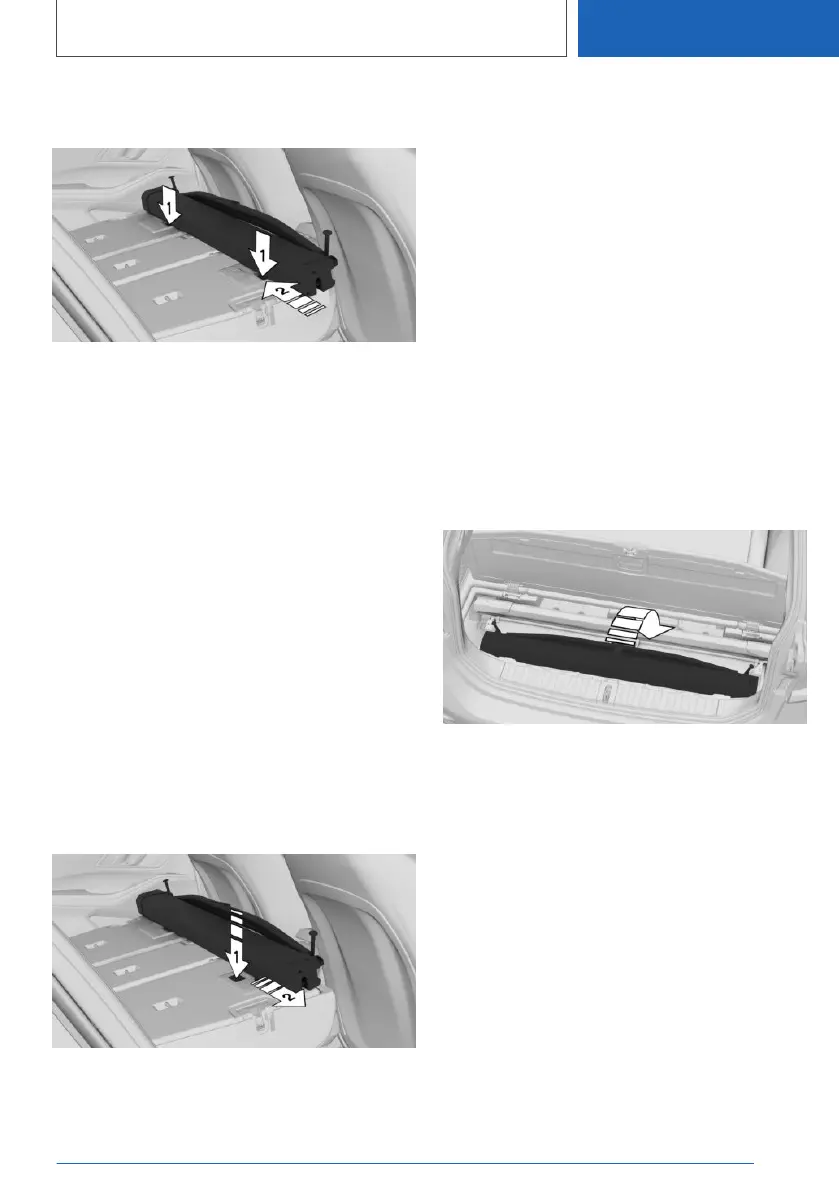
5. Position the case at the rear of the backrests,
arrows 1.
6. Push the case to the left until the guides
reach their limit position, arrow 2. Make sure
that the red mark on the backrest is no longer
visible.
Hooking on the luggage net
1.
Fold open front covers on the headliner.
2. Swiftly pull out the luggage net. Insert the two
side rods into the front brackets on the head‐
liner and push forwards, as in a normal lug‐
gage compartment with the rear seat back‐
rest upright. If removal is blocked, push
luggage compartment separating net back in
and smoothly remove again.
With the rear seat backrest upright, see
page 334.
Moving the luggage net backwards
1.
Remove the case with the luggage net: press
the button, arrow 1, and pull out the case, ar‐
row 2.
2. Push the case from above into both brackets
in the side trim panel behind the rear seat
backrests, until the case engages on both
sides. The red warning zones on the buttons
disappear.
3. Fold the rear seat backrests back.
Stowing away
The luggage net can be stowed under the lug‐
gage compartment floor.
1. Open the storage compartment under the
luggage compartment floor.
2. Open the side storage compartment and re‐
move the lid.
Side storage compartment, left, see
page 330.
3. Fit the case into the mounts.
4. Pull the luggage compartment separating net
out a little and fold downwards.
5. Close the storage compartments.
Seite 335
Luggage compartment
CONTROLS
335
Online Edition for Part no. 01405A1EA53 - X/20



 To Next Page