A maximum of four devices can be connected to
the vehicle via Bluetooth and ten devices via
WLAN. A maximum of 20 devices can be detec‐
ted.
1. "COM"
2. "Mobile devices"
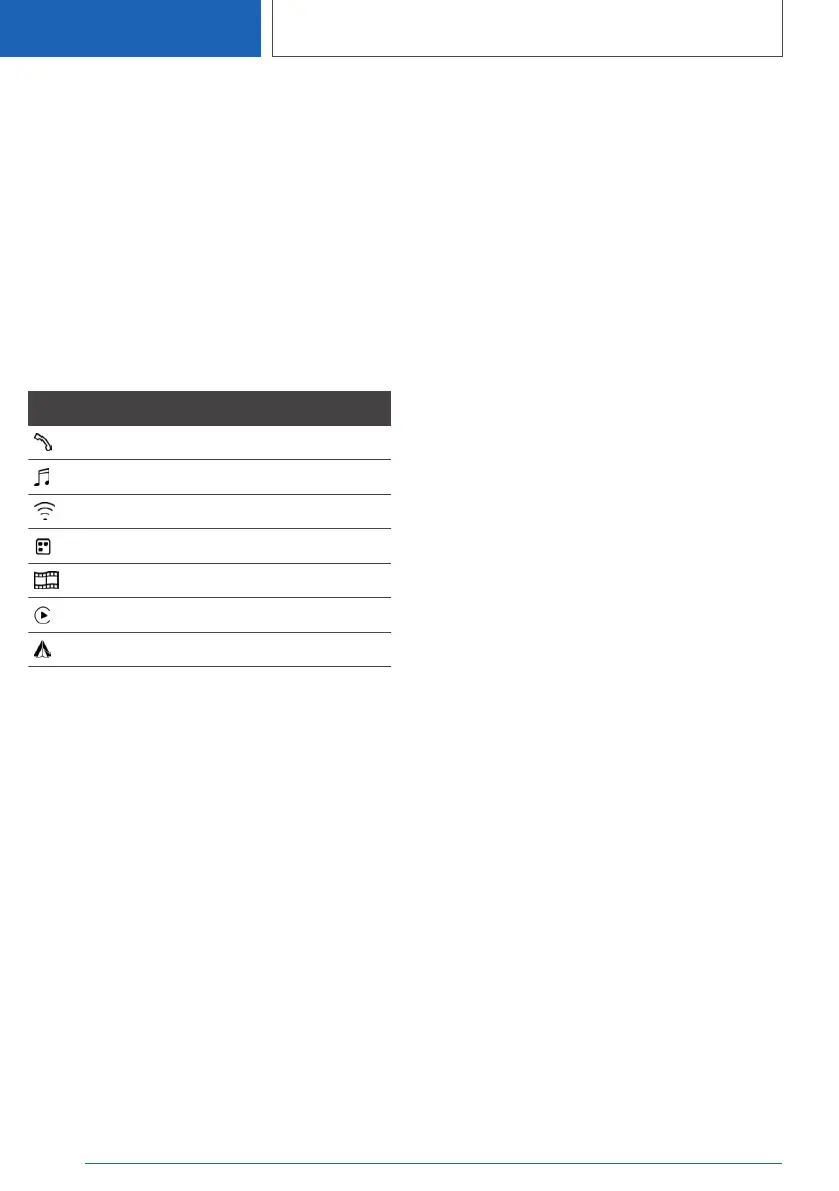
A symbol to the right of the device name indi‐
cates which function the device is used for.
If the symbol is shown in white, there is an active
connection to the vehicle with this function. The
symbol is shown in grey when the device func‐
tion is inactive.
Symbol Meaning
Telephone.
Bluetooth audio.
WLAN in the vehicle, Wi-Fi hotspot.
Apps.
Screen Mirroring.
Apple CarPlay.
Android Auto.
Configuring the device
Functions can be activated or deactivated on a
paired or connected device.
The level of functionality depends on the mobile
device.
Observe the information on the control display.
1.
"COM"
2. "Mobile devices"
3. Select the required device.
4. Select the desired setting:
▷ "Connect device"
Functions assigned to the device before
disconnection are reassigned to the de‐
vice upon reconnection. If applicable,
these functions are deactivated for an al‐
ready connected device.
▷ "Disconnect device"
The device remains paired and can be
connected again.
▷ "Delete device"
The device is disconnected and deleted
from the device list.
▷ "Connection mode"
Select a connection mode, for example
Apple CarPlay.
▷ "Telephone"
Set the telephone.
▷ "Bluetooth audio"
Playback of music files via Bluetooth from
external devices, for example audio devi‐
ces or mobile telephones.
▷ "Apps"
If the BMW Connected app is installed,
smartphone apps can be displayed in the
vehicle.
▷ "Wi-Fi"
Connects the device to the WLAN in the
vehicle.
Telephone priority
If several mobile phones are connected to the
vehicle, it is possible to define reconnection pri‐
orities for them.
1.
"COM"
2. "Mobile devices"
3. Tilt the Controller to the right.
4. "Settings"
5. "Priorities for telephony"
6. Select the required device.
7. Move to select the desired priority.
Seite 86
CONTROLS
Connections
86
Online Edition for Part no. 01405A1EA53 - X/20



 To Next Page