NavigationEntertainment Driving hints
141
Reference OverviewControlsCommunicationMobility
Video menu
To open the Video menu:
1. Turn the controller while the DVD is playing.
2. When "Back" is displayed, press the con-
troller.
The Video menu is displayed:
With fast forward/rewind: each time the control-
ler is pressed, the speed increases. To stop,
start playback.
DVD menu
1. If necessary, turn the controller to call up
the Video menu.
2. "DVD menu"
The DVD menu is displayed. The display
depends on the contents of the DVD.
> To select menu items: tilt and press the
controller.
> To change to the Video menu: turn the con-
troller and select "Back".
Settings for DVD/VCD
For some DVDs, settings are only possible via
the DVD menu, see also information on your
DVD.
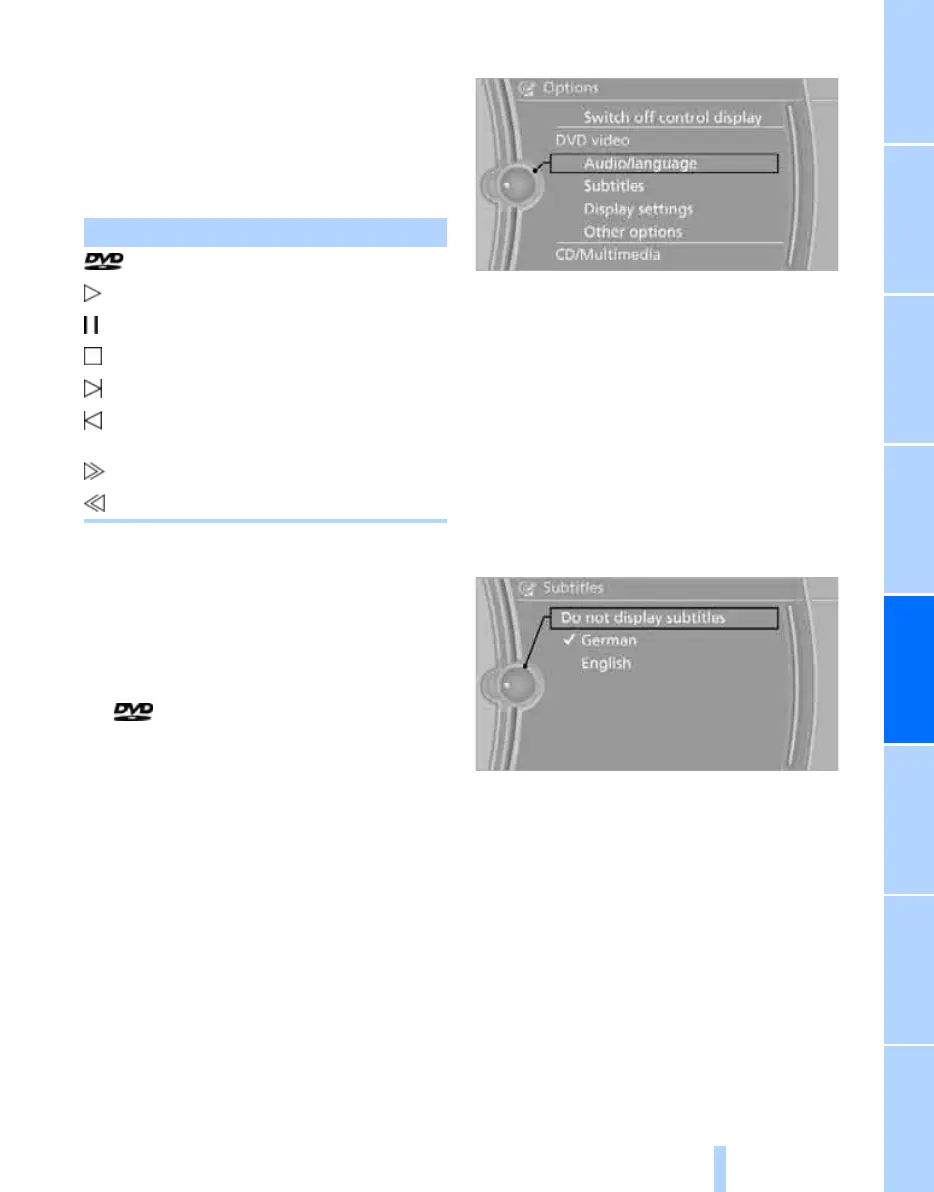
Language*
1. Turn the controller while the DVD is playing.
2. Call up "Options".
3. "Audio/language"
4. Select the desired language.
The languages available depend on the DVD.
Subtitles*
Subtitles can be selected if the DVD includes
this feature.
1. Turn the controller while the DVD is playing.
2. Call up "Options".
3. "Subtitles"
4. Select the desired language or "Do not dis-
play subtitles".
Brightness, contrast, colour
1. Turn the controller while the DVD is playing.
2. Call up "Options".
3. "Display settings"
Symbol Function
Calls up the DVD menu
*
Starts playback
Pause
Stop
Next chapter/next track
Previous chapter/previous
track
Fast forward
Rewind
Online Edition for Part no. 01 41 2 602 816 - © 08/09 BMW AGOnline Edition for Part no. 01 41 2 602 816 - © 08/09 BMW AG



 To Next Page