157
EntertainmentReference OverviewControlsDriving hintsCommunication NavigationMobility
> Depending on the mobile phone, initial
adjustments have to be made on the mobile
phone, e.g. via the following menu items:
> Bluetooth activated
> Allow connection without further prompt
> Reconnect
> Depending on the mobile phone type, set-
ting the power economy mode, for instance,
may result in a logged-on mobile phone not
being identified by the vehicle.
> To log on, choose any 4-16-digit number as
the Bluetooth passkey, e.g. 25081107. A
number that is as long and complex as pos-
sible provides greater protection against
unauthorised access. This Bluetooth pass-
key is no longer required once you have
successfully logged on.
> The ignition must be switched on.
Only log on the mobile phone while the
vehicle is at a standstill so as not to
endanger the vehicle's occupants and other
road users as a result of being distracted.<
Switch on ignition
1. Insert the remote control all the way into the
ignition switch.
2. Switch on the ignition and, in addition, press
the start/stop button without operating the
brake or clutch pedal.
Preparation via iDrive
3. "Telephone"
4. "Bluetooth"
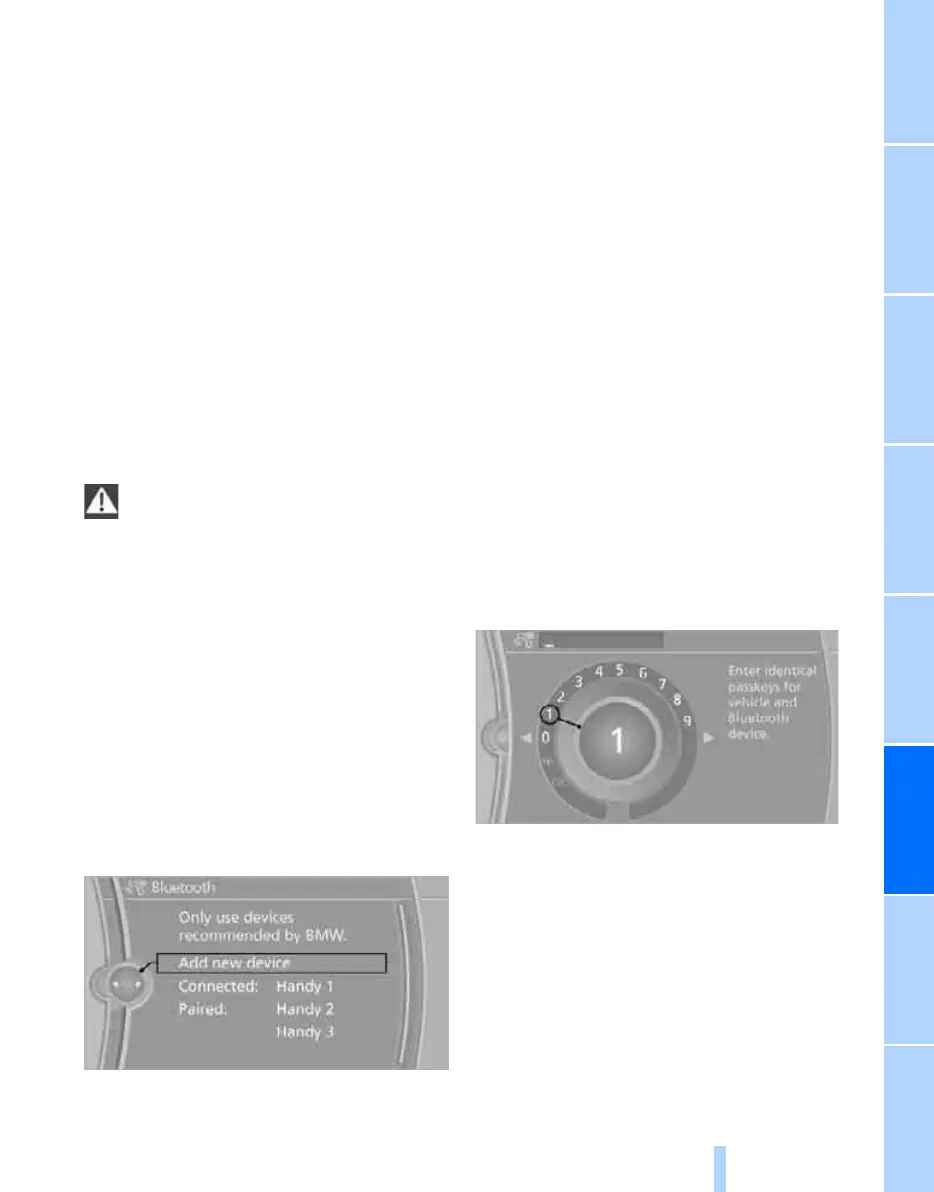
5. "Add new device"
The Bluetooth name of the vehicle is dis-
played.
Preparation via the mobile phone
6. Further procedures must be performed on
the mobile phone; these may vary depend-
ing on the type of mobile phone, see the
Operating Instructions for your mobile
phone, e.g. under locating, connecting up
or pairing Bluetooth device.
The Bluetooth name of the vehicle is shown
on the display of the mobile phone.
7. Select the Bluetooth name of the vehicle on
the mobile phone display.
Logging on
Depending on the type of mobile phone; you are
successively requested first by the display on
the mobile phone or the iDrive to enter the same
Bluetooth passkey that you defined.
8. Enter the Bluetooth passkey.
Depending on the type of mobile phone,
you will have around 30 seconds to enter
the Bluetooth passkey on the mobile phone
and on the Control Display.
If logon was successful, the mobile phone
appears at the top of the list of mobile phones.
After logging on for the first time
> The mobile phone is detectable/connected
in the vehicle after a maximum of 2 minutes
if the engine is running or the ignition is
switched on.
> As soon as a mobile phone is identified by
the vehicle, the phone book entries stored
on the SIM card or in your mobile phone are
transferred to your vehicle. The transfer
Online Edition for Part no. 01 41 2 602 816 - © 08/09 BMW AGOnline Edition for Part no. 01 41 2 602 816 - © 08/09 BMW AG



 To Next Page