Telephone
158
process depends on your mobile phone,
and may take several minutes (see the
Operating Instructions of the mobile phone
if applicable).
> Four mobile phones can be logged on.
> On some mobile phones, certain settings
might be necessary, e.g. authorisation or
secure connection, see the Operating
Instructions of the mobile phone.
If not all of the telephone book entries are dis-
played:
> If necessary, transfer all telephone book
entries from the SIM card to the mobile
phone.
> Telephone book entries with special char-
acters may not always be displayed.
If logon is not successful, check the
following
> Is the mobile phone supported by the
mobile phone provision? You will find infor-
mation on the Internet at: www.bmw.com/
bluetooth.
> Do the Bluetooth passkeys on the mobile
phone and vehicle agree? The same Blue-
tooth passkey must be entered on the dis-
play of the mobile phone and via iDrive.
> Did you need longer than 30 seconds to
enter the Bluetooth passkey? Then repeat
the logon procedure.
> Too many Bluetooth devices connected to
the mobile phone? If necessary, delete the
mobile phone connection with other
devices.
> Does the mobile phone no longer respond?
Switch the mobile phone off and on again or
disconnect the power supply.
> Repeat the logon.
> If all the points in the list have been checked
and the mobile phone still cannot be logged
on, contact the hotline.
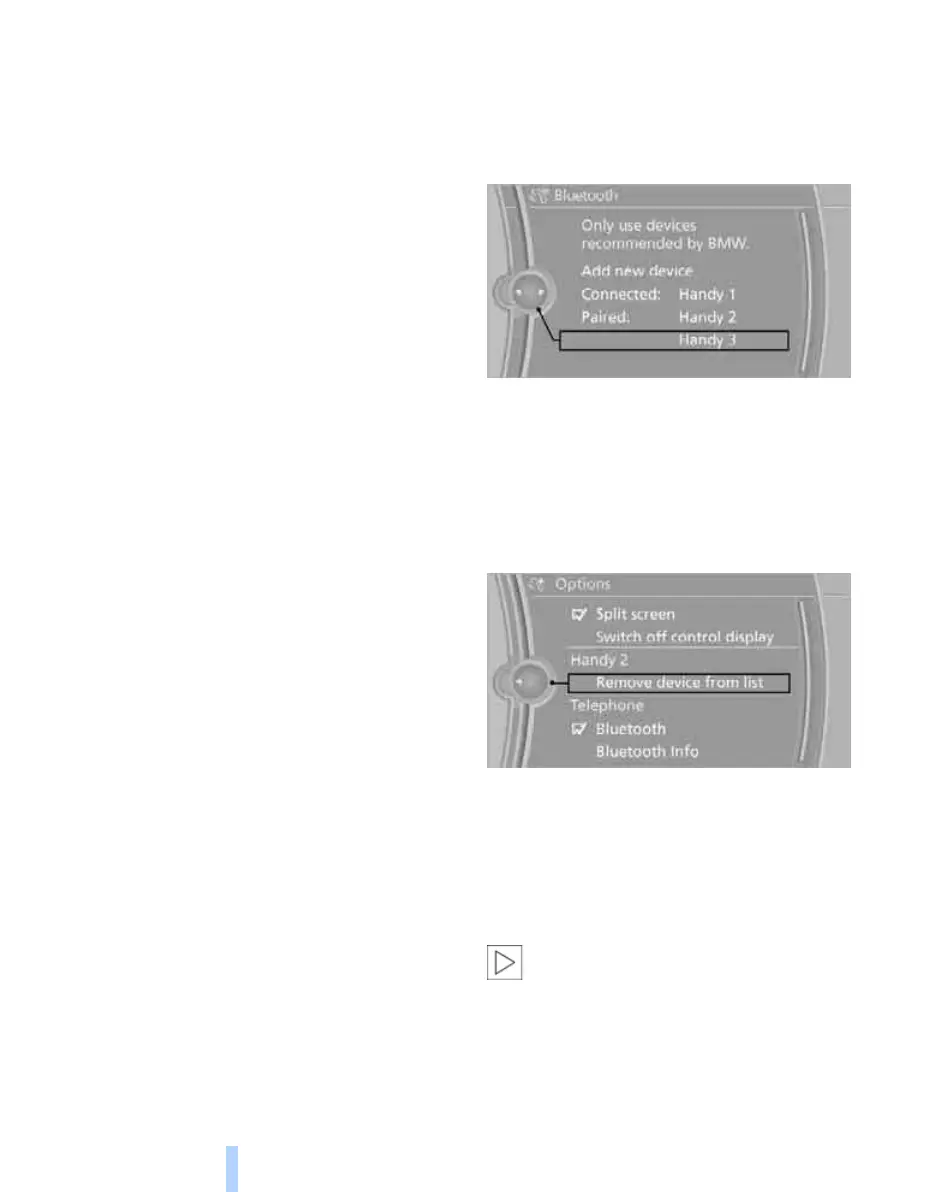
Connecting a certain mobile phone
If more than one mobile phone is detected by
the vehicle, the mobile phone furthest up the list
is connected. If another mobile phone is to be
connected, this can be selected.
1. "Telephone"
2. "Bluetooth"
3. Select the desired mobile phone.
Logging mobile phone off in the vehicle
1. "Telephone"
2. "Bluetooth"
3. Highlight the mobile phone to be logged off.
4. Call up "Options".
5. "Remove device from list"
The logged-off mobile phone is deleted
from the list.
The telephone book entries and the list of
stored phone numbers are also deleted.
Deactivating/activating Bluetooth
connection
Bluetooth technology is not permitted in
all countries. Observe the legal require-
ments of the country in which you are travelling.
Temporarily deactivate the Bluetooth connec-
tion between the vehicle and the mobile phone
if necessary.
If the Bluetooth connection is deactivated, you
are no longer able to operate the mobile phone
Online Edition for Part no. 01 41 2 602 816 - © 08/09 BMW AGOnline Edition for Part no. 01 41 2 602 816 - © 08/09 BMW AG



 To Next Page