159
EntertainmentReference OverviewControlsDriving hintsCommunication NavigationMobility
via the vehicle but it will still be possible to use
other devices with a Bluetooth interface via the
mobile phone, e.g. a laptop.<
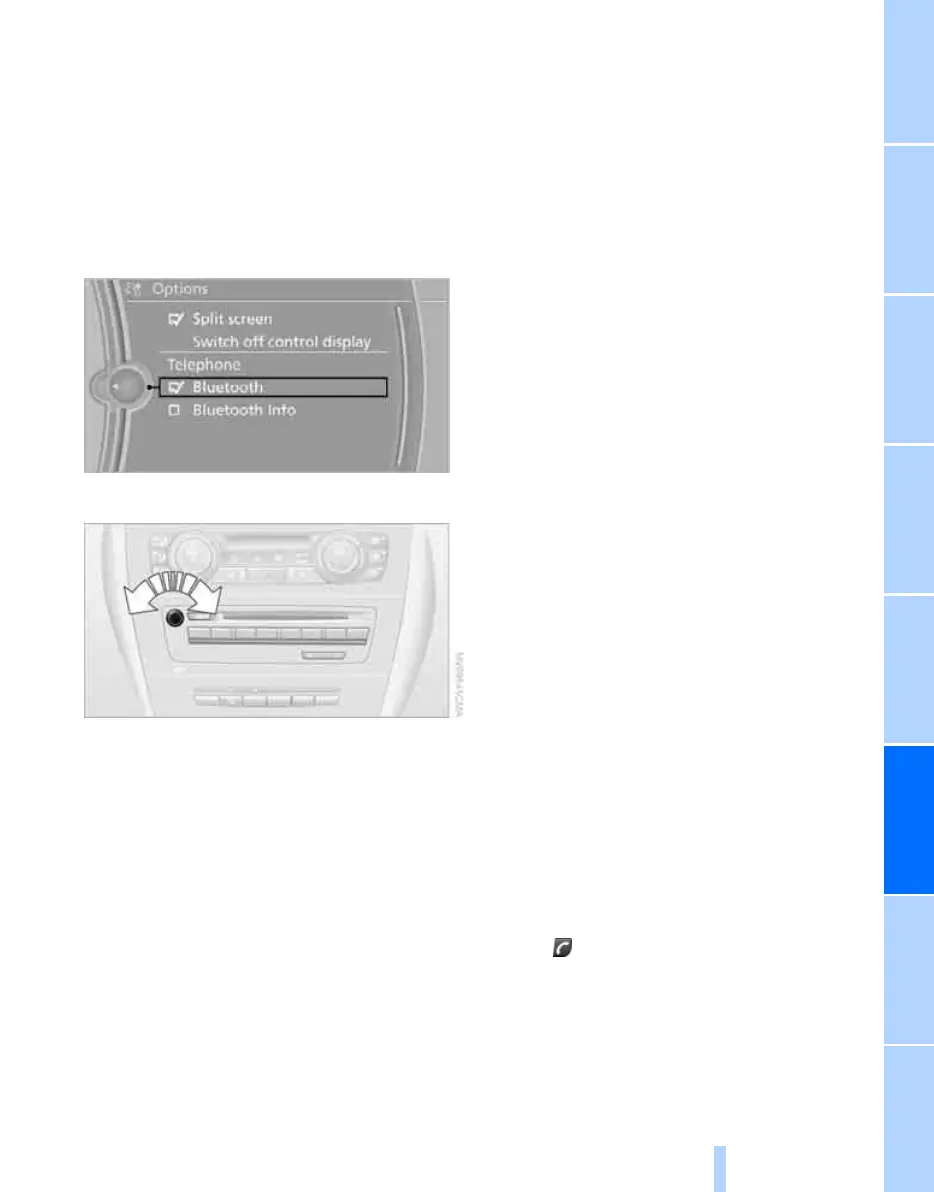
To temporarily deactivate the Bluetooth con-
nection between your vehicle and your mobile
phone:
1. "Telephone"
2. Call up "Options".
3. "Bluetooth"
Adjusting volume
Turn the knob during a call until the desired vol-
ume is obtained.
This volume is retained for the hands-free sys-
tem even if you set other audio sources to min-
imum values.
The setting is stored for the remote control cur-
rently in use.
Operation via iDrive
You can operate the following functions via
iDrive:
> Accepting/rejecting a call
> Dialling a phone number
> Dialling a number from the phone book
> Dialling stored numbers, e.g. from the list of
received calls
> Ending a call
With the ignition switched off but in the radio
ready state, e.g. after the remote control has
been removed, you can continue a call via the
hands-free unit for a number of minutes.
Voice quality
Loud background noises may cause the person
with whom you are telephoning to have difficul-
ties in understanding you. The mobile phone
provision is able to compensate for these
noises to a certain extent. To optimise voice
quality during a call, we recommend that you:
> Reduce background noise, e.g. by closing
the windows, reducing the air flow from the
automatic air-conditioning system or
angling the open front air outlets down-
wards.
> Reduce the volume of the hands-free unit.
Conditions
> The mobile phone's logon data has been
stored by the vehicle and the mobile phone
is on standby.
> The engine is running or the ignition is
switched on.
> The mobile phone is identified by the vehi-
cle.
Receiving a call
If the number of the person calling you is stored
in the phone book and the number is not with-
held, the name under which it is stored is dis-
played.
Accepting a call
Press the button on the steering wheel
Online Edition for Part no. 01 41 2 602 816 - © 08/09 BMW AGOnline Edition for Part no. 01 41 2 602 816 - © 08/09 BMW AG



 To Next Page