163
EntertainmentReference OverviewControlsDriving hintsCommunication NavigationMobility
Displaying messages
1. "Telephone"
2. "Messages"
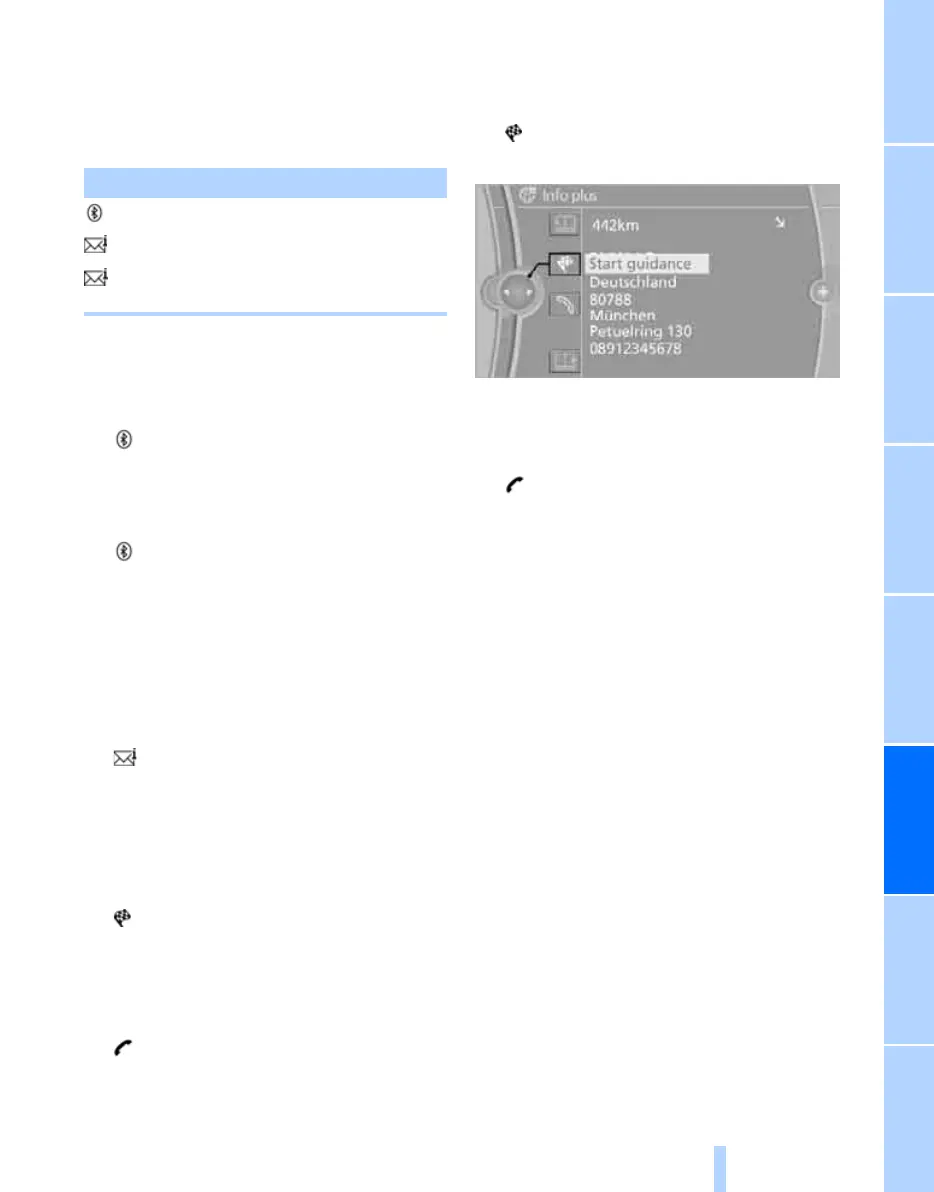
A symbol indicates the type of message.
3. Select the desired message.
SMS
Calling the sender of an SMS:
1. Select the desired message.
2. Call up "Options".
3. "Call sender"
Saving the sender in Contacts:
1. Select the desired message.
2. Call up "Options".
3. "Save as new contact" or "Add to existing
contact".
My Info
Replying:
Send a predefined reply.
1. Select the desired message.
2. Call up "Options".
3. "Answer"
Starting route guidance:
1. Select the message that contains the
desired destination.
2. "Start guidance" or "Add as another
dest.".
Dialling the number in the message:
1. Select the message that contains the
desired number.
2. "Call"
Message from information service
Incorporating an address into route guidance
*
:
1. Select the message.
2. "Start guidance" or "Add as another
dest.".
3. If necessary, start the route guidance.
Dialling a phone number:
1. Select the message.
2. "Call"
Saving an address:
1. Select the message.
2. Call up "Options".
3. "Save contact in car"
Deleting messages
1. Select the message to be deleted.
2. Call up "Options".
3. "Delete message"
Emails from BMW Online*
Emails from the BMW Online portal can be dis-
played. This requires that you log on to BMW
Online, see page 173.
1. "Telephone"
2. "Messages"
3. Call up "Options".
4. "E-mail (BMW Online)"
If this text is not displayed, log on to BMW
Online.
Symbol Storage location
SMS
My Info
Message from information
service
Online Edition for Part no. 01 41 2 602 816 - © 08/09 BMW AGOnline Edition for Part no. 01 41 2 602 816 - © 08/09 BMW AG



 To Next Page