Overview
15
Reference ControlsDriving hintsCommunication NavigationEntertainmentMobility
Buttons on the controller
Operating principle
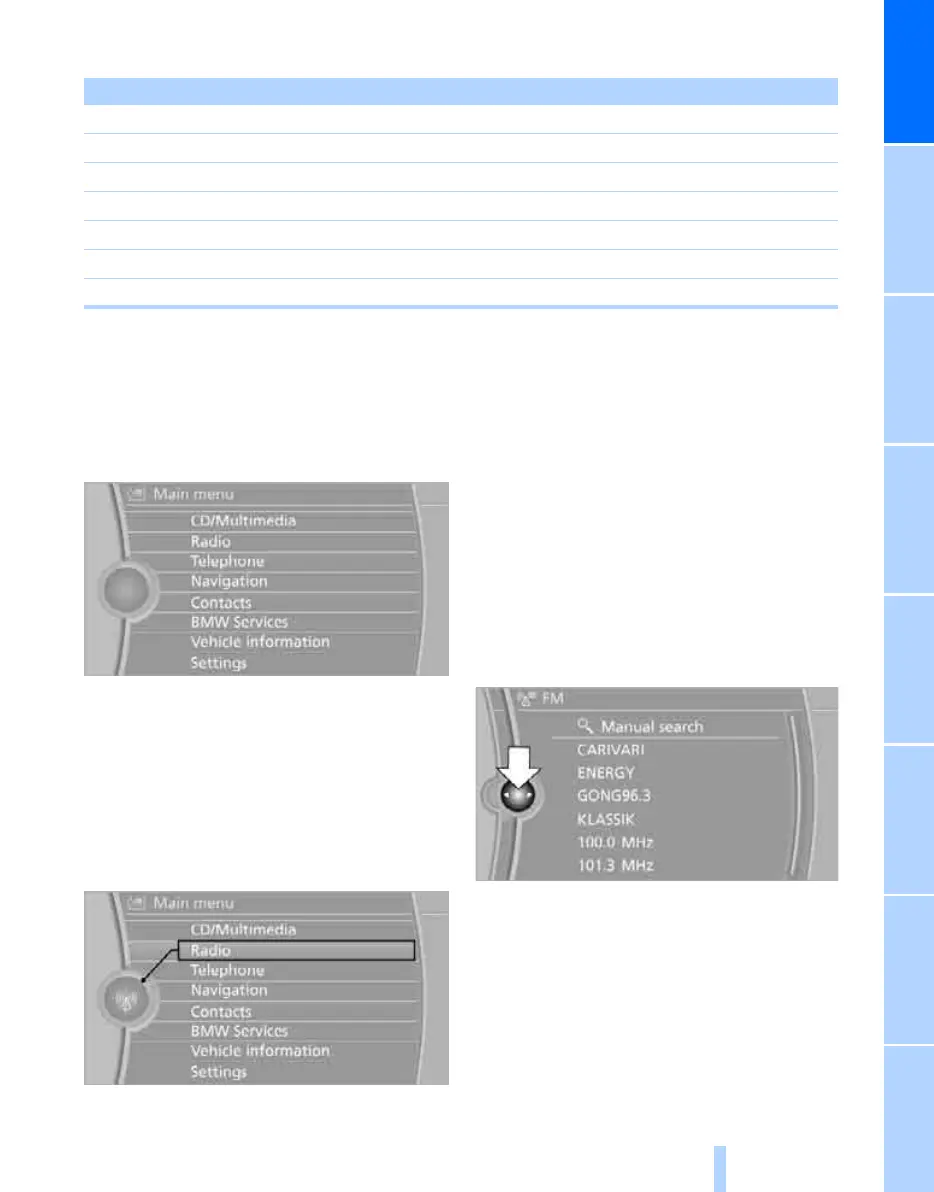
Calling up the main menu
Press the MENU button.
The main menu is displayed.
All the functions of iDrive can be called up via
the main menu.
Selecting a menu item
Menu items in white can be selected by high-
lighting them.
1. Turn the controller until the desired menu
item is highlighted.
2. Press the controller.
A new menu is displayed or the function is exe-
cuted.
Menu items in the Owner's Handbook
In this Owner's Handbook, the menu items that
are to be selected are shown between quota-
tion marks, e.g. "Settings".
Switching between screens
After selection of a menu item, e.g. "Radio", a
new menu is displayed on a screen. These
screens can lie one on top of the other.
Tilt the controller to the left or right to switch
between the screens.
White arrows to the left or right indicate that
other screens can be called up.
Calling up the 'Options' menu
Press the OPTION button.
The "Options" menu is displayed.
Button Function
MENU Calls up the main menu
RADIO Calls up the 'Radio' menu
CD Calls up the CD/Multimedia menu
NAV Calls up the 'Navigation' menu
TEL Calls up the 'Telephone' menu
BACK Display the previous menu
OPTION Calls up the 'Options' menu
Online Edition for Part no. 01 41 2 602 816 - © 08/09 BMW AGOnline Edition for Part no. 01 41 2 602 816 - © 08/09 BMW AG



 To Next Page