iDrive
16
Alternatively: tilt the controller repeatedly to the
right until the "Options" menu appears.
In the "Options" menu, the following is dis-
played:
> Screen settings, see page 17.
> Operating options for the selected menu.
Adjusting settings
1. Select a field.
2. Turn the controller until the desired setting
is displayed.
3. Press the controller to confirm the setting.
The scrollbar on the right-hand side indi-
cates whether other menu items or set-
tings that are not visible at the moment can be
selected.<
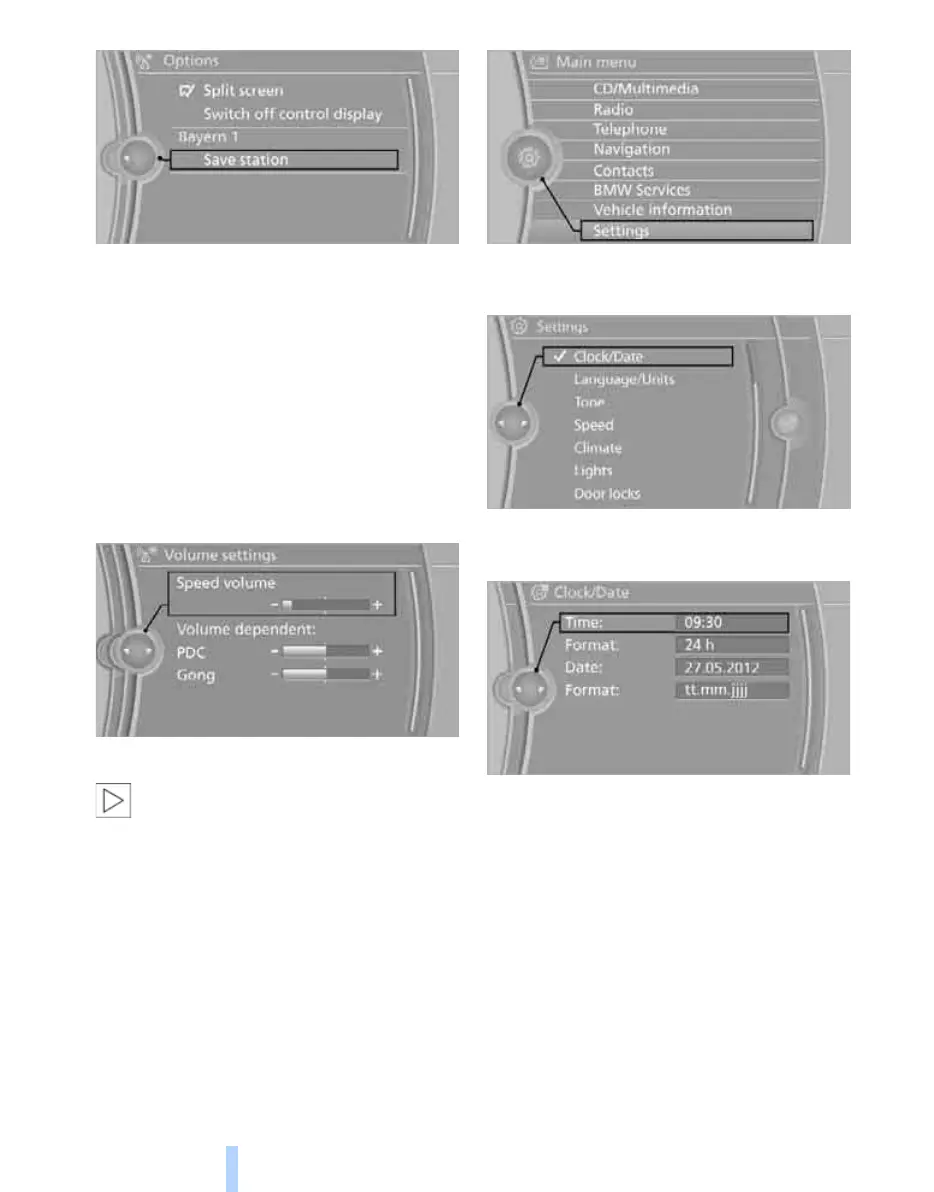
An example: setting the clock
1. Press the MENU button.
The main menu is displayed.
2. Turn the controller until "Settings" is high-
lighted and press the controller.
3. Turn the controller until "Clock/Date" is
selected and press the controller.
4. Turn the controller until "Time:" is high-
lighted and press the controller.
5. Turn the controller to set the hour and press
the controller.
6. Turn the controller to set the minute and
press the controller.
Online Edition for Part no. 01 41 2 602 816 - © 08/09 BMW AGOnline Edition for Part no. 01 41 2 602 816 - © 08/09 BMW AG



 To Next Page