Controls
69
Reference OverviewDriving hintsCommunication NavigationEntertainmentMobility
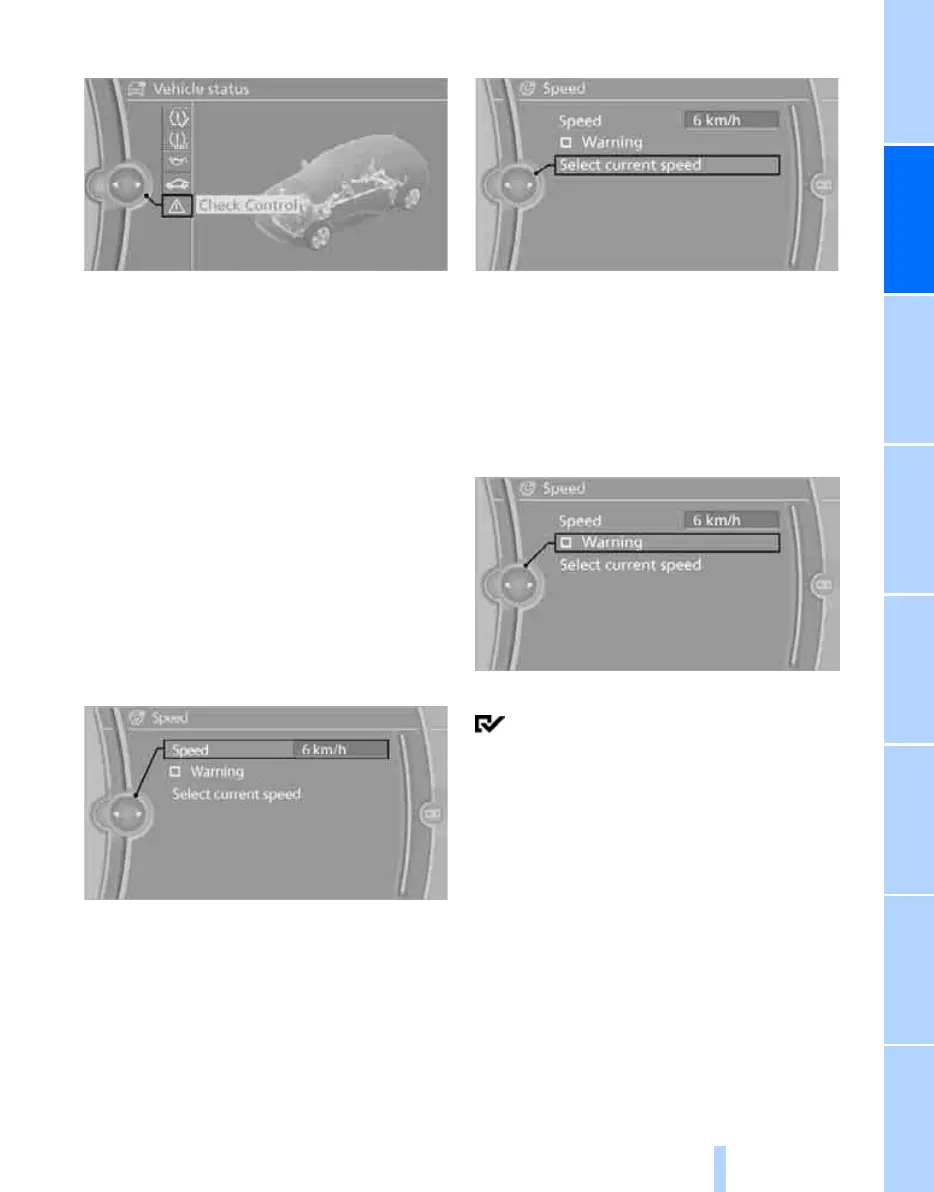
3. "Check Control"
4. Select a text message.
Speed limit
You can enter a speed at which you are to be
alerted by means of a Check Control message.
You can use this feature e.g. to ensure that you
do not exceed a municipal speed limit.
A renewal of this reminder will not be given until
you have undercut the limit speed once by at
least 5 km/h, approx. 3 mph.
Displaying, setting or changing the
speed limit
1. "Settings"
2. "Speed"
3. "Warning at:"
4. Turn the controller until the desired speed
is displayed.
5. Press controller.
The speed limit is memorised.
Adopting actual speed as the limit
1. "Settings"
2. "Speed"
3. "Select current speed"
4. Press the controller.
The actual speed is adopted as the limit value.
Activating/deactivating the speed limit
1. "Settings"
2. "Speed"
3. "Warning"
4. Press the controller.
Limit warning is switched on.
Settings on the Control
Display
Language on the Control Display
Setting the language
1. "Settings"
2. "Language/Units"
Online Edition for Part no. 01 41 2 602 816 - © 08/09 BMW AGOnline Edition for Part no. 01 41 2 602 816 - © 08/09 BMW AG



 To Next Page