External Audio Sources
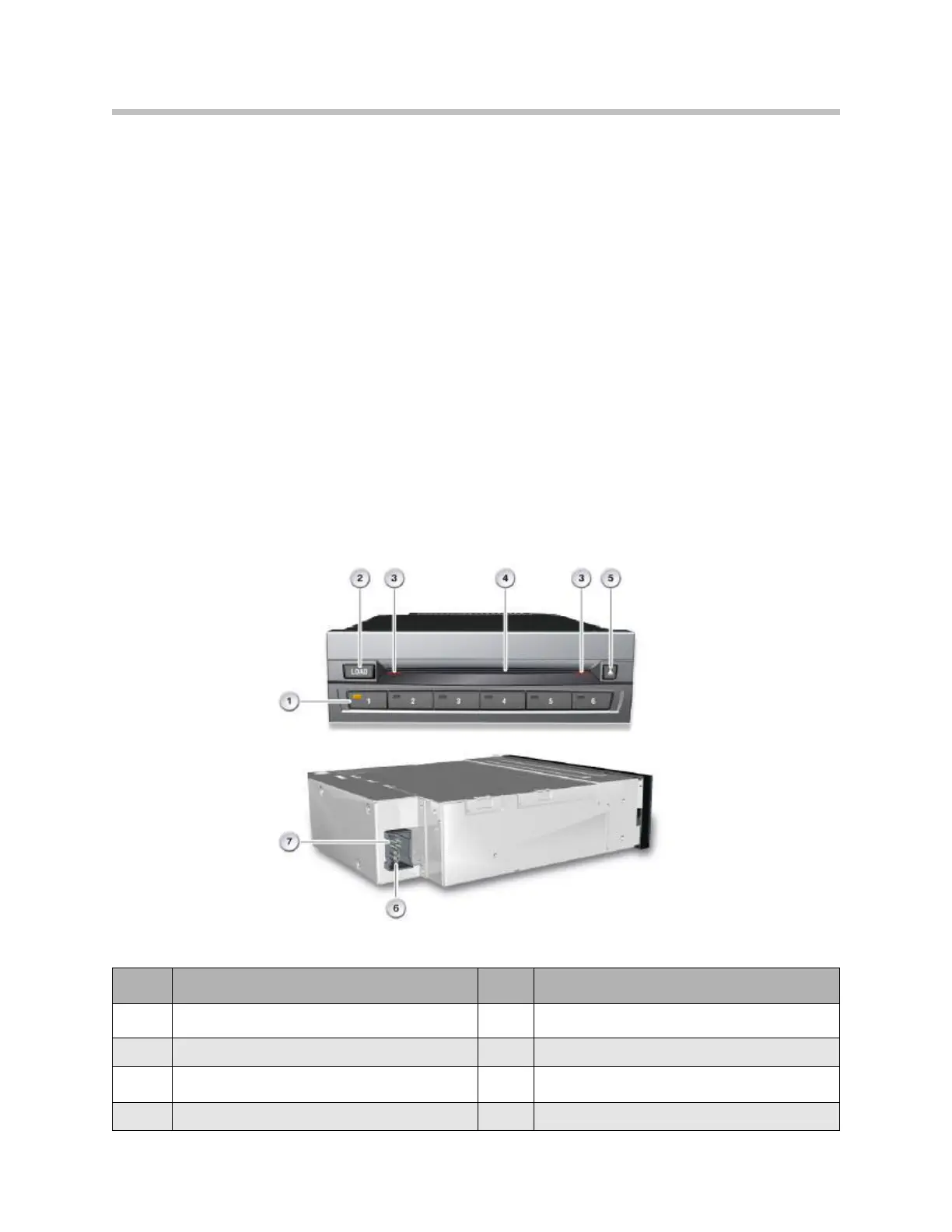
DVD Changer
The 6-DVD changer is offered as part of the ZPS Premium Sound Package on the
F01/F02 and it is located above the glove compartment behind the dashboard trim panel.
A CD Changer is no longer offered.
The DVD changer forms part of the MOST network.
A single-slot changer means that the DVDs or CDs are loaded in the unit individually
without a magazine.
A DVD can be loaded by pressing the Load button, followed by the button for the DVD
tray into which the DVD is to be inserted.
If no button is pressed after the Load button has been tapped, the LED in the tray button
for the first empty tray flashes. The tray moves into position during this time. Once tray
positioning is completed, the status display begins to flash and the DVD can be loaded.
DVD Changer
Index Explanation Index Explanation
1
Buttons for DVD trays with status indicator
5
DVD drive eject button
2
Load button for DVD drive
6
MOST
3
Slot lighting
7
Power supply
4
Slot for DVD player
90
F01 Audio Systems



 To Next Page