Activating/deactivating the functions
The following functions can be activated/deacti‐
vated:
▷ "ECO PRO speed warning"
▷ "ECO PRO climate control"
Settings are stored for the driver profile currently
used.
ECO PRO limit
▷ Activate the ECO PRO limit:
"ECO PRO speed warning":
An ECO PRO tip is displayed if the speed of
the set ECO PRO limit is exceeded.
▷ Adjust the ECO PRO limit speed:
"Limit at:"
Select the desired speed.
ECO PRO climate control
To activate ECO PRO climate control:
"ECO PRO climate control"
Climate control is set to be fuel-efficient.
That is, it is possible to deviate slightly from the
set temperature or to heat or cool the car's inte‐
rior more slowly, to economize on fuel consump‐
tion.
In addition, the power output to the seat and mir‐
ror heating is reduced.
Coasting
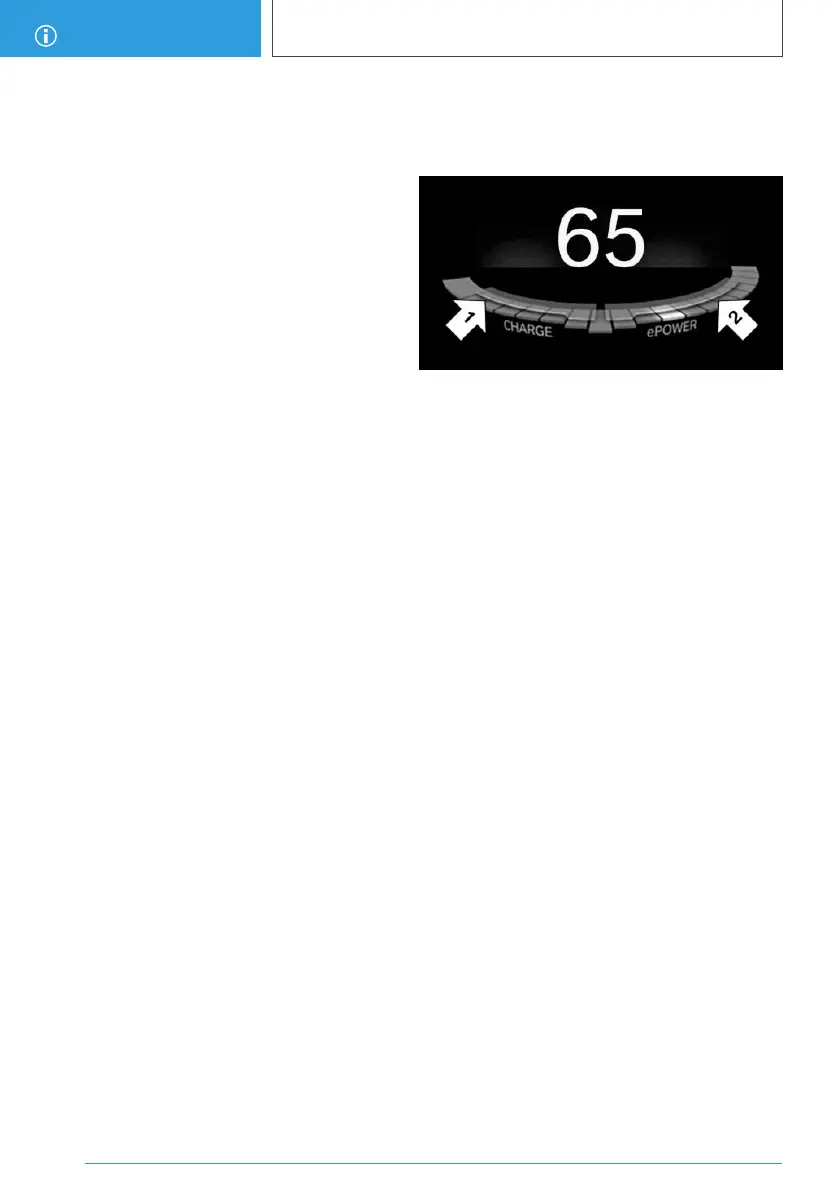
With little pressure on the accelerator pedal, the
vehicle can coast without energy recovery. The
accelerator pedal indicator in the instrument dis‐
play is centered between CHARGE and ePO‐
WER during coasting.
ECO PRO potential savings
Shows potential savings with the current settings
in percentages.
Display in the instrument cluster
ECO PRO efficiency display
A mark in the performance display informs about
the current driving style.
Mark in the CHARGE range, arrow 1: indication
for energy recovery and braking.
Mark in the ePOWER area, arrow 2: display when
accelerating.
Your driving style's efficiency is shown by the
bar's color:
▷ Blue display: efficient driving style as long as
the mark moves within the blue range.
▷ Gray display: modify driving style, for instance
by reduced acceleration.
The display turns blue as soon as all conditions
for driving with optimized fuel efficiency are met.
ECO PRO Tip
Driving tip
As soon as one of the conditions for efficient
driving is no longer fulfilled, respective driving
tips are displayed as a symbol in the instrument
cluster.
Symbols
An additional symbol and a SMS text message
are displayed on the control display.
Seite 206
DRIVING TIPS
Increasing the range
206
Online Edition for Part no. 01402989267 - II/18


 To Next Page