Button Function
Go to the Driving Settings menu.
Go to the Exterior Lighting menu.
Go to the Interior Lighting menu.
Go to the Seat Settings menu.
Go to the Doors and Windows
menu.
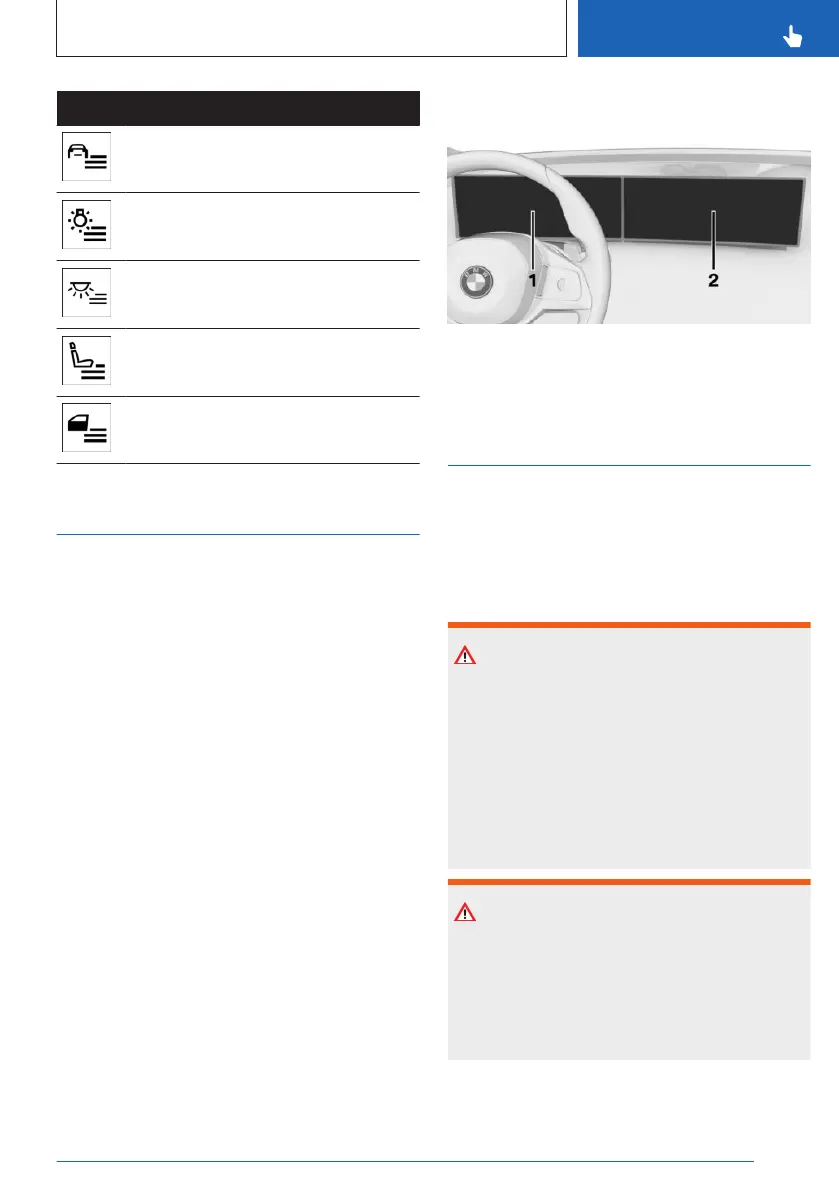
BMW Curved Display
Principle
The BMW Curved Display is a single-screen
display in the instrument panel that is curved
towards the driver. The BMW Curved Display
comprises the instrument cluster on the driv-
er's side and the control display.
General information
Follow instructions for cleaning the BMW
Curved Display in the Care chapter.
Additional information:
Caring for special components, refer to
page 378.
Overview
1 Instrument cluster 142
2 Control display 47
Control display
Principle
The iDrive functions are displayed on the con-
trol display.
Safety information
Warning
Devices connected to the vehicle via a cable
such as mobile phones or loose objects can
be thrown through the vehicle interior while
driving such as in the event of an accident,
braking or evasive maneuver. There is a risk
of injury and risk of damage to property. Se-
cure loose objects or devices that are con-
nected to the vehicle via a cable.
Warning
Objects in the area in the front of the control
display can slip and damage the control dis-
play. There is a risk of injury or risk of dam-
age to property. Do not place objects in the
area in front of the control display.
Seite 47
BMW iDrive
CONTROLS
47
Online Edition for Part no. 01405A88D67 - VI/23



 To Next Page