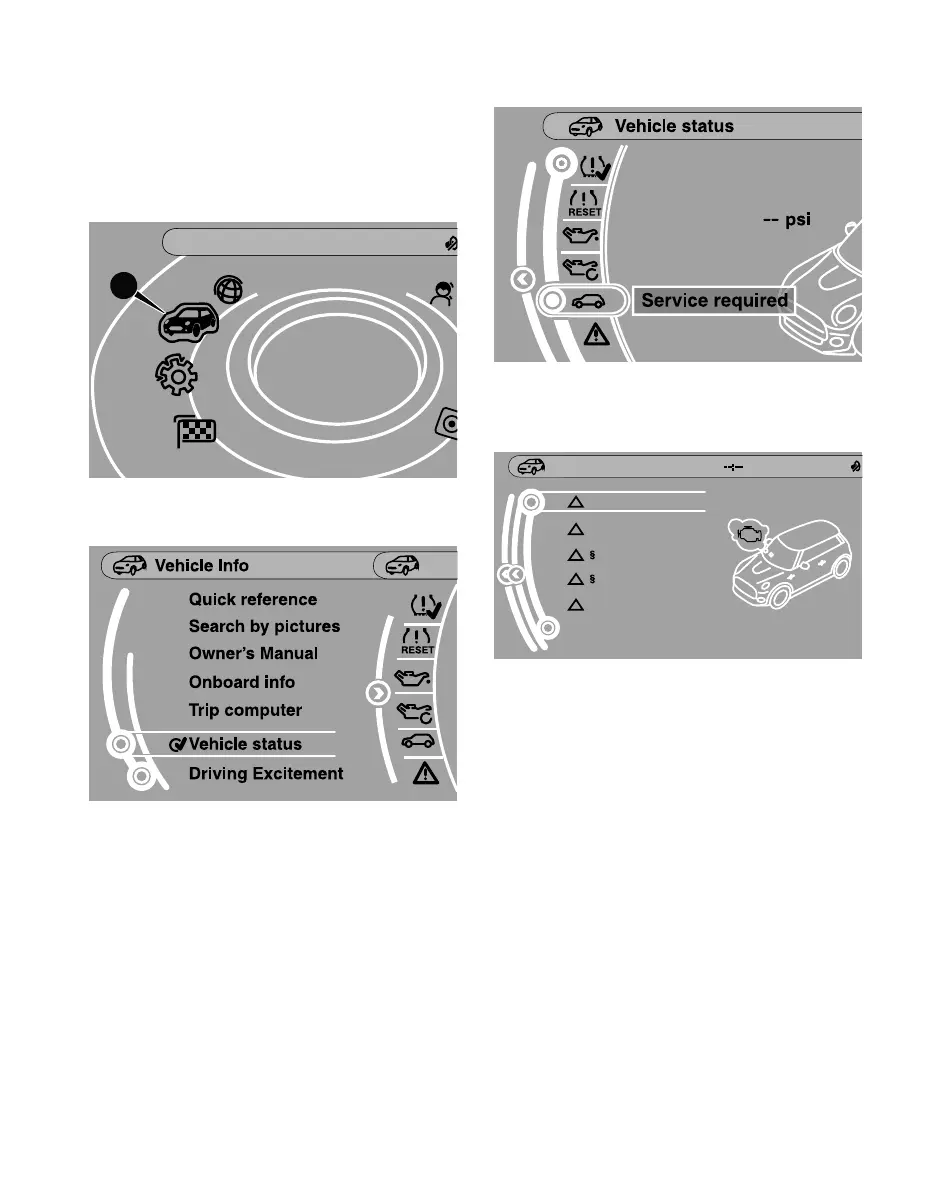
CENTER INSTRUMENT SCREEN CONTENTS
4. Select “Service required” and then press the
(VEHICLES WITH MINI CONTROLLER)
controller.
1. Using the MINI Controller located to the rear of
the gear selector lever, press the MENU button.
2. Rotate to select “Vehicle Info” (1), and then press
the controller.
3. Select “Vehicle status” and then press the
controller.
Vehicle Info
1
5. Select the maintenance item you want to check,
and then press the controller to check the status
of that item.
Service required
Engine oil
Brake fluid
Vehicle inspection
Emission inspection
Vehicle check
04/2018
since: 1000 mi
QUALITY CERTIFICATION I
A pre-delivery “Quality Certification I” inspection is
performed on all new MINI vehicles prior to their first
delivery.
The Quality Certification I form details a list of items
inspected on the vehicle and is provided to the owner
at time of first delivery. A copy of the form is on file
with the authorized MINI dealer that performed this
inspection.
4



 To Next Page