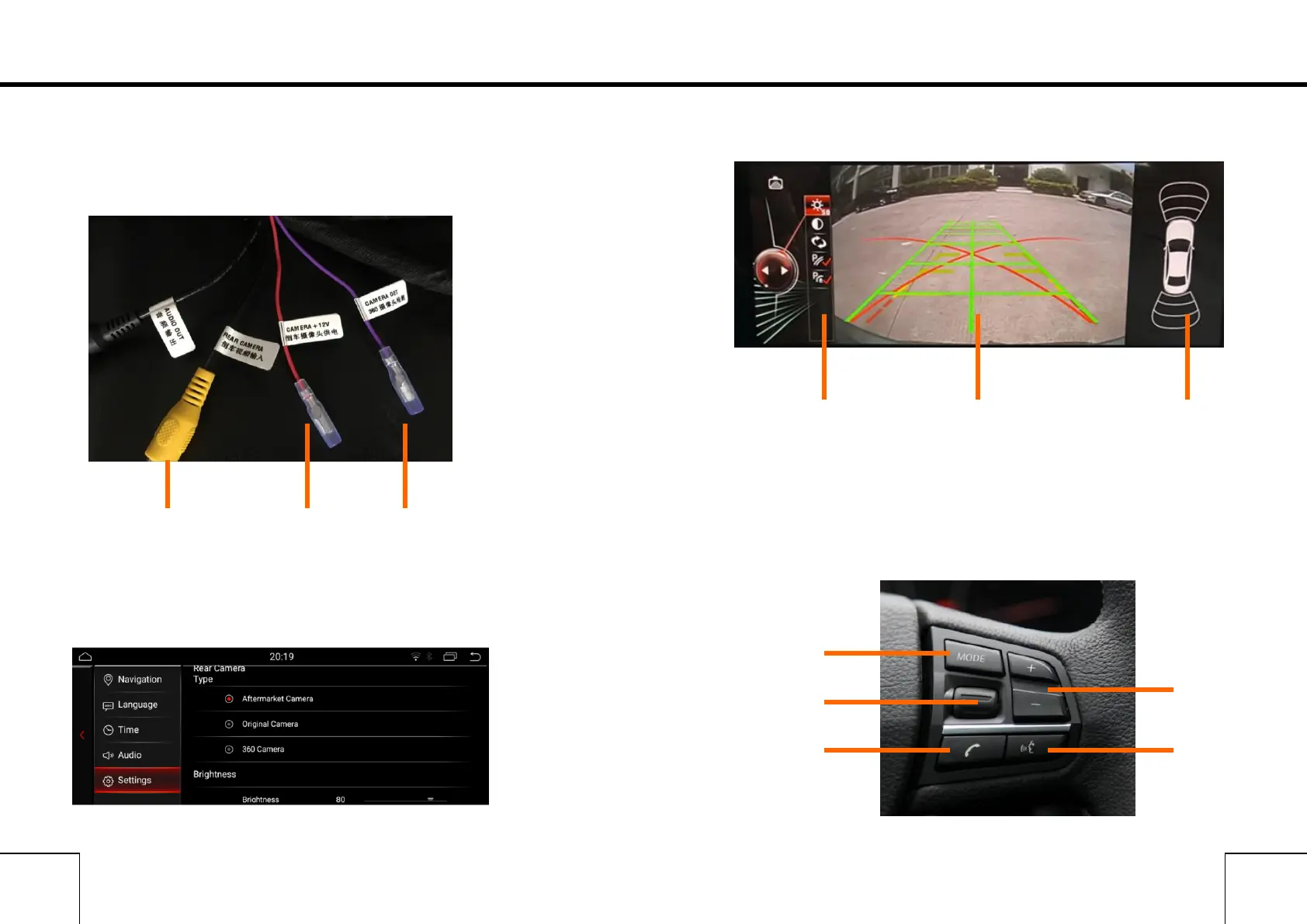
If you need check the reversing info, Car should be with camera.
Support Original camera/Aftermarket camera/and 360 Camera
1.Camera Connecting
2.Camera Options
After connecting well the camera, choose the correct options in
settings.
3.Reversing camera
You can settings the Brightness/contrast and the path line/Radar
Only can show the display of Radar if the original car with Radar.
Steering Wheel Control
It can control some functions in Android system



 To Next Page