108n
Cargo area
Removing the cover
1 Use both hands to press the cover
together on both sides and slide it
forward (arrow 1).
2 Lift the cover upward from the rear on
both sides (arrow 2) and remove it.
Installation
Slide the cover into the retainers on
both sides and then press it down at
the rear until it engages.
530us081
Partition net*
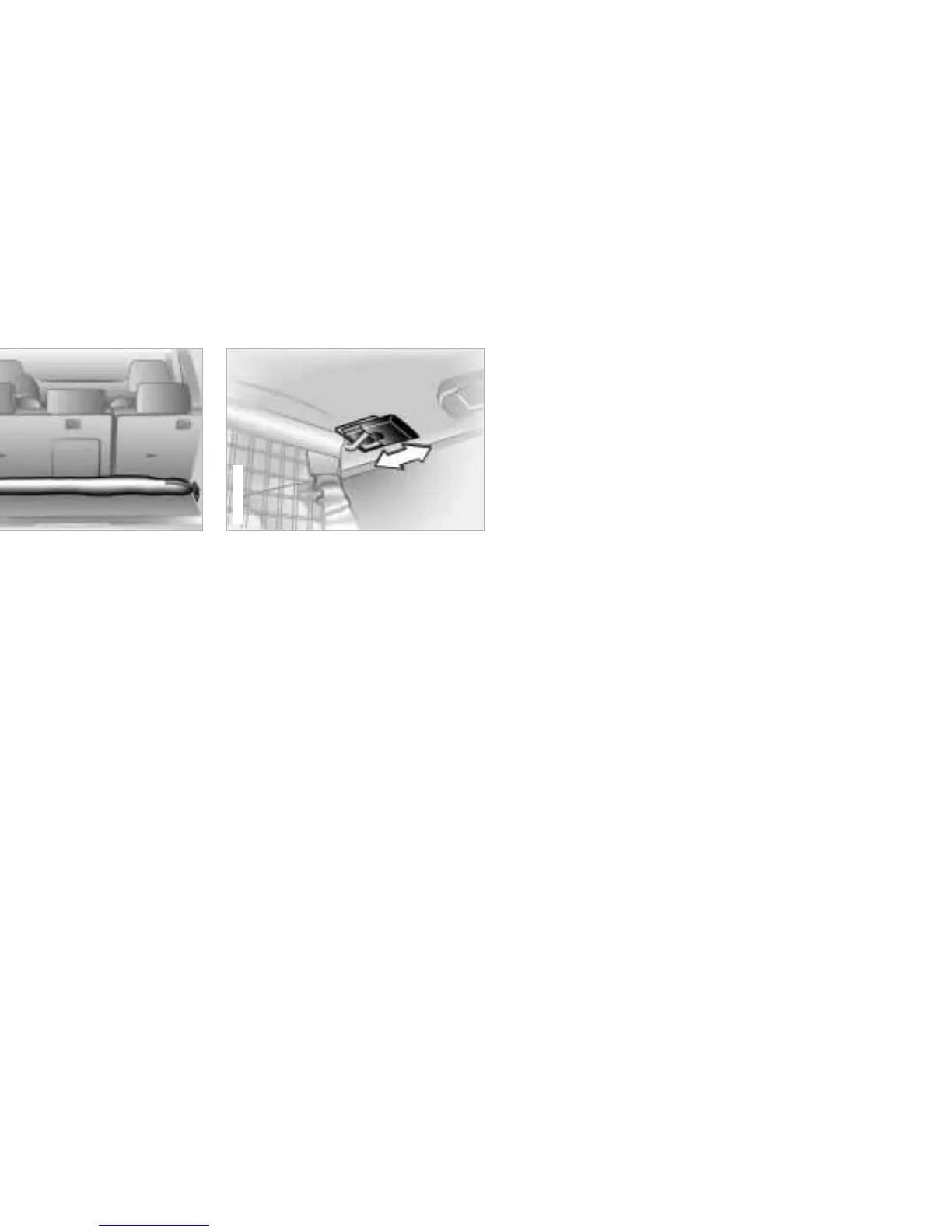
1 Remove the bag with the partition net
from the vehicle by releasing the
hooks from the lashing eyes on both
sides.
2 Remove the partition net from the
bag and unroll it half way.
Note how the bag with the parti-
tion net is secured in the vehicle
and how the partition net is rolled up
and stored in the bag so that you can
return everything to its place after
use.<
530de028
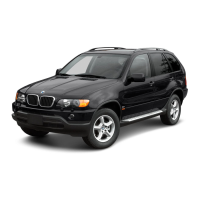
3 Slide back the covers on the brackets
for the partition net on both sides of
the roof (arrow).
4 Insert the curved ends of the partition
net rod in the brackets on both sides.
5 Now you can slide the covers toward
the front again (arrow).


 To Next Page