88n
Computer in the MID*
Only make inputs when the
vehicle is standing still – to avoid
endangering yourself or other road
users.<
Computer calculations begin at the
start of the journey.
Information can also be called up in the
display by remote control, refer to
page 92.
Speed limit
Speed limit input:
You can input the road speed here
at which you wish to hear and see a
reminder signal: a signal will sound, the
word LIMIT will flash, and with the
Check Control with alphanumeric
display
*, the speed limit warning stored
in the memory will appear on the instru-
ment cluster briefly
The speed limit reminder is only
repeated if the vehicle has in the
meantime been driven at least 3 mph
(approx. 5 km/h) slower.
Press the right side of the button.
Press.
Press the right side of the button.
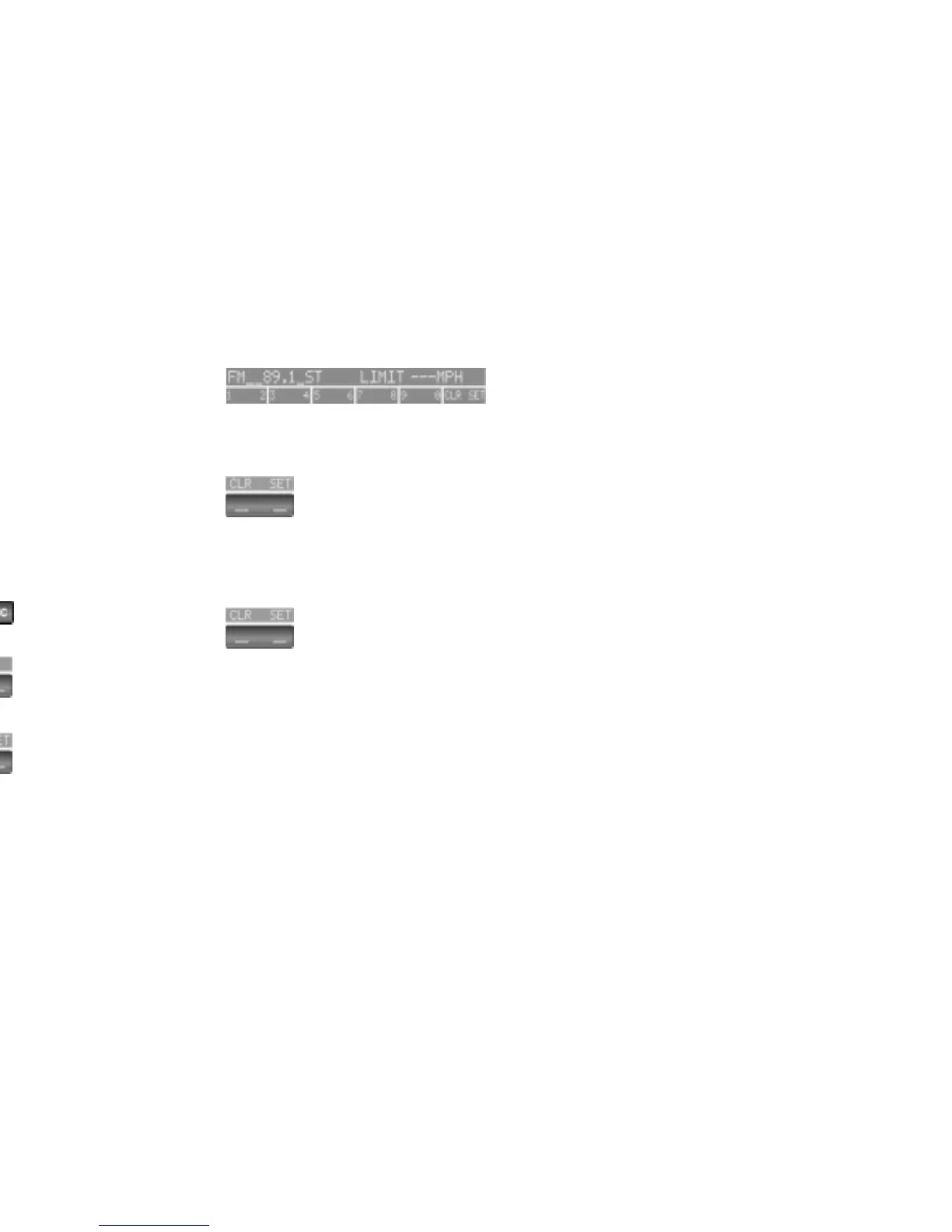
Display shows:
Input the limit by pressing the function
buttons.
To correct an entry:
Press the left side of the button and
repeat the input.
To store the input:
Press the right side of the button.


 To Next Page