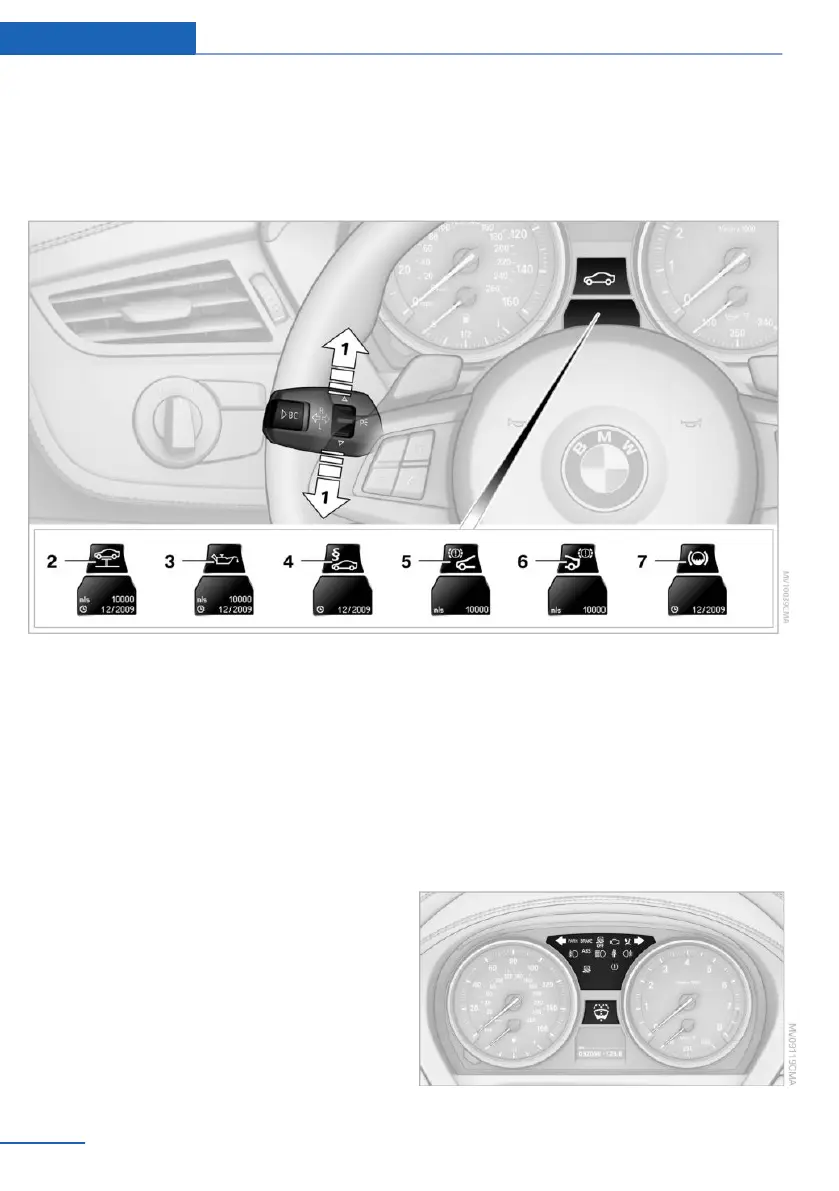
3. Press button 2.
4. Use button 1 to scroll through the individ‐
ual service items.
Possible displays
1 Button for selecting functions
2 Service requirements
3 Engine oil
4 Roadworthiness test
5 Front brake pads
6 Rear brake pads
7 Brake fluid
The sequence of displayed service items may
vary. The data for the next service appointment
is shown first.
Check Control
The concept
The Check Control monitors vehicle functions
and alerts you to any malfunctions in the sys‐
tems monitored.
Such Check Control messages involve indica‐
tor or warning lamps in the instrument cluster
and, in some circumstances, an acoustic sig‐
nal.
Indicator/warning lamps
Seite 68
Controls Displays
68
Online Edition for Part no. 01 40 2 957 378 - X/14



 To Next Page