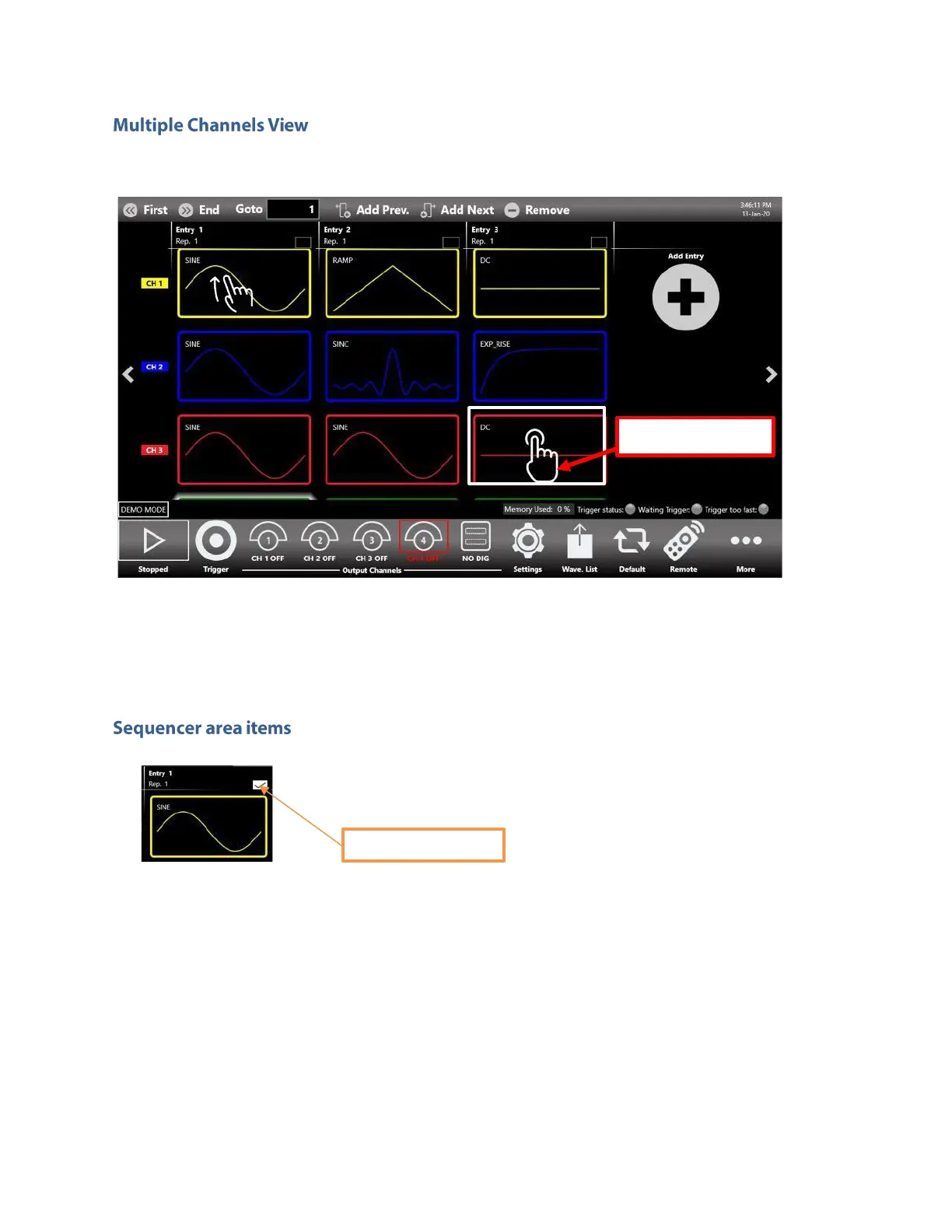
You can touch on the selected sequencer item to display more than one channel at the same time: it
allows you to have an overall view of the channels and of the sequencer entries.
You can use the swipe up/swipe down gesture to scroll through the channels, touch again on the
selected sequencer item or select another item to collapse the view.
Sequencer Entry. Each sequencer item contains several information:
►
The index of the Entry (Entry N). Each entry is enumerated starting from 1 up to 16384.
►
The name of the Waveform assigned to the selected output channel in that entry. Each
output channel can have a different waveform assigned to the same sequencer entry.
►
The number of Repetitions. Each entry can be repeated from 1 up to 4294967295 times
or infinite times (INF button).
If you touch the selection button in the entry, a second bar will open that will let you to:


 To Next Page
 Loading...
