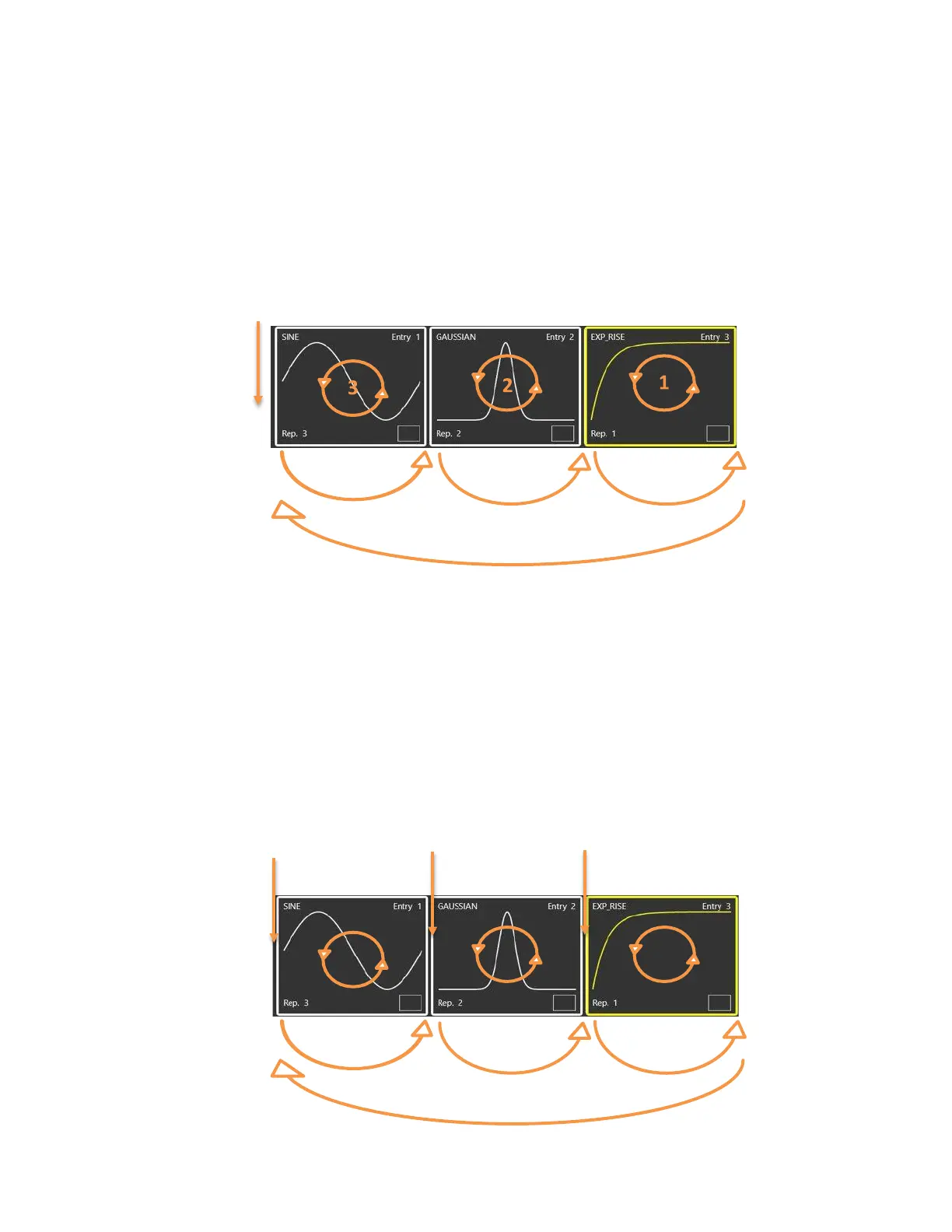
• Triggered Continuous: when pressing the RUN/STOP button the instrument waits for a trigger
event. When the trigger event occurs, each waveform will loop as written in the entry repetition
parameter and the entire sequence will be repeated circularly until the user will press the
RUN/STOP button.
• Stepped: after pressing the RUN/STOP button each entry waits for a trigger event before its
execution. The waveform of the entry will loop as written in the entry repetition parameter.
After the generation of an entry has completed, the last sample of the current entry or the first
sample of the next entry is held until the next trigger is received. At the end of the entire
sequence the execution will restart from the first entry.
Note: if you set Infinite repetitions on one entry, the Trigger event lets you jump to the next
one.
Start Trigger Trigger
Trigger
3
2
1
1
2
3


 To Next Page
 Loading...
