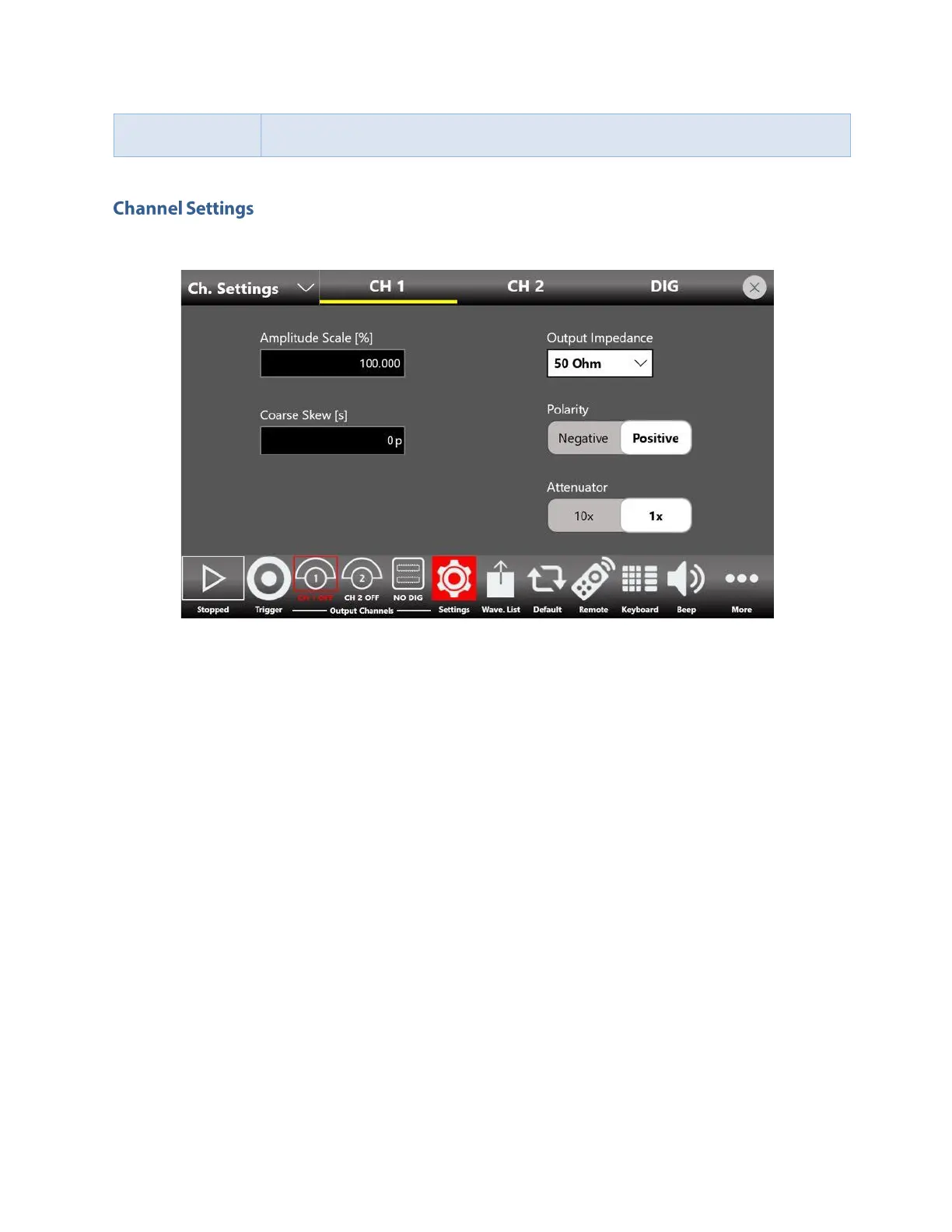
The channels settings page allows to manage the parameters of the analog and digital channels
CH 1, CH 2,… CH 4 analog channel page
• Amplitude Scale[%]: this parameter that can be modified at run-time to adjust the waveform
amplitude while the instrument is running and it is applied to all the waveforms contained in the
sequencer. It is expressed in % and it has a range of 0% to 100%. 100% means that the
waveform keeps its original amplitude.
• Coarse Skew[s]: this parameter defines a coarse time delay among the analog output channels
in order to de-skew the outputs. The resolution is 1 clock cycle and depends on the sampling
frequency as well as the maximum time skew allowed. The edited value is automatically
rounded to the closest value that the hardware can implement.
• Output Impedance: defines the output impedance of the analog outputs. It can be set 50 Ohm
or Low Impedance (5 Ohm).
• Polarity: when “Negative” is selected the analog output signal will be inverted.
• Attenuator: this control turns on and off the internal attenuator. On the instrument are
available two full scale ranges that are selectable by means of an internal 10X attenuator. You
can turn on the internal attenuator to improve the output signal quality with low level signals.


 To Next Page
 Loading...
