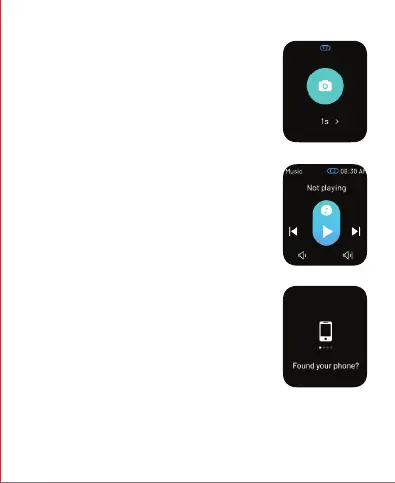
Tap on the remote camera icon on your smartwatch to
click a photo from your phone.
*Note: Turn the camera on from your phone to use this
feature.
Camera Control Mode
Tap on the remote music control icon on your watch
to play music from your phone.
*Note: Some apps with different protocols might not
work.
Music Control
Tap on this icon to find your phone. Once enabled,
your phone will start ringing and vibrating. Tap again
to stop it.
Note: Your smartwatch should be connected to your
phone via Bluetooth and within its range for this
feature to work.
Find My Phone


 To Next Page