S250 Bobcat Loader
SA-9 Operation & Maintenance Manual
DELUXE INSTRUMENT PANEL SETUP
Deluxe Panel Upgrade
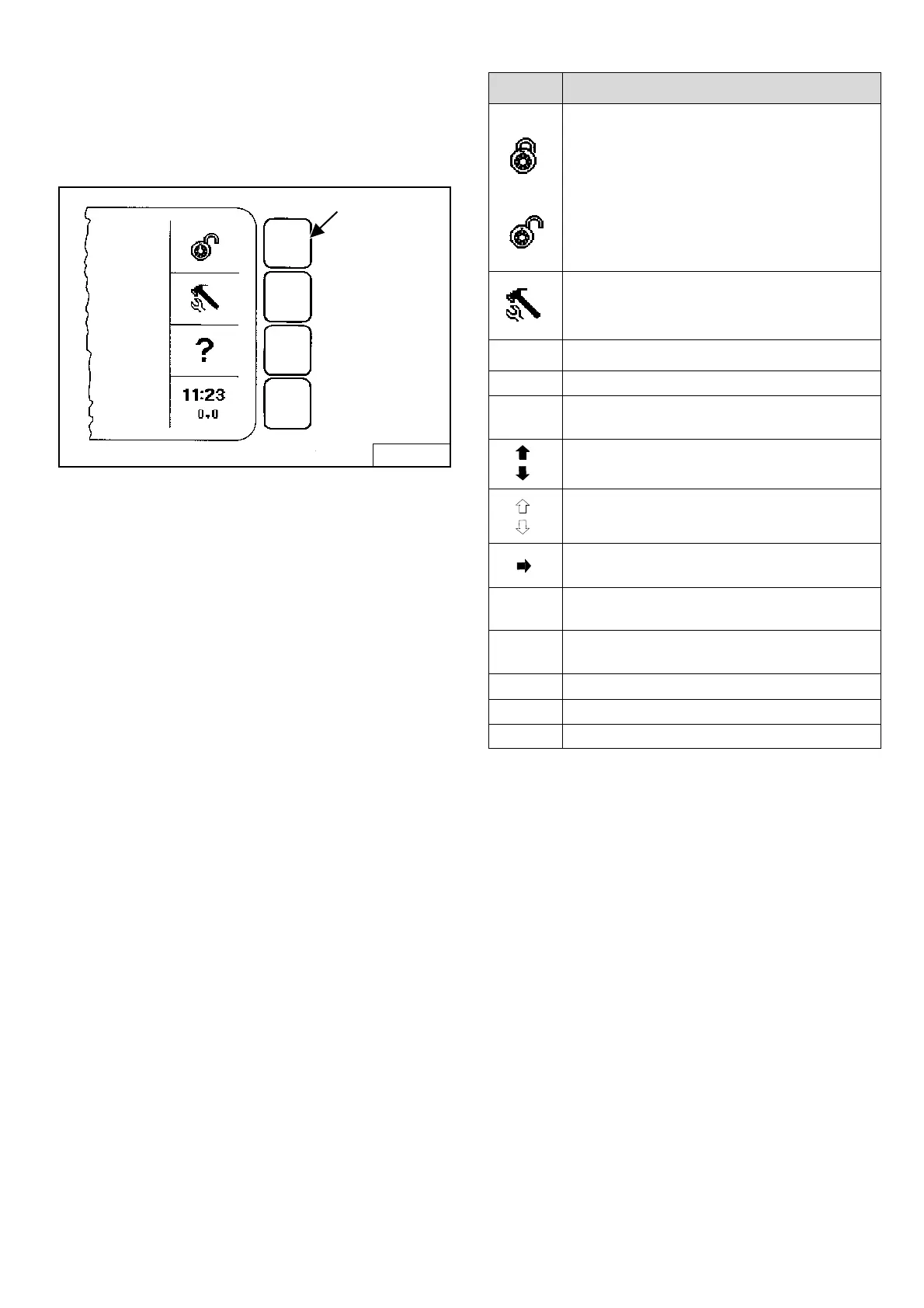
Icon Identification
Figure SA-2
Make selection by pressing SELECTION BUTTON
opposite the Icon [Figure SA-2].
B-16162
EXAMPLE
SELECTION BUTTON
ICON DESCRIPTION
LOCK/UNLOCK: Allows machine to be
locked/unlocked. You must lock machine to
activate security system.
When system is unlocked, the user can press
RUN/ENTER then press START to begin
operation.
A valid password will need to be entered at
startup to run a locked machine.
TOOL/SETUP: Access system options.
Use to set clock, check system warnings,
select language, set passwords, etc.
?
HELP: Access help on current menu item.
EXIT EXIT returns you to previous level menu.
11:23
0.0
CLOCK/JOB CLOCK: Press to clear or lock
job clock; TOOL/SETUP to set time.
UP ARROW: Goes backward one screen.
DOWN ARROW: Goes forward one screen.
OUTLINE ARROWS: No screen available
(backward/forward).
SELECTION ARROW: Use to select menu
item.
NEXT Goes to the NEXT screen in series.
EXAMPLE: the next Active Warning screen.
INFO Goes to more information about an
attachment.
YES/NO Answer yes/no to current setup question.
CLEAR Removes previously installed password.
SET Set accepts current installed password.



 To Next Page
 Loading...