S250 Bobcat Loader
OI-28 Operation & Maintenance Manual
STARTING THE ENGINE (STD. PANEL, KEY SWITCH)
(CONT’D)
Procedure (Cont’d)
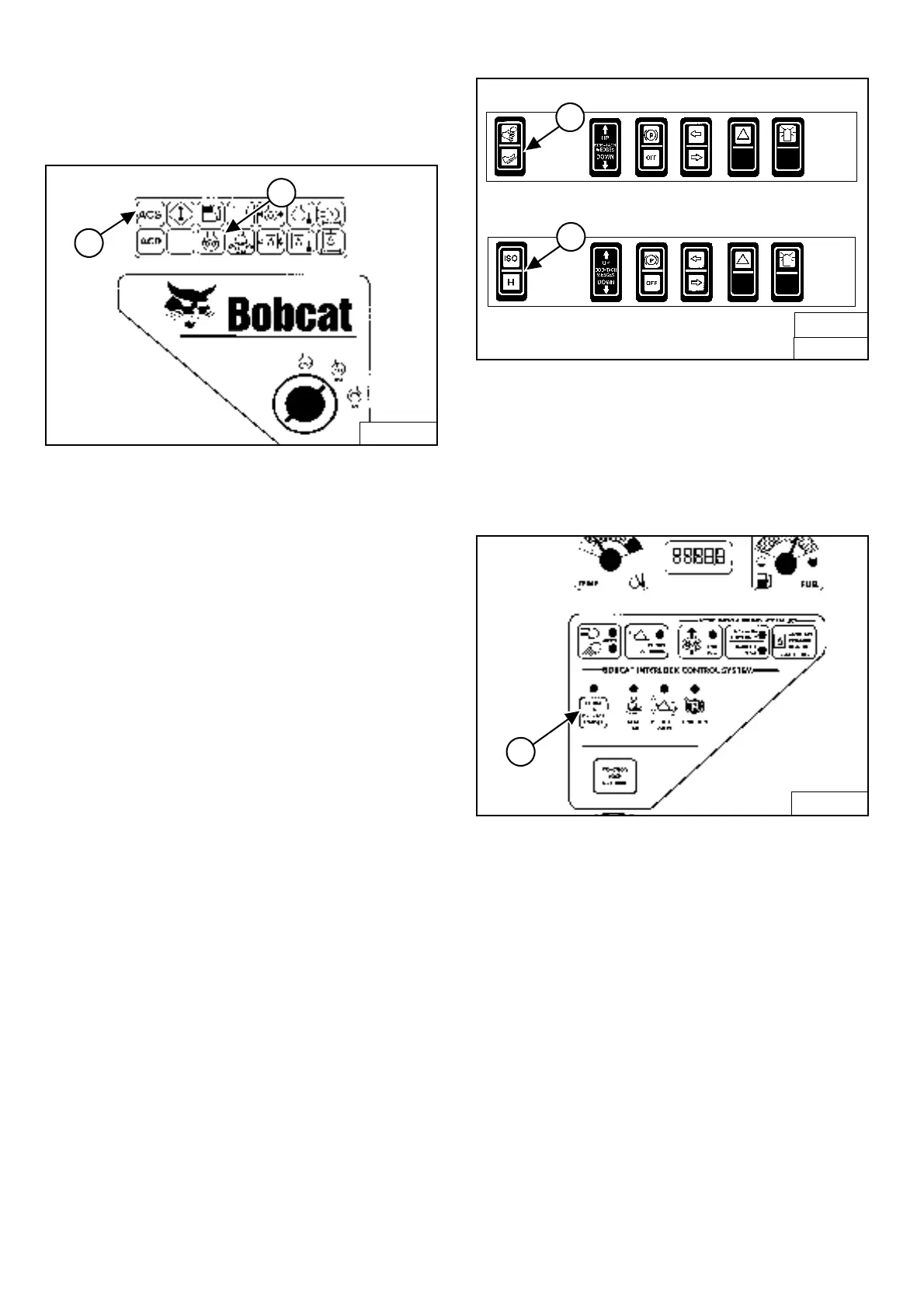
Figure OI-49
Turn the key switch to RUN [Figure OI-49]. The indicator
lights on the right instrument panel [Figure OI-49] will
come ON briefly and the Instrument Panel / monitoring
system will do a self test.
If the temperature is cold, the intake air heater will
automatically cycle. The Icon light (Item 1)
[Figure OI-49] will be ON and the cycle time remaining
will show in the hour meter.
When the Icon light goes OFF, turn the key switch to
START [Figure OI-49].
NOTE: Make sure both hand controls (ACS) or
Joysticks (SJC) are in the neutral position
before starting the engine. Do not move the
levers or joysticks from the neutral position
when turning the key to RUN or START
[Figure OI-49].
If controls are moved:
a. The neutral position for the hydraulic valve
spool and hand control may not be correctly
calibrated. This can result in slight movement of
the lift or tilt hydraulic cylinders when the hand
control lever is returned to the neutral position
after start-up.
OR
b. ACS indicator light (Item 2) [Figure OI-49] on
right instrument panel will be ON.
If either condition occurs, return key to STOP. Put
the controls in neutral position and re-start
engine.
Release the key when the engine starts. It will return to
the RUN position.
Figure OI-50
(ACS)
Select hand control or foot pedal operation (Item 1)
[Figure OI-50]
.
OR
(SJC) Select ‘ISO’ or ‘H’ Control Pattern (Item 2)
[Figure OI-50].
Figure OI-51
Press the PRESS TO OPERATE LOADER Button (Item 1)
[Figure OI-51] to activate the BICS system and to
perform hydraulic and loader functions. (See Cold
Temperature Starting on Page OI-30.)
NOTE: (SJC) The pending mode will flash which will
indicate PRESS TO OPERATE LOADER is
required. The light will flash when key is ON
and continue to flash until the PRESS TO
OPERATE LOADER button is pressed and
thereafter it will light solid. If the mode (ISO/H)
is changed while driving, the active mode will
be solid and the pending mode will flash.
When operation of the machine is returned to
neutral, the active mode will then turn off and
the pending mode will continue to flash until
the PRESS TO OPERATE LOADER button is
pressed.
B-15552B
1
2
B-15993B
SJC
2
B-15993
FRONT ACCESSORY PANEL
ACS
1
B-15551
1


 To Next Page
 Loading...