S250 Bobcat Loader
OI-29 Operation & Maintenance Manual
STARTING THE ENGINE (DELUXE PANEL, KEYLESS
START)
Procedure
WARNING
AVOID INJURY OR DEATH
• Engines can have hot parts and hot exhaust gas.
Keep flammable material away.
• Do not use machines in atmosphere containing
explosive gas.
W-2051-1086
Perform the PRE-STARTING PROCEDURE, (See
PRE-STARTING PROCEDURES on Page OI-25).
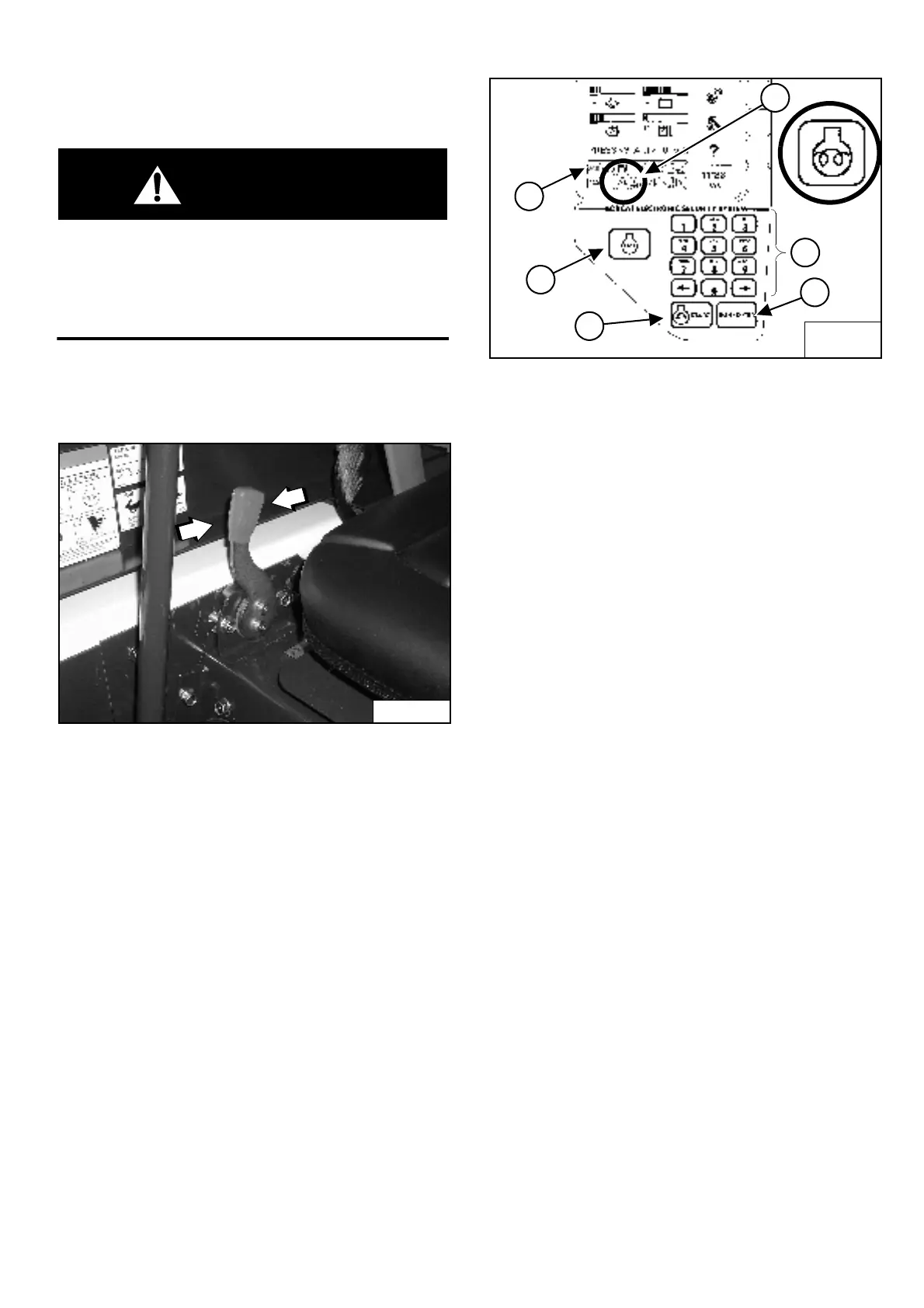
Figure OI-52
Set the engine speed control at the 1/2 speed position
[Figure OI-52].
NOTE: Loaders with Deluxe Instrument Panel have a
permanent, randomly generated Master
Password set at the factory. Your loader will
be assigned an Owner Password. Your dealer
will provide you with this password. Change
the password to one that you will easily
remember to prevent unauthorized use of
your loader. (See Passwords (Deluxe) on
Page SA-10). Keep your password in a safe
place for future needs.
Figure OI-53
Use the numeric keypad (Item 1) [Figure OI-53] to enter
the password, then press the RUN / ENTER Button
(Item 2) [Figure OI-53].
If the temperature is cold, the intake air heater will
automatically cycle and the Icon (Item 3) [Figure OI-53]
will be ON.
When the Icon light goes OFF, press the START Button
(Item 4) [Figure OI-53]. Release the button when the
engine starts.
NOTE: Make sure both hand controls (ACS) or
Joysticks (SJC) are in the neutral position
before starting the engine. Do not move the
levers or joysticks from the neutral position
when turning the key to RUN/ENTER or
START [Figure OI-53].
If controls are moved:
a.
The neutral position for the hydraulic valve
spool and hand control may not be correctly
calibrated. This can result in slight movement of
the lift or tilt hydraulic cylinders when the hand
control lever is returned to the neutral position
after start-up.
OR
b. ACS indicator light (Item 5) [Figure OI-53] on
right instrument panel will be ON.
If either condition occurs, return key to STOP. Put
the controls in neutral position and re-start
engine.
P-31864
B-15553B
B-22153
1
2
4
6
5
3


 To Next Page
 Loading...