S250 Bobcat Loader
OI-34 Operation & Maintenance Manual
ATTACHMENTS AND BUCKETS (CONT’D)
Choosing The Correct Bucket (Cont’d)
Use the correct bucket size for the type and density of
material being handled. For safe handling of materials
and avoiding machine damage, the attachment
(or bucket) should handle a full load without going over
the Rated Operating Capacity for the loader. Partial loads
make steering more difficult.
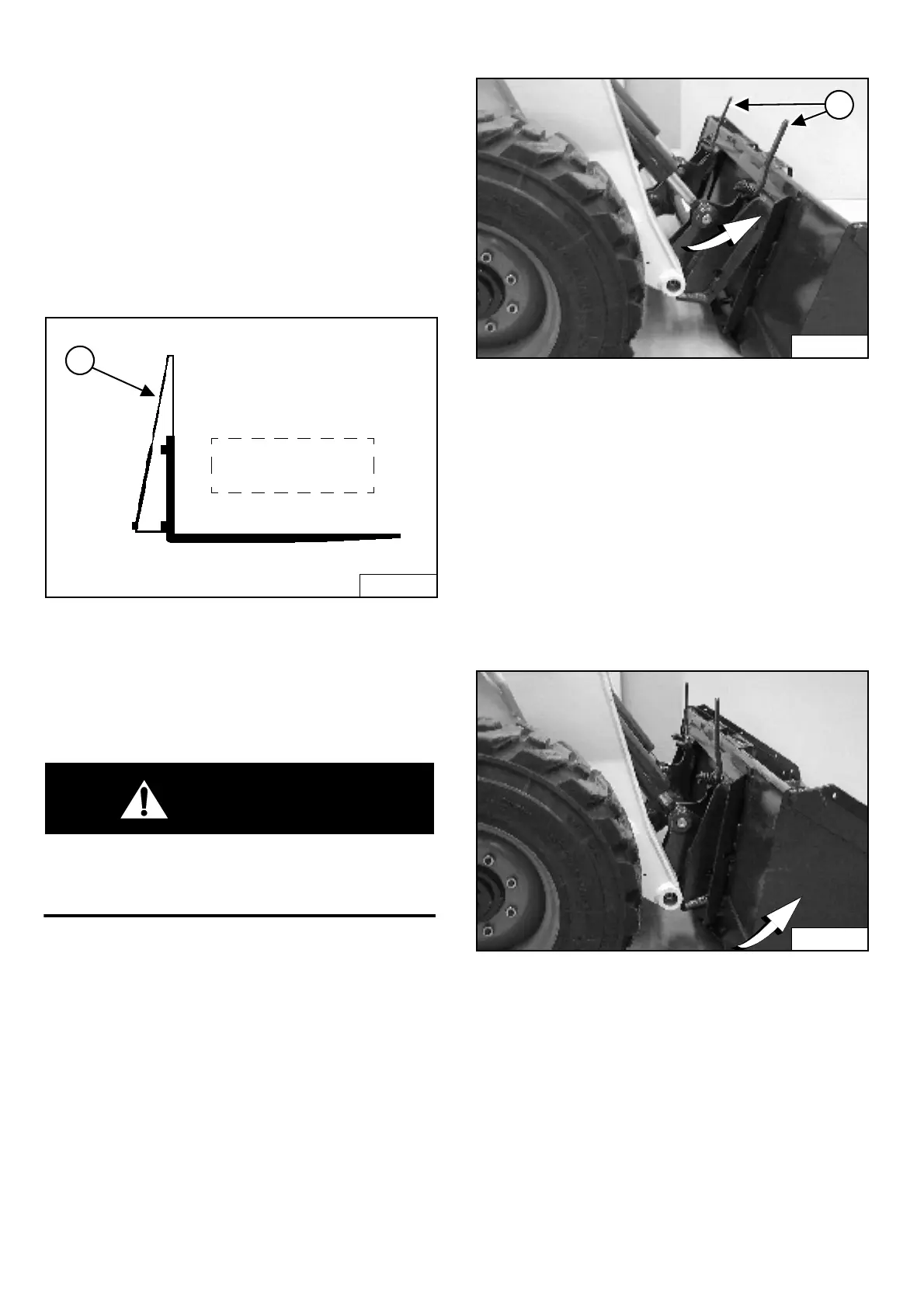
Pallet Forks
Figure OI-62
If a pallet fork attachment is used, the load center moves
forward and reduces the Rated Operating Capacity.
The maximum load to be carried when using a pallet fork
is shown on a decal located on the pallet fork
frame (Item 1) [Figure OI-62].
WARNING
AVOID INJURY OR DEATH
Do not exceed Rated Operating Capacity (ROC).
Excessive load can cause tipping or loss of control.
W-2053-0903
See your Bobcat Dealer for more information about pallet
fork inspection, maintenance and replacement. See your
Bobcat loader dealer for Rated Operating Capacity when
using a pallet fork and for other available attachments.
Hand Lever Bob-Tach - Installing The Bucket Or
Attachment
The Bob-Tach is used for fast changing of buckets and
attachments. See the appropriate Attachment Operation &
Maintenance Manual to install other attachments.
Figure OI-63
Pull the Bob-Tach levers all the way up (Item 1)
[Figure OI-63].
Enter the loader and perform the PRE-STARTING
PROCEDURE (See PRE-STARTING PROCEDURES on
Page OI-25).
Lower the lift arms and tilt the Bob-Tach forward.
Drive the loader forward until the top edge of the
Bob-Tach is completely under the top flange of the bucket
[Figure OI-63] (or other attachment). Be sure the
Bob-Tach levers do not hit the bucket.
Figure OI-64
Tilt the Bob-Tach backward until the cutting edge of the
bucket (or other attachment) is slightly off the ground
[Figure OI-64].
Stop the engine and exit the loader.
B-17255
1
Load varies with
model of pallet fork
being used.
P-31238
1
P-31239


 To Next Page
 Loading...