S250 Bobcat Loader
PM-9 Operation & Maintenance Manual
OPERATOR CAB (CONT’D)
Lowering The Operator Cab
Always stop the engine before raising or lowering the cab.
NOTE: Make sure the seat bar is fully raised or
lowered when lowering the cab. Always use
the grab handles to lower the cab.
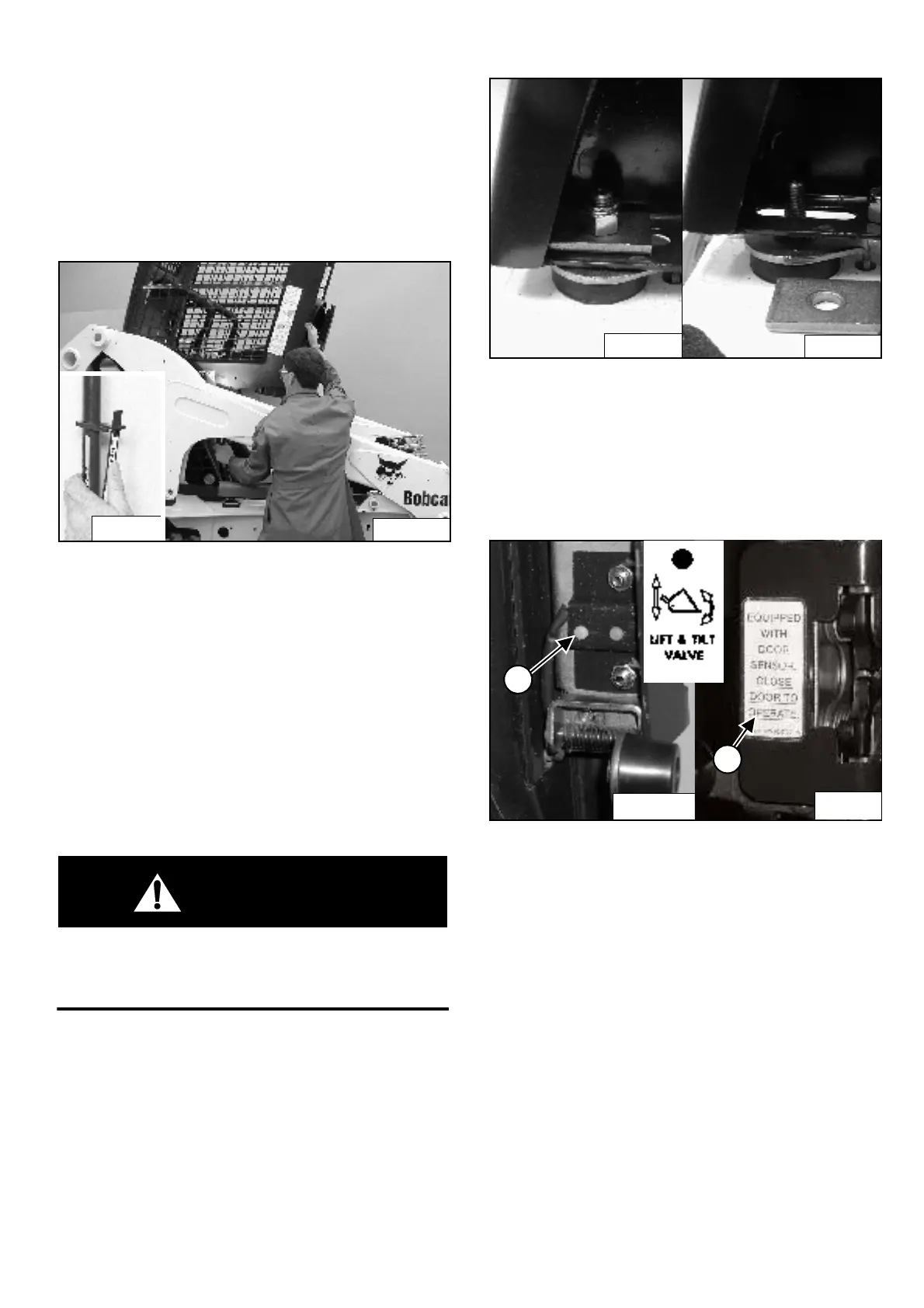
Figure PM-7
Pull down on the bottom of the operator cab until it stops
at the latching mechanism [Figure PM-7].
NOTE: The weight of the cab increases when
equipped with options and accessories such
cab door, heater, air conditioning, etc. In
these cases, the cab may need to be raised
slightly from the latch to be able to release the
latch.
Support the cab and release the latching mechanism
(Inset) [Figure PM-7]. Remove your hand from latching
mechanism when the cab is past the latch stop. Use both
hands to lower the cab all the way.
WARNING
PINCH POINT CAN CAUSE INJURY
Remove your hand from the latching mechanism
when the cab is past the latch stop.
W-2469-0803
Figure PM-8
Install the plates and nuts (both sides) [Figure PM-8].
Tighten the nuts to 54-68 Nm torque.
Cab Door Sensor (If Equipped)
Figure PM-9
Later model cab doors* have a sensor (Item 1)
[Figure PM-9] installed which edactivates the lift and tilt
valves when the door is open.
A decal is located on the latch mechanism (Item 2)
[Figure PM-9].
The LIFT & TILT VALVE light (Item 3) [Figure PM-9] will
be ON when the door is closed and the PRESS TO
OPERATE LOADER button is pressed.
* The Cab Door Sensor Kit can be installed on early
model cab doors. See your Bobcat dealer.
P-31268
N-20120
P-31289
P-31288
P-31202
1
P-34171
1
B-15551J



 To Next Page
 Loading...