81 S650 Operation & Maintenance Manual
HYDRAULIC CONTROLS (CONT’D)
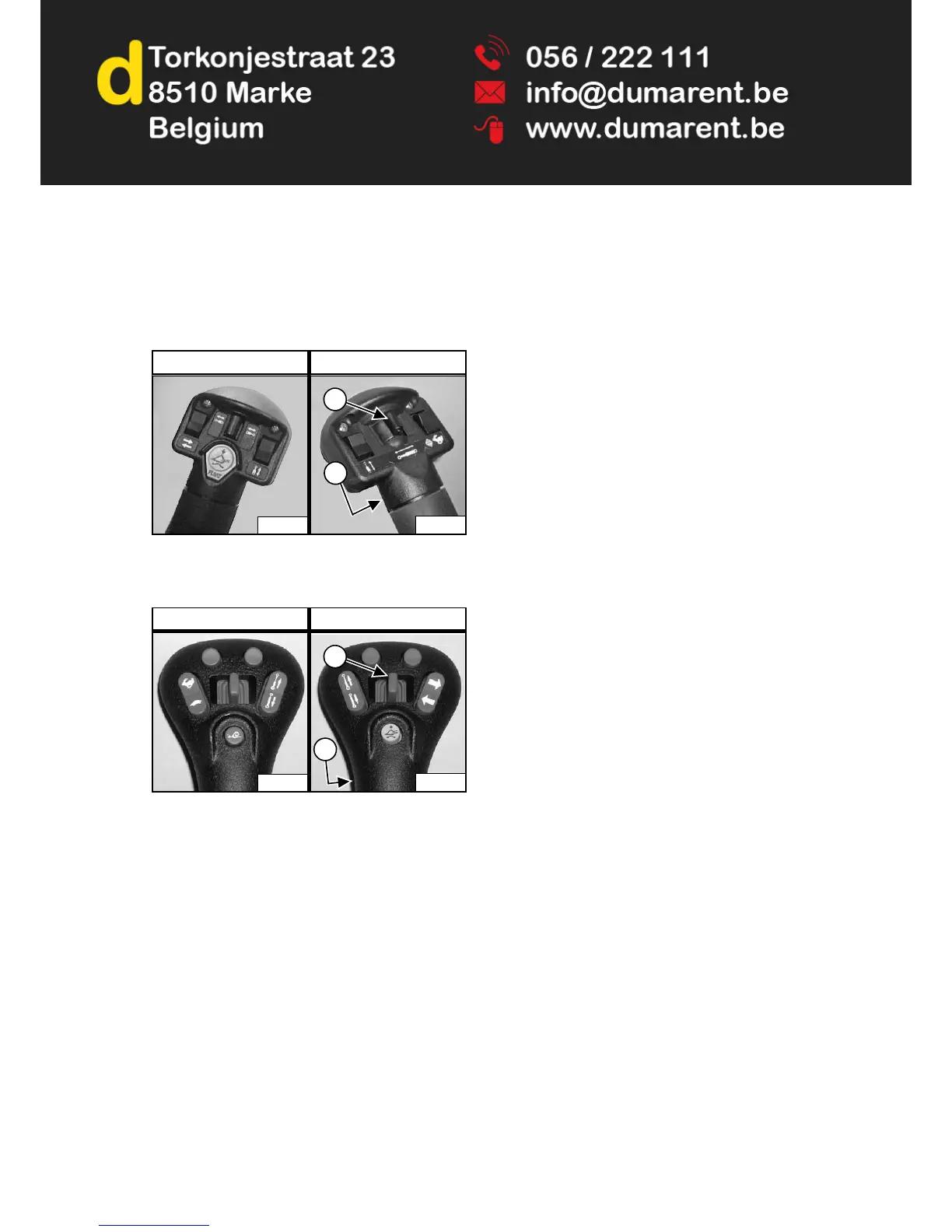
FRONT Auxiliary Hydraulics Operation
(CONTINUOUS FLOW)
Standard, ACS And AHC (If Equipped)
Figure 82
SJC (If Equipped)
Figure 83
After activating the auxiliary hydraulics, press the
continuous flow control switch (Item 2) [Figure 82] or
[Figure 83] to allow constant auxiliary hydraulic oil flow
to the front female coupler (female coupler is
pressurised). (EXAMPLE: Operate a backhoe.)
To stop continuous auxiliary hydraulic oil flow, press the
front auxiliary hydraulic switch (Item 2) [Figure 82] or
[Figure 83] a second time.
NOTE: When the operator is seated and raises the
seat bar, the Auxiliary Hydraulic System
(Front and Rear) will deactivate.
FRONT Auxiliary Hydraulics Operation (REVERSE
CONTINUOUS FLOW)
To allow constant auxiliary hydraulic oil flow to the front
male coupler (male coupler is pressurised):
1. Activate the auxiliary hydraulics.
2. Move the front auxiliary hydraulic switch (Item 1)
[Figure 82] or [Figure 83] to the left and hold it there.
3. Press the continuous flow control switch (Item 2)
[Figure 82] or [Figure 83].
4. Release the front auxiliary hydraulic switch.
NOTE: Reverse flow can cause damage to some
attachments. Use reverse flow with your
attachment only if approved. See your
attachment Operation & Maintenance Manual
for detailed information.
To stop reverse continuous auxiliary hydraulic oil flow,
press the front auxiliary hydraulic switch (Item 2)
[Figure 82] or [Figure 83] a second time.
NOTE: When the operator is seated and raises the
seat bar, the Auxiliary Hydraulic System
(Front and Rear) will deactivate.
P16537C
P-31833A
1
2
Left Handle Right Handle
P-24820A
P-24802A
1
2
Left Joystick Right Joystick


 To Next Page
 Loading...