www.boblov.com
Playback & Delete Files
BOBLOV
In standby mode, short press the "Playback Button"
to quickly access the playback.
Short press the Up/Down Button to select VIDEO or
IMAGE.
Then shortpress0KButton@toenterthelist.
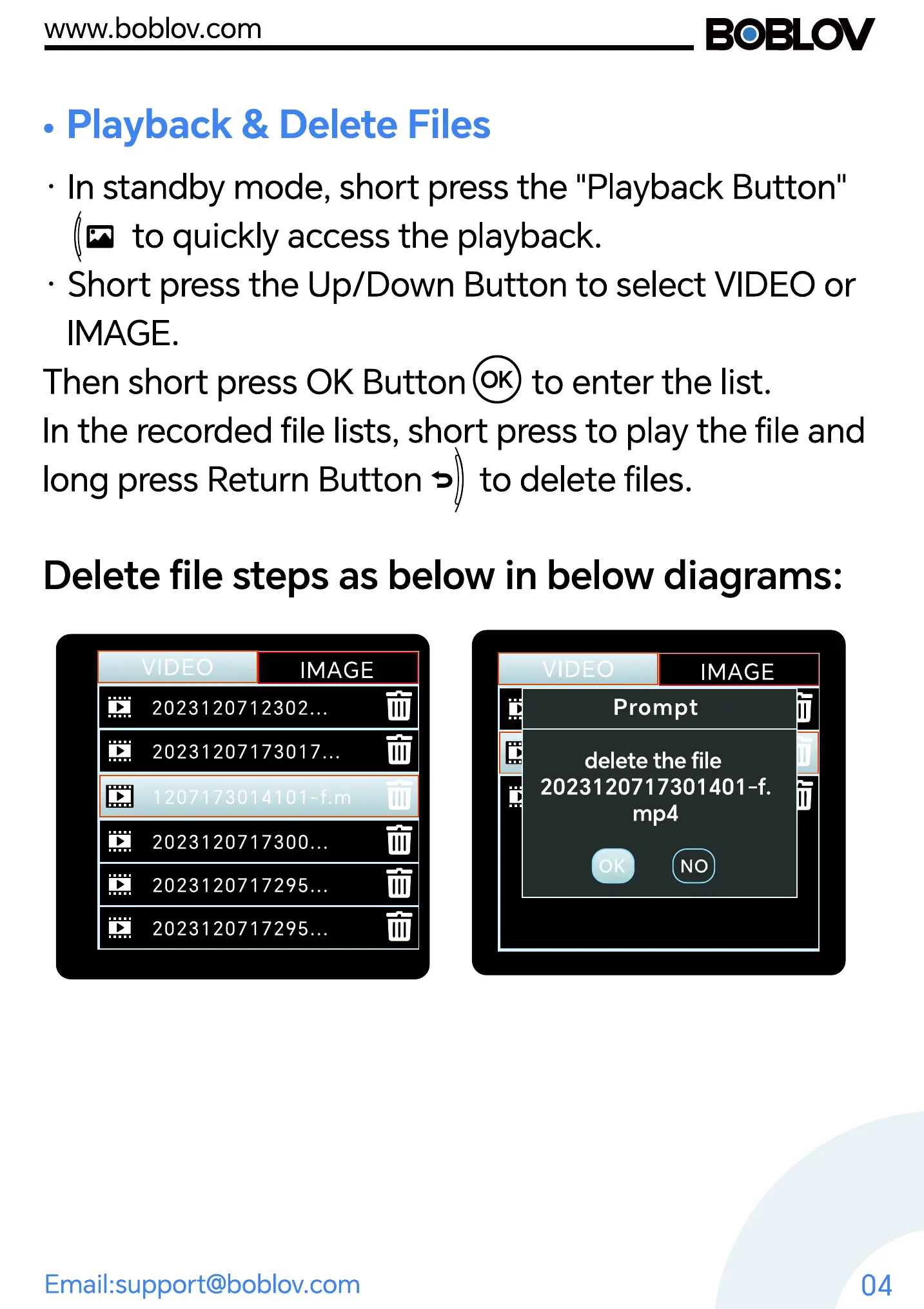
In the recorded file lists, short press to play the file and
long press Return Button 3 to delete files.
Delete file steps as below in below diagrams:
ii
IMAGE
20231 2071 2302...
20231207173017...
1207173014101-f.m
2023120717300...
2023120717295...
2023120717295...
VIDE
Prompt
IMAGE
Email:support@boblov.com
delete the file
2023120717301401 -f.
mp4
NO
04



 To Next Page