Product Parameter Setting
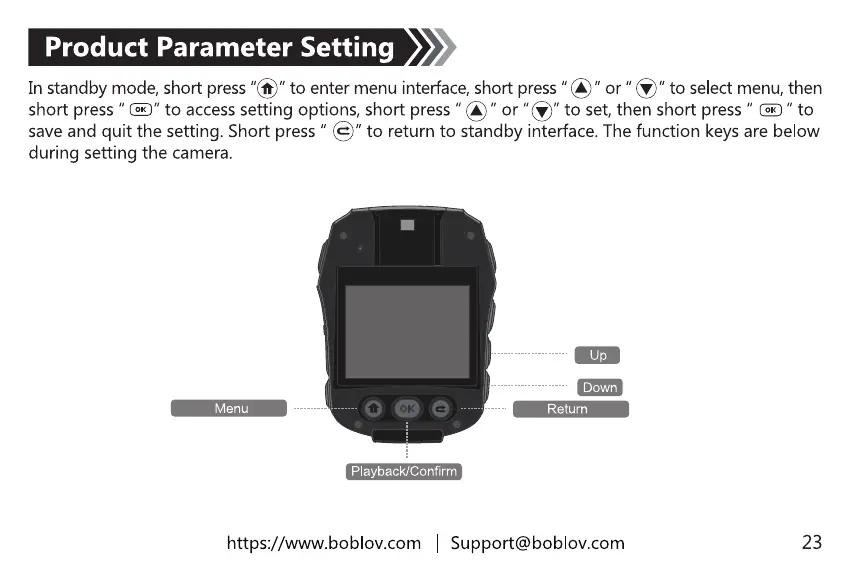
In standbymode,shortpress"@" to enter menuinterface,shortpress"@" or "S" to selectmenu,then
short press" E" to accesssettingoptions,short press or "@" to set,then short press" @ " to
save and quit the setting.Shortpress" S" to returnto standbyinterface.Thefunction keysare below
during setting the camera.
Menu
-ooe
Playback/Confirm
Down
Return
https://www.boblov.com I Support@boblov.com
23



 To Next Page