*How to return previous interface?-----Short Press “Audio”Button
*How to enter the camera menu?-----Long press"OK"Button
4
3
BOBLOV
https://www.boblov.com/ I
Email
support@boblov.com
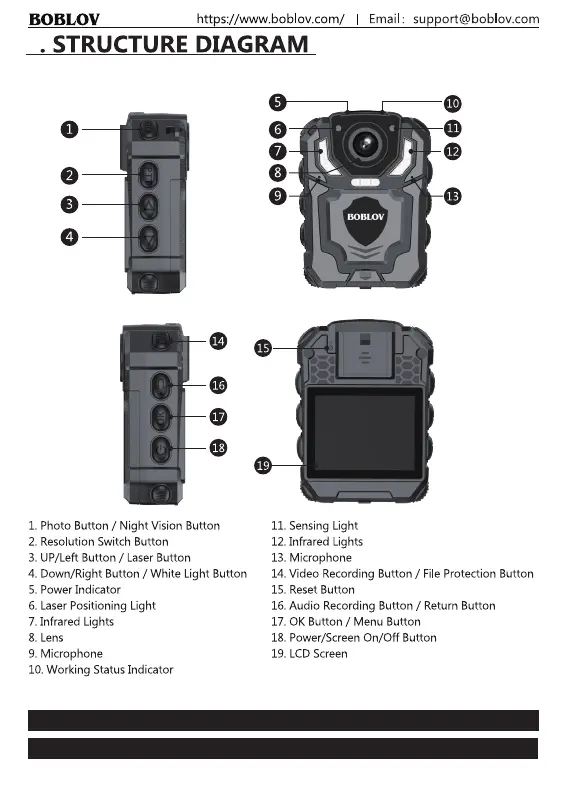
4. STRUCTURE DIAGRAM
O
O
1. Photo Button / Night Vision Button
2. Resolution Switch Button
3. UP/Left Button / Laser Button
4. Down/Right Button / White Light Button
5. Power Indicator
6. LaserPositioning Light
7. Infrared Lights
8. Lens
9. Microphone
10. Working Status Indicator
11. Sensing Light
12 Infrared Lights
13. Microphone
14. Video Recording Button / File Protection Button
15. Reset Button
16.Audio RecordingButton / ReturnButton
17. 0K Button / Menu Button
18. Power/Screen On/Off Button
19. LCD Screen
*How to return previous Press "Audio"Button
*How to enter the camera menu?-----Long press"OK"Button
3



 To Next Page