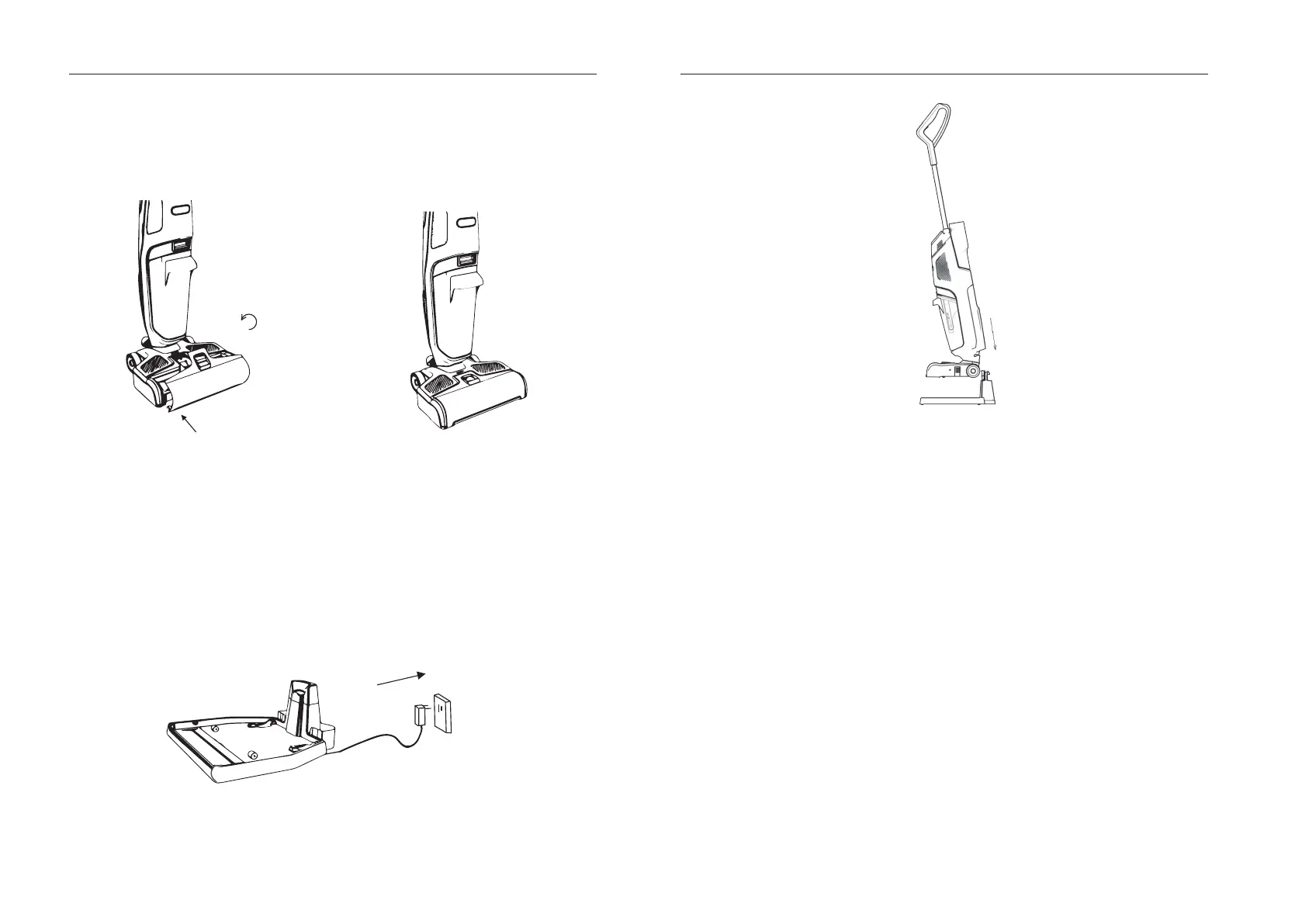
INSTALLATION FOR THE ROLLER BRUSH COV ER
Insert theroller brush cover into thecorresponding positionat thefloor brush as shown in
Fig.12. Thereis afastener at the roller brush cover, andthe roller brush cover is installed
well in positionafter youhearing asound of "click" (seeFig.13) .
Fig.12 Fig.13
OPERATION
CHARGE THE APPLIANCE
1. Insert theadapter of charger intothe power outlet (seeFig.14).
2. Put the appliance onto the charger, and the battery indicator turns
on and the appliance
enters into the charging condition. And the charging is finished after the battery indicator
turns off (seeFig.15).
3. After finish charging, unplug the adapter.
Fig.14
Fig.15
OPERATING THE APPLIANCE
Beforeusing theappliance, makesure theappliance is chargedwell.
1. Remove the appliance fromthe charger and adjust the appliance to the normal working
conditionfromthe uprightposition.
NOTE: Theappliancecannot work when it is placedupright.
2. Press the Power button, the indicators and thelight ring on thecontrol panel illuminate
for a while, thenonly the Battery indicator illuminates, andthe appliance starts to work
andthere is water spraying outfromthe appliance. If youwantto activate theUV
sterilizationfunction, press theUV button, then theUV indicator turns on.
3. If youwant to increase thewater amount, press theWater button, andmorewater will
be sprayed out fromtheappliance, andthenyou canc
leantheplace where needs more
water for cleaning.
4. TheRefill indicator will blink inred if the clean water tank is lack of water, please
refill the cleanwater tank with pure water in time.
5.
TheFull indicator will blink in redif thedirty water tank is full, please empty thedirty
water tank in time.
9 10
OPERATION OPERATION


 To Next Page