Quick Start
Cleaning Schedule
Auto-Resume Mode
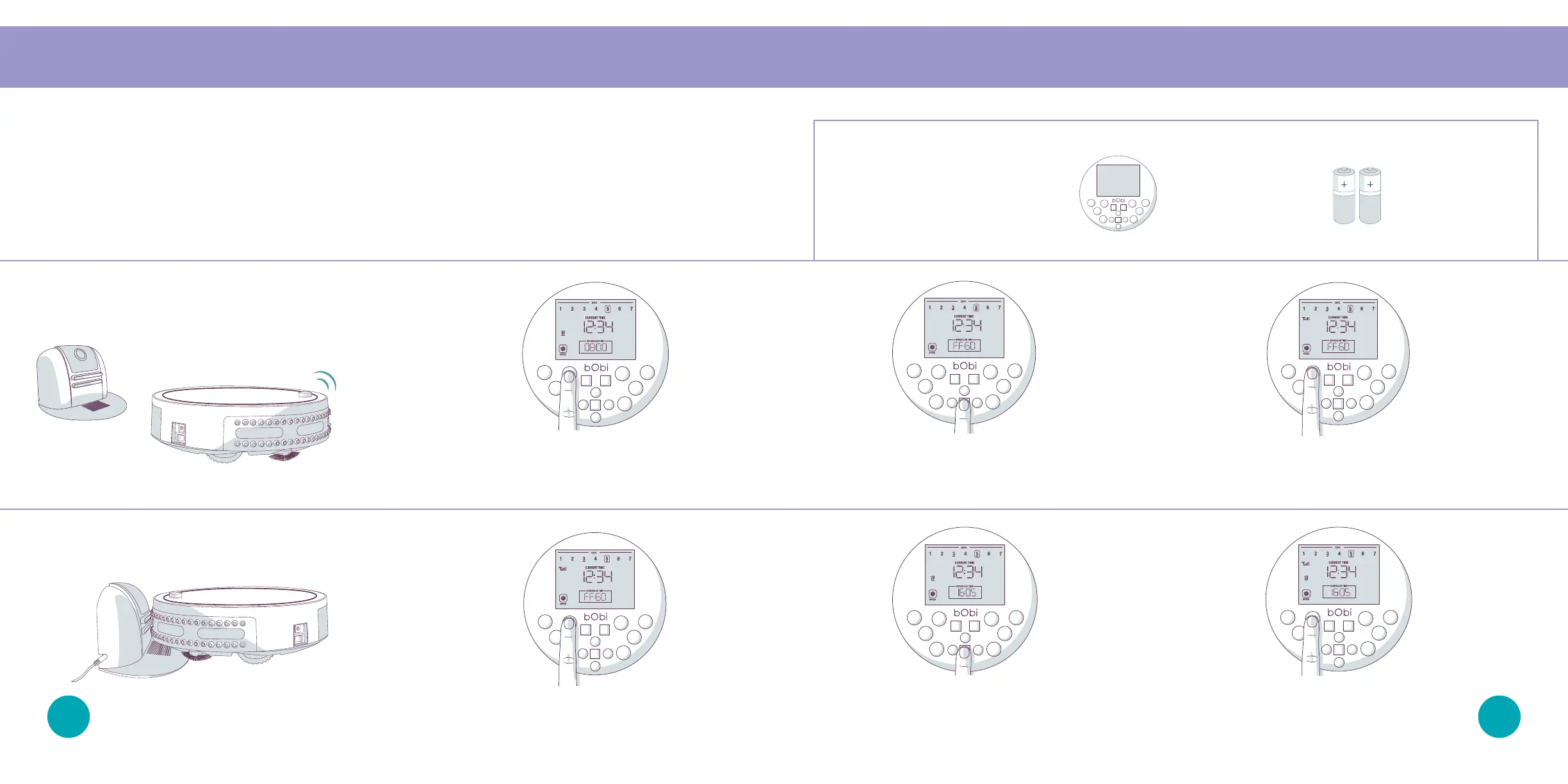
Enabling Auto-Resume
Auto-Resume Mode
On auto-resume mode, bObi leaves her charging station after every recharge to perform “back-
to-back” cleaning cycles. To enable auto-resume, make sure bObi is turned ON and synced to her
FullCommand™ remote.
1. Press the SCH TIME
button on the remote.
2. Press the STOP button and “FFGO” (finish
fueling and go) will appear on the remote’s
screen.
3. Press the SCH TIME button again to
save your settings.
2. Press the STOP button and “FFGO” will
reset to the last saved time.
Parts You’ll Need: FullCommand™ AAA Batteries x2
Remote (not included)
1. Press the SCH TIME
button on the remote.
3. Press the SCH TIME button again to
save your settings.
Disabling Auto-Resume
4443














 To Next Page