Home
Boca Systems
Printer
FSP 42
Page 11 (FSP, Cover Open)
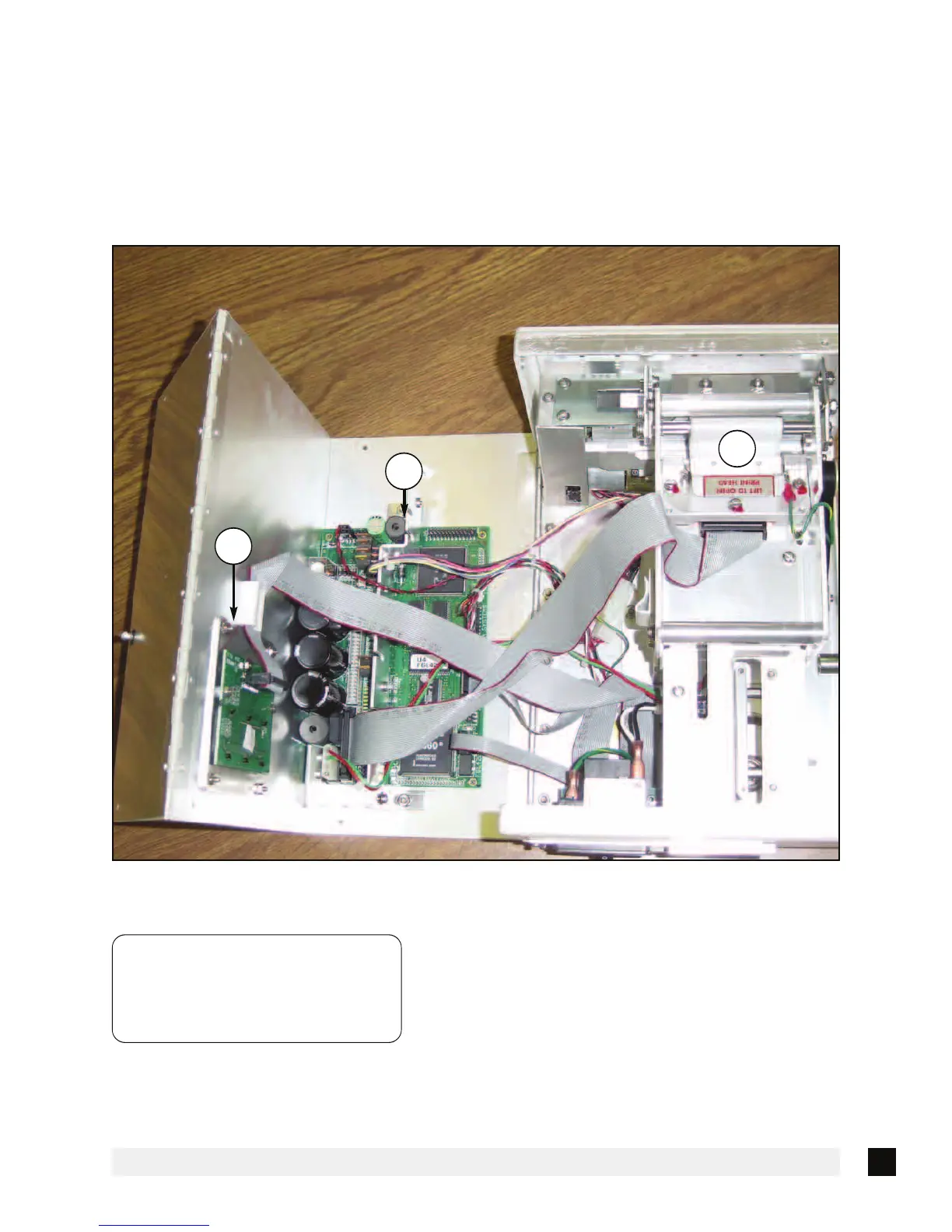
Boca Systems FSP 42 - FSP, Cover Open; Figure
32 pages
Manual
Save Page as PDF
To Next Page
To Next Page
To Previous Page
To Previous Page
Loading...
5
Figure 3b
-
FSP
,
Cov
er Open
A.
Print Head Release Lev
er
B.
Logic Board
C
.
LCD Control Board
A
B
C
NOTE:
LOGIC BOARD CONFIGURATIONS MAY
VARY DEPENDING ON THE DATE OF
MANUFACTURE OF THE PRINTER.
THE FGL42 LOGIC BOARD IS SHOWN.
10
12
Table of Contents
Main Page
Default Chapter
3
Table of Contents
3
Fcc Notice
5
Warranty Information
6
1 Introduction
7
2 Unpacking the Printer
8
Packaging
8
3 A Tour of Your Printer
9
Control Panel and LCD
9
Flight Strip Printer(FSP)
9
Cabinet Lock Mechanism
9
Figure 2A
9
Figure 2B
9
Figure 2C
9
Figure
10
FSP Side View
10
FSP , Cover Open
11
Figure
11
FSP, Rear View
12
Figure
12
4 Installation
13
Loading Flight Strips
13
Figure
13
Adjustable Paper Path
13
Adjustable Paper Path Instructions
13
Flight Strip Loading
14
Figure
14
5 Standard Configuration
15
Baud Rate
16
Ticket Load Switch
17
Default Setting
18
Print Mode
19
Print Intensity
19
This Section Has Been Removed
21
Control Panel Indicators
22
Interface Pinouts
23
7 Thermal Paper - Theory and Specification
24
8 Maintenance and Adjustments
25
Paper Guide and Print Head Assembly
25
Optical Devices
25
Ticket Load Switch
25
Ticket Load Switch
26
Thermal Print Head
27
Rubber Drive Roller
27
Cutter Assembly
29
Logic Board
29
General Cleaning
29
Parts List
30
9 0 Spare Parts List
31
10 Troubleshooting Guide
31
Related product manuals
Boca Systems LEMUR-FDIO
56 pages
Boca Systems Lemur
51 pages
Boca Systems Lemur-S
57 pages



 To Next Page