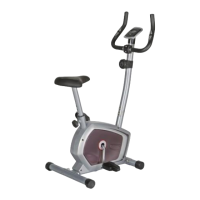
EXERCISE COMPUTER INSTRUCTION MANUAL
FUNCTIONAL BUTTONS:
MODE – Press it to select functions.
–
Hold it for 3 seconds to reset time, distance and calories.
SET(IF HAVE)– To set value of time, distance and calories when not in scan mode.
RESET (IF HAVE) – Press to reset time, distance and calories.
FUNCTIONS:
1. SCAN: Press MODE button until “▼” appears at SCAN Position (or until “SCAN” appears), computer will rotate through
all the 5 functions: Time, Speed, Distance, Calorie and total distance. Each display will be hold for 4 seconds.
2. TIME: Count the total time from exercise start to end.
3. SPEED: Display current speed.
4. DIST : Count the distance from exercise start to end.
5. CALORIES(CAL): Count the total calories from exercise start to the end.
6. TOTAL DIST(ODO): Count the total distance after installing the batteries.
7. AUTO ON/OFF & AUTO START/STOP: Without any signal for 8 minutes, the power will
turn off automatically. As long as the wheel is in motion or press any button, the computer is in action.
8. PULSE RATE (IF HAVE)
Press MODE button until “▼” appears at PULSE position(or until “ ”appears). Before measuring your pulse rate, please
place both your palms on the contact pads and the computer will show your current heart beat rate in beats per minute
(BPM) on the LCD after 3~4 seconds.
Remark: During the process of pulse measurement, because of the contact jamming, the measurement value may be higher
than virtual pulse rate during the first 2~3 seconds, then it will return to normal level. To ensure testing accuracy, it is
suggested that user test pulse during stop/pause exercise to avoid any possible influence. The measurement value can not
be regarded as the basis of medical treatment.
9. ALARM
The functions of time, distance and calorie can be set countdown, any of above value goes to zero, the computer will alarm
for 15 seconds.
Press MODE to select the function, then press SET to adjust the value.
Note: ● The product with only “MODE” button has no No.9 function.
● The computer can be programmed before delivery with Metric or Imperial system. If you find “M” in right side of
monitor screen, it is with Imperial system and the unit will be mile.
SPECIFICATIONS
FUNCTION Auto Scan Every 4 seconds
Running Time 00:00 ~ 99:59(Minute: Second)
Current Speed The max pick-up signal is 99.9KM/H or
MILE/H (or 1500RPM)
Trip Distance 0.00 ~ 99.99 KM or MILE
Calories 0 ~ 999.9~ 9999 Kcal
Total Distance 0 ~ 9999 KM or MILE
Pulse Rate (IF HAVE) 40-240BPM
Battery Type 2 pcs of SIZE-AAA or UM4


 To Next Page
 Loading...