13
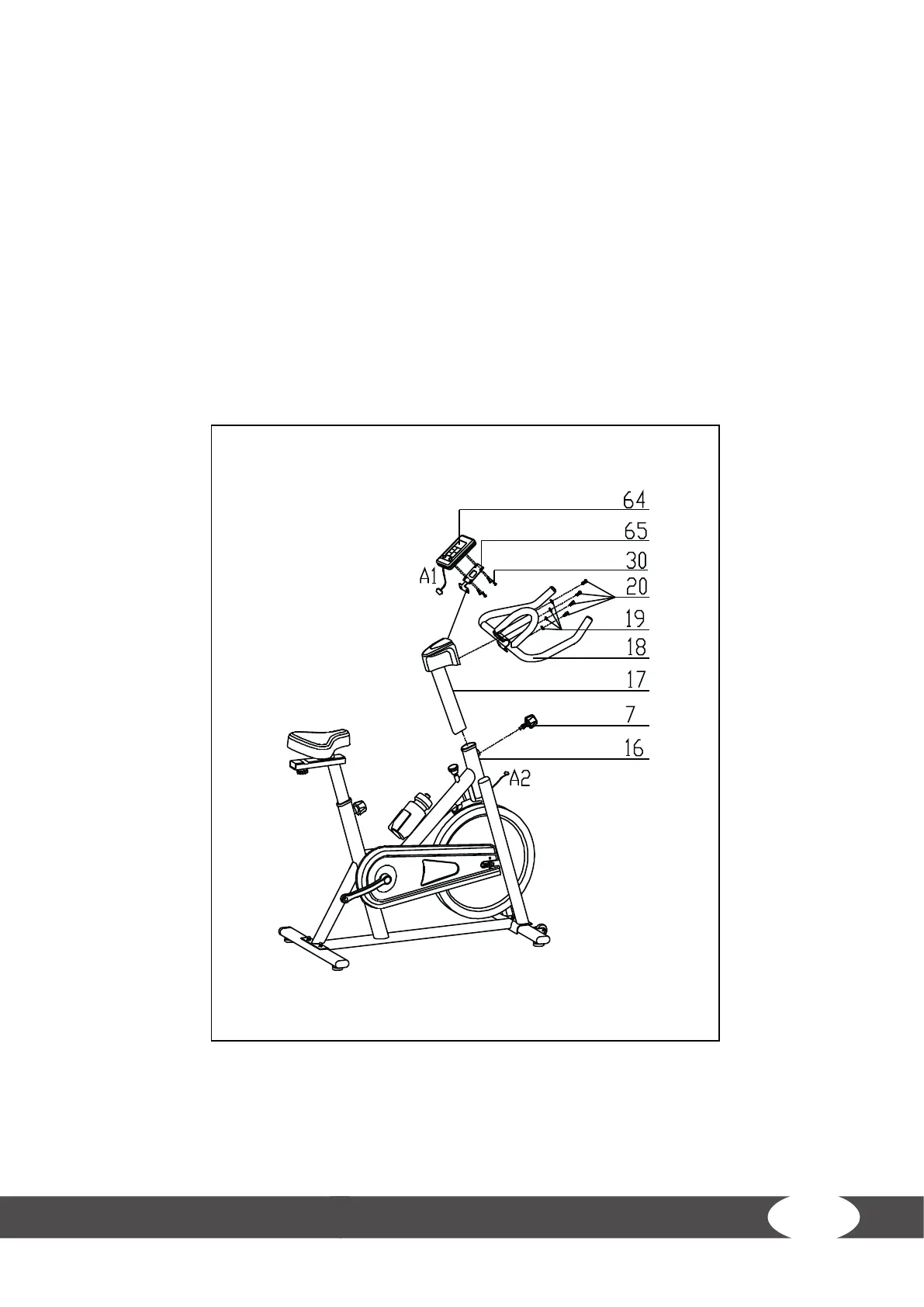
Step 3: Assembly of the Handlebar Post, the Handlebar and the Computer
1. Slide the handlebar post (17) into the handlebar post housing on the main frame (16).
2. Loosen the spring adjustment knob (7) and pull it back.
3. Align the holes for the desired height.
4. Release the spring adjustment knob (7) and retighten the knurled portion.
5. Remove the bolts (20) and spring washers (19) from the handlebar post (17).
6. Mount the computer (65) onto the computer holder (64) with four screws (30).
7. Mount the handlebar (18) along with the computer holder (64) onto the handlebar post (17)
with the four previously removed bolts (20) and spring washers (19).
8. Connect the cables A1 and A2 with one another.


 To Next Page