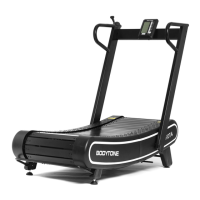
This document provides instructions for the BODYTONE EVOT4S Treadmill exercise monitor. It covers window display, button functions, quick start, operations during exercise, manual mode, preset programs, user programs, body fat test, range of values, safety key functions, power saving mode, MP3/SD/USB/Music Bluetooth function, APP Bluetooth function, power off, attentions, error message codes, calorie calculation method, and warranty information.
Function Description:
The BODYTONE EVOT4S Treadmill is designed for exercise, featuring an integrated monitor that displays various exercise parameters and offers a range of programs. The monitor allows users to track their progress, customize workouts, and assess body fat. It supports both manual operation and preset/user-defined programs, providing flexibility for different fitness levels and goals. The treadmill includes safety features such as a safety key for urgent stops and a power-saving mode to conserve energy. Optional features include MP3/SD/USB/Music Bluetooth connectivity for entertainment and APP Bluetooth functionality for integration with fitness applications like Zwift, Kinomap, and MyCONNECT.
Important Technical Specifications:
- Display Parameters: Incline, calories, time, distance, steps, speed, heart rate.
- Middle Dot Matrix Display: Runway and number of turns (400 meters per turn).
- Preset Programs: 18 programs (P01-P18), each divided into 20 segments.
- User Programs: 3 customizable programs (U01, U02, U03), each with 20 segments.
- Speed Adjustment Range: 0.1 km/h per adjustment (0.6-13.6 MPH / 1.0-22.0 KM/H).
- Incline Adjustment Range: 1 level per press (0-15 levels).
- Time Setting Range: 5:00-99:00 (minutes:seconds).
- Distance Setting Range: 0.50-99.9 KM.
- Calorie Setting Range: 10.0-999.0 Kcal.
- Heart Rate Range: 50-200 beats/min.
- Body Fat Test (FAT): Measures relevance between height and weight, with ideal FAT between 20-24.
- Calorie Calculation Method: 70.3 × V(Km/h) × t(h) × (1+?%) (approximately 70.3 cal per 1km at 0 incline).
- Power Saving Mode: Activates after 10 minutes of no key input, automatically shutting down the display.
- Refueling Reminder: Buzzer rings five times, and the fill cue icon lights up every 300 KM.
Usage Features:
- Quick Start (Manual Mode): Turn on power, attach safety key, press "Start" (►). The system initiates a 3-second countdown, and the treadmill starts at 1 km/h with 0 incline. Speed and incline can be adjusted using the +/- keys.
- Program Key (P): Accesses 18 preset programs, 3 user-setting programs, and Body Fat Test programs.
- Mode Key (M): Loops through selection modes: manual (0:00), time countdown (30:00), distance countdown (1.0), and calorie counting (50:0). Speed and incline can be set in these modes before starting.
- Start Key (►): Initiates treadmill operation.
- Stop Key (■): Stops the treadmill.
- Speed +/- Keys (+/-): Adjusts speed in increments of 0.1 km/h. Continuous press for over 0.5 seconds results in continuous adjustment.
- Incline +/- Keys (▲/▼): Adjusts incline level by one per press. Continuous press for over 0.5 seconds results in continuous adjustment.
- Speed Shortcut Keys (3, 6, 9, 12 km/h): Directly sets speed during operation.
- Incline Shortcut Keys (3%, 6%, 9%, 12%): Directly sets incline during operation.
- Kilometer/Mile Transformation: Remove safety key, press "Program" (P) and "Mode" (M) simultaneously for 3 seconds.
- USB Play Control Key: Includes play/pause, volume reduction/previous song, and volume increase/next song functions.
- Heart Rate Monitoring: Hold handle pulse boards with both hands for about 3 seconds to display heart rate data.
- User Program Settings: In standby mode, select U01-U03 using "Program" (P), then use "Mode" (M) to set speed and incline for each of the 20 segments.
- Body Fat Test: In standby mode, select "FAT" using "Program" (P), then use "Mode" (M) to select parameters (gender, age, height, weight). Adjust values with +/- keys. Hold handle pulse boards for 5-6 seconds to display FAT.
- MP3/SD/USB/Music Bluetooth (Optional): Connect an MP3 or other audio device for music playback. Control volume via the audio device. For Bluetooth music, enable Bluetooth on the phone and connect to the treadmill's music Bluetooth.
- APP Bluetooth Function (Optional): Download compatible fitness apps (Zwift, Kinomap, MyCONNECT) from the app store and follow in-app instructions to pair with the treadmill.
Maintenance Features:
- Refueling Reminder Function: Alerts the user to refuel every 300 KM. The reminder can be canceled by long-pressing the "Stop" key in ready mode.
- Error Message Codes: The manual provides a comprehensive list of error codes (E01-E10) with their corresponding reasons and solutions, facilitating troubleshooting. These include communication abnormalities, external AC voltage issues, over-current/over-load/over-temperature protection, incline learning errors, and IC memory errors.
- Safety Key Function: The safety key provides an urgent stop mechanism. If removed, the treadmill stops, displays "---", and sounds an alarm. The treadmill remains inoperable until the safety key is reinstalled, and the device is reset.
- Power Off: The treadmill can be turned off at any time by shutting down the power switch.
- Troubleshooting: For any issues, users are advised to contact the dealer and avoid attempting repairs themselves if they are not professional staff, to prevent damage to the equipment.
- Structure: 10 years
- Motor: 7 years
- Painting: 2 years
- Cover: 1 year
- Wearing parts: 6 months
- Electronics: 2 years
- Belt - normal: 6 months
- Workforce: 1 year

 Need help?
 General

 To Next Page