Need help?
Do you have a question about the Boekel 132000 and is the answer not in the manual?
Carefully remove packing materials, inspect for damage, and retain for future use or shipment.
Place the incubator on a stable surface away from drafts and connect the power cord.
Identifies the power switch, heater lamp, and temperature adjust knob on the control panel.
Instructions on how to use the temperature adjust knob to set the desired chamber temperature.
Steps to turn the incubator on, set temperature, and allow for equilibration.
Details the optional removable shelf, including its catalog number for purchase.
Details the optional shelf brackets, including their catalog number for purchase.
Procedures for cleaning the unit's exterior casing and handling spills safely.
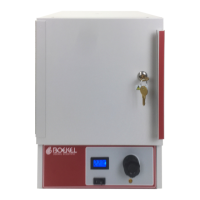
The Boekel Incubator, models 132000 and 132000-2, is a laboratory and clinic instrument designed for accurate and economical temperature control. It features a contemporary design and provides excellent incubator performance for various applications requiring a controlled environment.
The primary function of the Boekel Incubator is to maintain a stable, controlled temperature within its chamber, making it suitable for incubating samples in laboratories and clinics. The incubator utilizes a dial-controlled thermostat for precise temperature regulation. A key feature is the top-entry ferrule point, which allows for the insertion of a thermometer to monitor the internal chamber temperature independently. The unit is designed to operate within a specific temperature range relative to the ambient conditions, ensuring that samples are kept at their desired temperature for optimal results. The internal chamber volume is designed to accommodate various sample sizes and containers.
The incubator is designed for straightforward operation. To begin, the unit should be placed on a flat and stable surface, ideally away from drafts, to ensure consistent performance. It is crucial to connect the power cord to a power supply that matches the voltage specified on the serial number label located on the rear of the unit. The power switch controls the overall power to the incubator.
Temperature adjustment is managed via a temperature adjust knob. Rotating this knob clockwise increases the chamber temperature, while rotating it counter-clockwise decreases it. Once the desired temperature is set, the heater lamp illuminates, indicating that the heater is active and working to reach the set temperature. The lamp remains lit until the chamber achieves the target temperature. After the set temperature is reached, the heater lamp will cycle on and off as the heater operates to maintain the temperature, demonstrating the unit's temperature regulation in action.
For optimal performance, it is recommended to allow a 60-minute equilibration period when starting the incubator from a cold state. If the temperature is adjusted during operation, a 15-minute re-equilibration period is advised to ensure the chamber stabilizes at the new setting. To turn off the incubator, the power switch should be moved to the off (O) position, or the unit can be unplugged. A convenient feature is that if the temperature adjust knob is not moved when the incubator is powered down, it will return to its previously set temperature upon restart, saving time and ensuring consistency for recurring experiments.
The incubator comes with two movable shelves, allowing users to customize the internal space to suit their specific needs. The shelves are inserted at desired heights using shelf brackets. Additional shelves and shelf brackets can be purchased separately to further enhance the unit's storage capacity and flexibility. Proper installation of these shelves is critical for safe and effective use.
Safety is paramount when operating the incubator. Users should always ensure that the power supply matches the unit's requirements and that a safety ground terminal is provided. Before moving the incubator, it must be disconnected from the power supply. It is important not to check the temperature by touch; instead, a thermometer should be used via the ferrule entry point. During high-temperature operation, safety goggles or spectacles are recommended to reduce the risk of eye injury. Surfaces that become hot during operation should not be touched. Users must also ensure that the operating temperature does not exceed the maximum operating temperature of their sample material. The power switch should always be easily accessible during use. In the event of a liquid spill inside the unit, it must be disconnected from the power supply immediately and checked by a competent person. The user is responsible for appropriate decontamination if hazardous material is spilled. The manufacturer emphasizes that using the equipment in a manner not specified in the instructions may impair the protection provided by the unit.
The Boekel Incubator is designed for minimal maintenance. No routine maintenance is required, and there are no user-serviceable parts within the product, simplifying its upkeep.
For cleaning, it is essential to disengage the power cord before starting. If a spill occurs, appropriate clean-up procedures, as required for radiation or biohazard control, should be followed. The outer casing of the incubator can be cleaned with water and a damp cloth. It is crucial not to submerge or immerse the incubator in water. Before using any cleaning or decontamination method, users should verify that the proposed method will not damage the equipment.
In the event of a fault, a basic fault diagnosis guide is provided. If the unit does not operate, common causes include the unit not being switched on, not being plugged into the power supply, or a power supply failure. The recommended actions are to switch on the unit, plug it in, and check if other electrical appliances on the same circuit are working. If the chamber temperature does not rise as expected, it could be due to the actual temperature being higher than the set temperature or a fault in the temperature control circuit. Users should check the set temperature or have the unit checked by a competent person. Conversely, if the temperature continues to rise unexpectedly, it might indicate that the actual temperature is lower than the set temperature or a fault in the temperature control circuit, again requiring a check of the set temperature or inspection by a competent person.
For any service needs, it is mandatory to obtain a Returned Material Authorization (RMA) number from Boekel Scientific before returning any product. A Decontamination Certificate, completed and signed by the user, must also be returned to Boekel Scientific prior to receiving the RMA number. The RMA number should be clearly marked on the outside of the returned goods package to ensure prompt handling. This structured approach to service ensures that any issues are addressed efficiently and safely.
 General
| Model | 132000 |
|---|---|
| Category | Accessories |
| Manufacturer | Boekel |
| Material | Stainless Steel |
| Application | Hybridization Incubator |


 To Next Page