
 Need help?
Do you have a question about the Boekel 133000 and is the answer not in the manual?
Explains safety symbols and lists essential precautions for safe operation and handling of the incubator.
Details Boekel Incubator series features, chamber volume, temperature range, and uniformity.
Instructions for unpacking, inspecting, and installing the incubator on a suitable surface.
Description of the incubator's control panel, including power switch, display, and lamps.
Guidance on setting temperature, operating the unit, and allowing for temperature equilibration.
Identifies common faults, their possible causes, and recommended actions for resolution.
Information on optional accessories like removable shelves and shelf brackets.
Details on temperature range, uniformity, display resolution, supply voltage, and power rating.
Procedure for safely cleaning the incubator outer casing with water and a damp cloth.
Step-by-step guide to safely replace fuses in the incubator's fuse drawer.
Details on the two-year warranty for defective material and workmanship.
Procedure for obtaining an RMA number and returning products for service or repair.
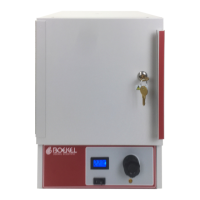
The Boekel Incubator, available in models 133000, 133000-2, and 133000S, is a laboratory and clinic instrument designed for precise temperature control in various applications. It features a contemporary design, accuracy, and economical operation within a basic incubator package. The core function of the incubator is to provide a controlled, stable temperature environment for samples, utilizing a dial-controlled thermostat for temperature regulation.
The primary function of the Boekel Incubator is to maintain a stable, elevated temperature within its chamber, suitable for the incubation of biological samples, cultures, or other materials requiring specific thermal conditions. It achieves this through a heating element controlled by a thermostat, allowing users to set and monitor the internal temperature. The incubator is equipped with a digital temperature display, providing clear and immediate feedback on the chamber's current temperature in degrees Celsius. A heater lamp indicates when the heating element is actively engaged, cycling on and off as the incubator works to maintain the set temperature. The double-walled chamber door is a key design feature, contributing to temperature stability and minimizing heat loss, which is crucial for consistent incubation results. The chamber has a volume of 0.8 cubic feet (0.02 cubic meters), offering ample space for various samples. The incubator is designed to operate within a temperature range from ambient +5°C up to 60°C, making it versatile for a wide array of laboratory procedures. The temperature uniformity within the shelf area is maintained within +/- 1°C at 37°C, ensuring that samples placed across the shelves experience consistent thermal conditions.
Operating the Boekel Incubator is straightforward, designed for ease of use in laboratory settings. To begin operation, the unit is placed on a flat, stable surface, ideally away from drafts, to ensure optimal performance and prevent external temperature fluctuations from affecting the internal environment. The power cord is connected to the IEC power socket at the rear of the unit and then plugged into a power supply matching the voltage specified on the serial number label.
The incubator is turned on using the power switch, which controls the overall power to the unit. Once powered, the desired chamber temperature is set using the temperature adjust knob. Rotating the knob clockwise increases the chamber temperature, while counter-clockwise rotation decreases it. The digital display provides real-time feedback on the temperature as it adjusts. Upon initial startup from a cold state, the incubator requires approximately 60 minutes for the chamber temperature to equilibrate and stabilize at the set point. During this period, the heater lamp will remain continuously lit. Once the set temperature is reached, the heater lamp will cycle on and off, indicating that the heating element is engaging as needed to maintain the temperature. When changing the set temperature during operation, a re-equilibration period of at least 15 minutes is recommended to ensure the chamber stabilizes at the new setting. If the incubator is powered down without adjusting the temperature knob, it will return to its previously set temperature upon restart, simplifying repetitive tasks.
The incubator includes two removable wire rack shelves and eight shelf brackets, allowing users to customize the internal configuration to accommodate different sample sizes and quantities. The shelves can be inserted at various heights within the chamber, providing flexibility in organizing samples. Proper installation of the shelf brackets is illustrated in the manual, ensuring secure placement of the shelves.
The Boekel Incubator is designed for minimal routine maintenance, making it a convenient and reliable instrument for daily laboratory use. There are no user-serviceable parts within the product that require routine examination or supply by Boekel or its agents, simplifying long-term ownership.
Cleaning the incubator is a simple process, but it is crucial to disengage the power cord from the supply prior to any cleaning to ensure safety. For general cleaning of the outer casing, a damp cloth and water can be used. It is important never to submerge or immerse the incubator in water. In the event of a spill inside the unit, appropriate clean-up procedures should be followed, especially if hazardous materials are involved, to ensure proper decontamination. Users should verify that any cleaning or decontamination method used, other than those recommended by the manufacturer, will not damage the equipment.
The incubator is equipped with two supply fuses located in a fuse drawer, providing protection against electrical overloads. In the event of a fuse blowing, replacement is straightforward. First, the power switch must be turned to the off position, and the unit disconnected from the power supply. The line cord is then removed from the power entry module at the back of the unit. The fuse drawer can be pulled out, allowing access to the fuses. The fuses should be checked, and if necessary, replaced with new ones of the correct specification: 5mm x 20mm quick-acting, rated 250V. Specifically, Model 133000 and 133000S (115 V AC) use 1AF fuses, while Model 133000-2 (230 V AC) uses .5AF fuses. After replacing the fuses, the drawer is pushed back in, and the unit can be reconnected to the power supply. This simple fuse replacement procedure ensures continued operation and safety of the device.
 General
| Model | 133000 |
|---|---|
| Category | Accessories |
| Type | Incubator |
| Power Supply | 120V or 230V |
| Power Consumption | 150 Watts |

 To Next Page
