04
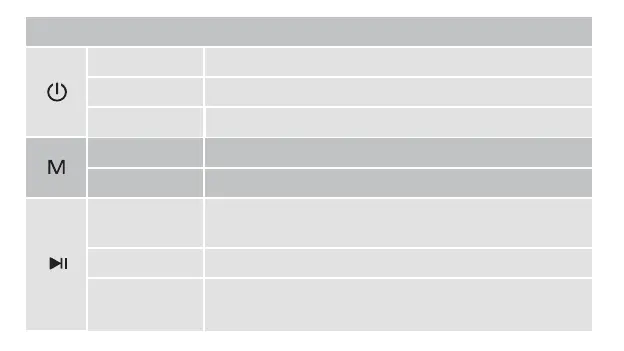
BUTTON OPERATION
Press and hold Turn ON/OFF.
Press twice quickly Enter into True Wireless Stereo (TWS) mode
Press
Press
Press and hold
Switch sound effect modes in turn (3D, Vocal, and Super Bass).
Switch the playing modes (Bluetooth, USB-C, Aux-in or TF-card)
Clear all paired devices or restore to factory settings.
Press
Press and hold
Press twice quickly
1. Play/Pause.
2. Answer the incoming calls.
3. End the current call.
1. Disconnect the bluetooth device.
2. Decline an incoming call.
3. Activate the phone voice assistant
Call back the last call.



 To Next Page