EasyManua.ls Logo

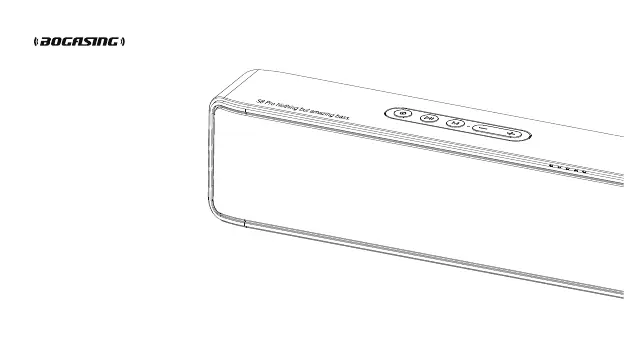
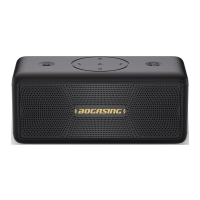
BOGASING S8 Pro - User Manual

Default Icon
13 pages
Print Icon
To Next Page IconTo Next Page
Loading...
S8 Pro
Wireless bluetooth speaker
User Manual
Made in China

Questions and Answers

  • M
    Morgan GeorgeAug 7, 2025
    Why is my BOGASING S8 Pro volume abnormal?
    • C
      Catherine ZavalaAug 8, 2025
      If you are experiencing abnormal volume with your BOGASING Speakers, check the volume setting of your mobile phone. Then, adjust the speaker volume, starting from the minimum to the maximum to find the optimal level.
  • J
    Johnny HendricksAug 13, 2025
    What to do if my BOGASING Speakers can’t be charged?
    • V
      Vanessa FisherAug 14, 2025
      If your BOGASING Speakers aren't charging, verify that the charger voltage is 5V2A, and try replacing the charging cable and charger. If the speaker has not been used for a long time, charge it for 20 minutes to activate the battery.
  • S
    Scott Dorsey Jr.Aug 19, 2025
    What to do if my mobile phone can’t find the BOGASING S8 Pro Speakers?
    • J
      Joanna HamiltonAug 19, 2025
      If your mobile phone can't find the BOGASING Speakers, try the following steps: * Turn off the Bluetooth function of the mobile phone and turn it on again. * Restart your phone, clear all pairing records stored in the phone, and re-pair. * If there is a speaker program error, hold the “ ” button for 5 seconds to reset the speaker.
  • D
    dominguezmartinAug 26, 2025
    How to fix BOGASING Speakers if they can’t be operated?
    • A
      Amy DanielAug 26, 2025
      If your BOGASING Speakers are unresponsive, press and hold the power button for 10 seconds to force shutdown.
  • K
    Kim PruittAug 31, 2025
    Why TF card can’t be played in BOGASING Speakers?
    • S
      snydergregoryAug 31, 2025
      If your TF card is not playing on your BOGASING Speakers: * Confirm whether the speaker is in TF card playback mode. * Check whether the audio files in the memory card are supported by the speaker.

Summary

Product Specifications

Included Accessories

Accessory List

Lists the included 3.5mm AUX cable and USB-C cable.

Button Configuration

Speaker Button and Port Identification

Identifies all buttons and ports on the speaker for user reference.

Button Operations Guide

Power, Mode, and Playback Controls

Details operations for Power, M, and Play/Pause buttons, including TWS and call functions.

Volume and Track Navigation Controls

Explains volume adjustment (total 16 levels) and track skipping operations.

Bluetooth Connectivity

Pairing with Bluetooth Devices

Step-by-step guide on how to connect the speaker to your smartphone via Bluetooth.

Wired Connection Method

Using the AUX Audio Input

Instructions for connecting the speaker to audio sources using the 3.5mm AUX cable.

LED Indicator Guide

Status and Battery Light Meanings

Explains the different colors and patterns of the status and battery indicator lights.

Multiple Playback Modes

TF Card and Audio Input Modes

Details support for TF cards and automatic switching between audio input modes.

TWS Pairing Instructions

True Wireless Stereo Setup Guide

Instructions for pairing two speakers for TWS functionality and related troubleshooting.

Troubleshooting Common Issues

Charging, Connection, and Pairing Problems

Solutions for issues like speaker not charging or unsuccessful Bluetooth connection.

Phone Detection, Volume, and Playback Glitches

Troubleshooting for mobile phone detection, volume issues, and playback problems.

Troubleshooting Specific Problems

TF Card Playback and Speaker Operation

Solutions for TF card playback errors and when the speaker cannot be operated.

Warranty Information

Maintenance Records and Purchase Details

Section for recording maintenance history, product, model, and purchase details.

BOGASING S8 Pro Specifications

General IconGeneral
BrandBOGASING
ModelS8 Pro
Speaker TypePortable Bluetooth Speaker
Bluetooth Version5.0
WaterproofIPX7
Output Power20W
Charging Time3-4 hours
Frequency Response80Hz-20kHz
Signal-to-Noise Ratio≥80dB
Color OptionsBlack, Blue, Red
Playback TimeUp to 40 hours (at 50% volume)

Related product manuals