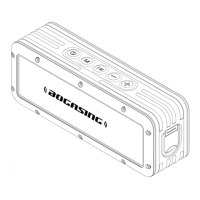
Multiple Play Modes
TWS Pairing
1. Make sure both speakers are powered on and they are disconnect with other devices;
2. Press the " " button twice quickly on one of the speakers to enter TWS pairing mode;
3. After two speakers are paired, you will hear a beep. At this time, the indicator light of first speaker is blinking,
the other one is solid;
4. Enable the Bluetooth feature of your cell phone or other devices, find and connect the speaker named of
"BOGASING S8 Pro”;
5. After the two speakers are successfully paired, it will automatically enter the TWS mode next time turning ON,
no need to re-pair;
6. If the speaker ever paired with other speaker, Please press and hold the " " button to reset it. Restart the
speaker after reset, and then refer to steps 1-4 to enter the TWS pairing.
7. In TWS mode, only one speaker can be use for hands-free calling when incoming calls, the other speaker no
sound.
1. This speaker supports up to 64GB TF-card; Supports music format: APE/FLAC/WAV/MP3.
2. Insert the TF card into the slot and automatically play the audio file in order after recognition.
3. When AUX or USB-C cable is plugged, play mode will automatically swich to AUDIO IN or USB-C mode. If the
bluetooth is connected, press " " button to switch the play mode.
07



 To Next Page