EasyManua.ls Logo

Bogen TPU250 - User Manual

Bogen TPU250
12 pages
Print Icon
To Next Page IconTo Next Page
Loading...
TPU250
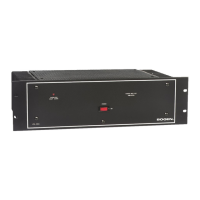
Telephone Paging Amplifier
Installation and Use Manual
© 2000 Bogen Communications,Inc.
All rights reserved.54-5900-01r1 0001
Question and Answer IconNeed help?

Do you have a question about the Bogen TPU250 and is the answer not in the manual?

Summary

Important Safety Information

Safety Precautions

Essential safety guidelines for installation and use, covering reading instructions, ventilation, liquid spills, and wiring.

Introduction

Package Contents

Before You Start

Installation

Mounting Overview

Guidance on installing the amplifier, including weight and heat considerations.

Wall Mounting

Instructions for securely mounting the amplifier to a wall using provided screws.

Rack Mounting

Details on mounting the amplifier in a standard 19-inch rack, including flange orientation.

Wiring Connections

Input Wiring Overview

Instructions on making input connections to the amplifier's terminal strip and RCA connectors.

TEL Input

Details on connecting the 600-ohm dry loop telephone page signal to the T and R terminals.

Music Input

How to connect a background music source via RCA or screw terminals, and using a matching transformer.

Microphone Input

Connecting a low impedance microphone, including wire connections and cable types.

Night Ringer Connection

Connecting a telephone ring signal or contact closure to activate the night ringer.

Bridging Inputs

How to connect two TPU250 amplifiers in tandem to increase total output power.

Input Cover Replacement

Procedure for replacing the input cover after making connections.

Output Wiring

Speaker Connection

Connecting 70-volt or 25V speakers using shielded, twisted pair cable.

Additional Power Amplifier

Using an external amplifier with the TPU250, including a resistor voltage divider.

Line-Matching Transformer WMT1 A Connector

Connecting a WMT1A transformer for a 600-ohm balanced output, useful for long lines.

Output Cover Replacement

Procedure for replacing the output cover after making connections.

Operation

Indicators Overview

Explanation of the POWER IND and PEAK LEVEL LEDs and their functions.

POWER IND Indicator

The POWER IND LED indicates when AC power is applied to the amplifier.

PEAK LEVEL Indicator

The PEAK LEVEL LED indicates when the speaker output signal approaches maximum level.

Controls Overview

Detailed explanation of various controls on the amplifier.

TEL VOLUME Control

Adjusts the level of the telephone page output.

MUSIC VOLUME Control

Adjusts the level of the background music output.

MUSIC MUTE Control

Controls the level of background music heard during a paging announcement.

MIC VOLUME Control

Adjusts the level of the microphone page output.

RINGER VOLUME Control

Adjusts the level of the night ringer tone output.

APHEX Control

Adjusts the amount of Aphex Aural Exciter effect mixed into the page signal.

BASS and TREBLE Controls

Adjusts high and low frequency response of the paging system.

VOX (Voice Operated) SENS Control

Sets sensitivity for voice detection to mute background music.

ALC Control

Controls the level at which the amplifier limits the output signal.

Manual Output Adjustment Procedure

Step-by-step guide for manual adjustment of output levels using TEL VOLUME and ALC.

Summary

Important Safety Information

Safety Precautions

Essential safety guidelines for installation and use, covering reading instructions, ventilation, liquid spills, and wiring.

Introduction

Package Contents

Before You Start

Installation

Mounting Overview

Guidance on installing the amplifier, including weight and heat considerations.

Wall Mounting

Instructions for securely mounting the amplifier to a wall using provided screws.

Rack Mounting

Details on mounting the amplifier in a standard 19-inch rack, including flange orientation.

Wiring Connections

Input Wiring Overview

Instructions on making input connections to the amplifier's terminal strip and RCA connectors.

TEL Input

Details on connecting the 600-ohm dry loop telephone page signal to the T and R terminals.

Music Input

How to connect a background music source via RCA or screw terminals, and using a matching transformer.

Microphone Input

Connecting a low impedance microphone, including wire connections and cable types.

Night Ringer Connection

Connecting a telephone ring signal or contact closure to activate the night ringer.

Bridging Inputs

How to connect two TPU250 amplifiers in tandem to increase total output power.

Input Cover Replacement

Procedure for replacing the input cover after making connections.

Output Wiring

Speaker Connection

Connecting 70-volt or 25V speakers using shielded, twisted pair cable.

Additional Power Amplifier

Using an external amplifier with the TPU250, including a resistor voltage divider.

Line-Matching Transformer WMT1 A Connector

Connecting a WMT1A transformer for a 600-ohm balanced output, useful for long lines.

Output Cover Replacement

Procedure for replacing the output cover after making connections.

Operation

Indicators Overview

Explanation of the POWER IND and PEAK LEVEL LEDs and their functions.

POWER IND Indicator

The POWER IND LED indicates when AC power is applied to the amplifier.

PEAK LEVEL Indicator

The PEAK LEVEL LED indicates when the speaker output signal approaches maximum level.

Controls Overview

Detailed explanation of various controls on the amplifier.

TEL VOLUME Control

Adjusts the level of the telephone page output.

MUSIC VOLUME Control

Adjusts the level of the background music output.

MUSIC MUTE Control

Controls the level of background music heard during a paging announcement.

MIC VOLUME Control

Adjusts the level of the microphone page output.

RINGER VOLUME Control

Adjusts the level of the night ringer tone output.

APHEX Control

Adjusts the amount of Aphex Aural Exciter effect mixed into the page signal.

BASS and TREBLE Controls

Adjusts high and low frequency response of the paging system.

VOX (Voice Operated) SENS Control

Sets sensitivity for voice detection to mute background music.

ALC Control

Controls the level at which the amplifier limits the output signal.

Manual Output Adjustment Procedure

Step-by-step guide for manual adjustment of output levels using TEL VOLUME and ALC.

Bogen TPU250 Specifications

General IconGeneral
Channels1
Power Output250 Watts
Input Impedance10k ohms
Output Impedance70V, 25V, 4Ω
OutputsScrew terminals
Power Requirements120V AC, 60 Hz
Input Sensitivity1V for full output
Total Harmonic Distortion (THD)<0.5% at rated power

Related product manuals